
15 (Free & Paid) Trello Alternatives in 2025
Trello excels at basic organization. From daily tasks to travel planning to meal tracking, its card system just works.
But for teams juggling complex projects, Trello’s limitations become frustrating. Advanced task tracking? Limited. Comprehensive reporting? Missing. Native time-tracking? Only through paid integrations.
If you’re struggling with the same issues, it’s time to look for a more robust alternative.
In this post, we’ll introduce you to the 15 best Trello alternatives that deliver everything Trello doesn’t – without sacrificing the user experience you love.
1. SmartTask: Best for Client-Focused Project Management
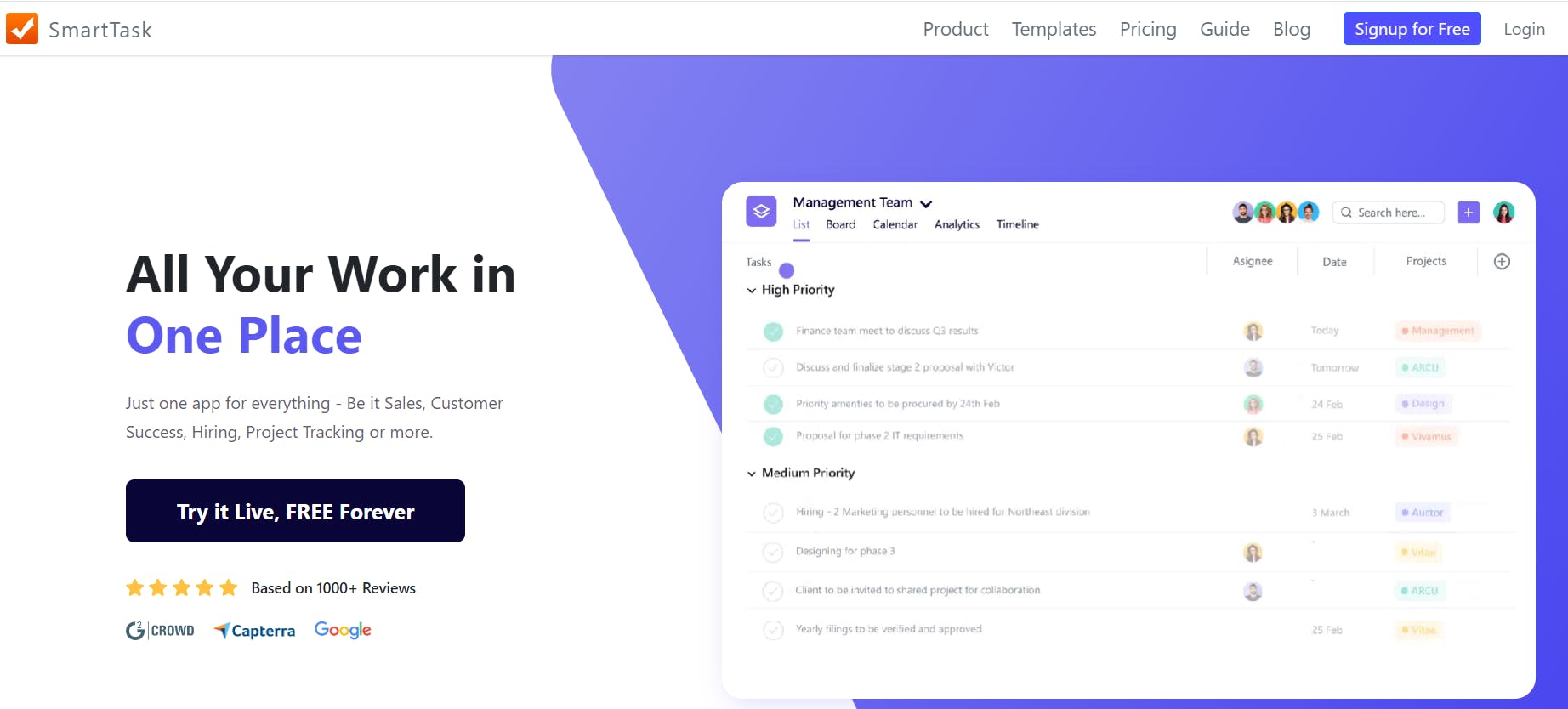
SmartTask offers what Trello lacks – robust task management, built-in time tracking, resource planning, client management, native CRM, advanced analytics, and project cost estimation.
The best part? It consolidates everything into a single platform—eliminating the need to switch between different apps or buy expensive integrations.
Here’s a detailed look into SmartTask’s features:
Core Features
- Robust task management: Simplify complex work with feature-rich tasks, subtasks, and dependencies—that support comments, attachments, tagging people, and video calling
- Multiple project views: Choose between Timeline, Gantt charts, Kanban, List, and Calendar views to visualize work
- Native time-tracking: Track every minute using a built-in timer. Set task-level time estimates, and billing hours, and monitor project costs
- Real-time collaboration: Keep conversations flowing with real-time chat, task comments, project feeds, and video calling
- Resource planning: Identify under- and over-utilized team resources and monitor team availability in real-time
- Advanced analytics: Generate targeted reports (with detailed breakdowns of project progress and costs) and visualize progress using custom charts
- CRM: Track leads and customer calls, manage client data, and monitor sales pipeline with CRM analytics.
- Client Portal: Centralize client approvals, documents, updates, and notes in one place
- 1000+ Integrations: Integrate SmartTask with your favorite tools
Why We Picked SmartTask?
- Offers multiple collaboration channels, including real-time chat, video calling, automated check-ins, project feeds, and task comments
- Features a built-in CRM, allowing users to manage their clients and projects on the same platform.
- Includes a project cost estimation feature for monitoring budgets
- Provides 24/7 customer support for all tiers

Things We Wish Were Better
- The mobile app could use some improvements
- The billing and invoicing feature is still in the works

User Ratings
SmartTask has a combined rating of 4.6/5 based on 130+ reviews on G2, Capterra, and GetApp.
Pricing
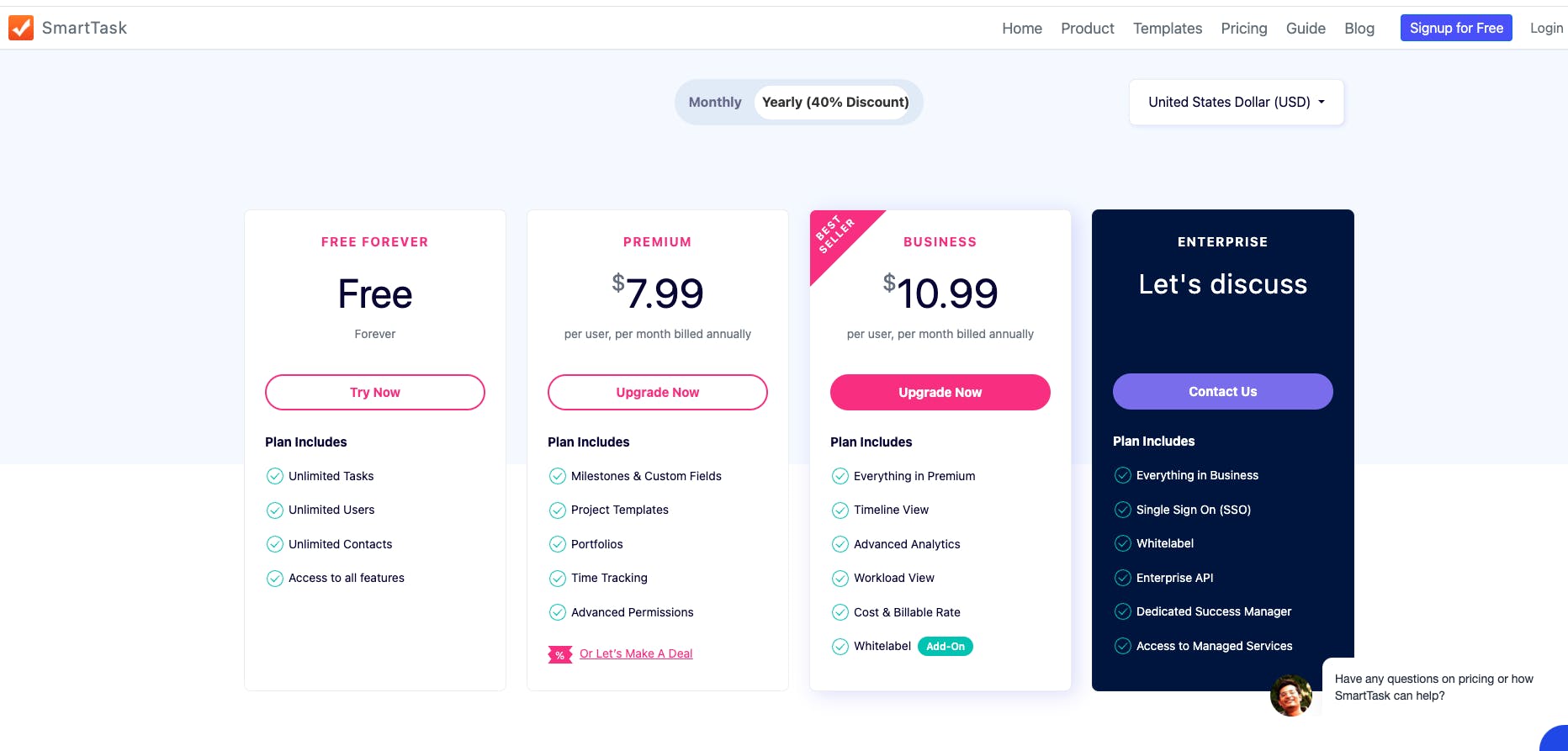
SmartTask offers a generous Free Forever plan with unlimited tasks, users, and contacts, along with three paid plans:
2. Asana – Best For Enterprise Project Management
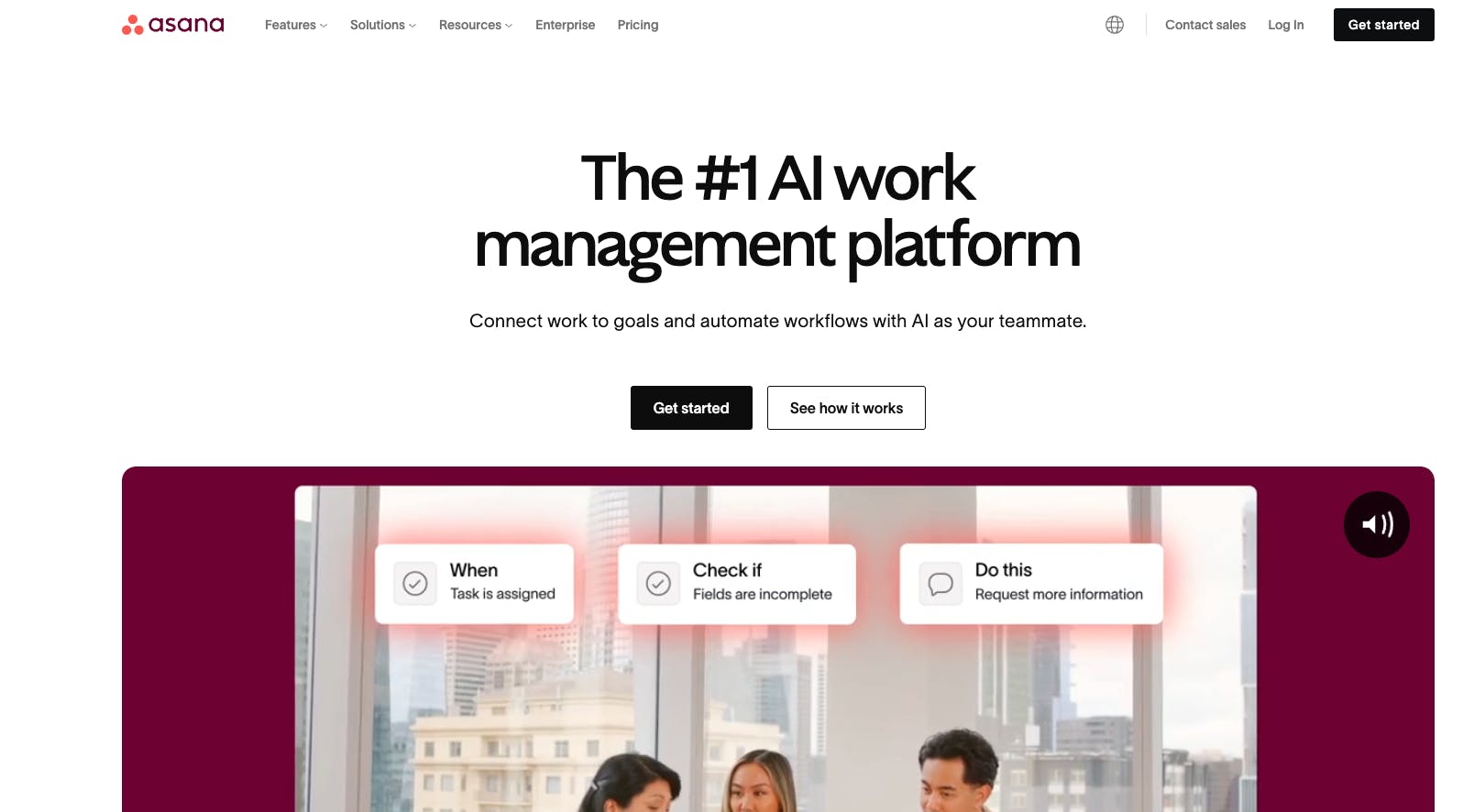
Asana offers robust task management, goal-setting, and workflow automation features. Like Trello, it’s intuitive and easy to use but better suited for scaling teams. Plus, it has a more generous free plan that covers feature-rich task management, multiple project views, and basic time tracking.
Core Features
- Multiple work views (Kanban, timeline, calendar, Gantt chart, and list)
- Tasks, subtasks, and dependencies
- Custom fields to sort and filter tasks
- Asana AI to automate workflows and provide real-time insights
Why We Picked Asana?
- Allows you to create tasks, set due dates, control privacy, and collaborate
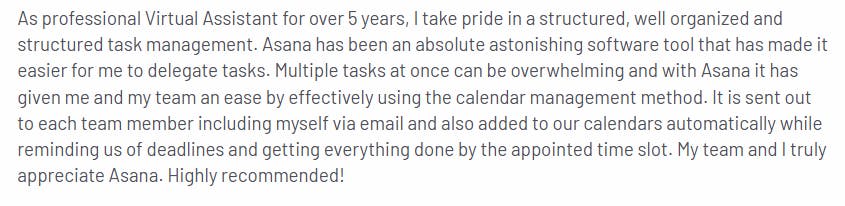
- Enables task delegation with calendar management
- Automates deadline reminders
- Offers dashboard view and custom charts builder
Things We Wish Were Better
- Can’t assign a task to multiple users
- Dedicated support only for Enterprise users
- No version history for tracking task updates

User Ratings
Asana has a combined rating of 4.5/5 based on 36,000+ reviews on G2, Capterra, and GetApp.
Pricing
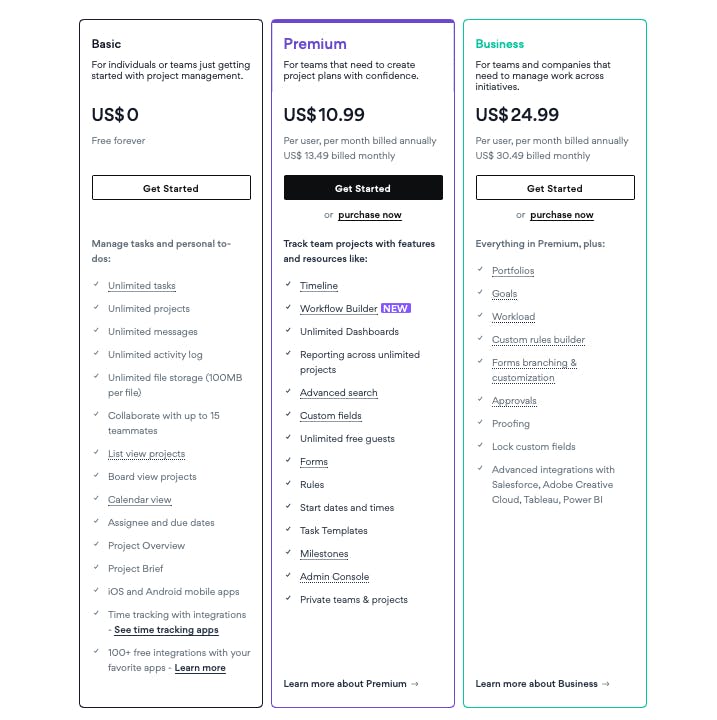
Asana offers three plans for individuals and small teams and two custom plans for enterprises:
3. Jira – Best For Agile Project Management
Jira excels where Trello steps back. Though both are Atlassian products, Jira was built for software development. Its powerful agile boards, detailed reporting, and timeline views transform complex workflows. For development teams that need structure, Jira's complexity pays off where Trello's simplicity falls short.
Core Features
- Kanban and Scrum boards
- Customized workflow automation
- Bug tracking and reporting
- Backlog management and sprint planning
- Issue tracking and sprint reports, burndown charts velocity charts
Why We Picked Jira?
- 12+ reporting templates
- Native time-tracking
- Issue tracking and management

Things We Wish Were Better
- Steep learning curve
- Most customizations require advanced configurations that require technical expertise
- Changes take a few minutes to reflect on screen, which can confuse users
- Lack of built-in Gantt charts

User Ratings
Jira has a combined rating of 4.4/5 based on 34000+ reviews on G2, Capterra, and GetApp.
Pricing
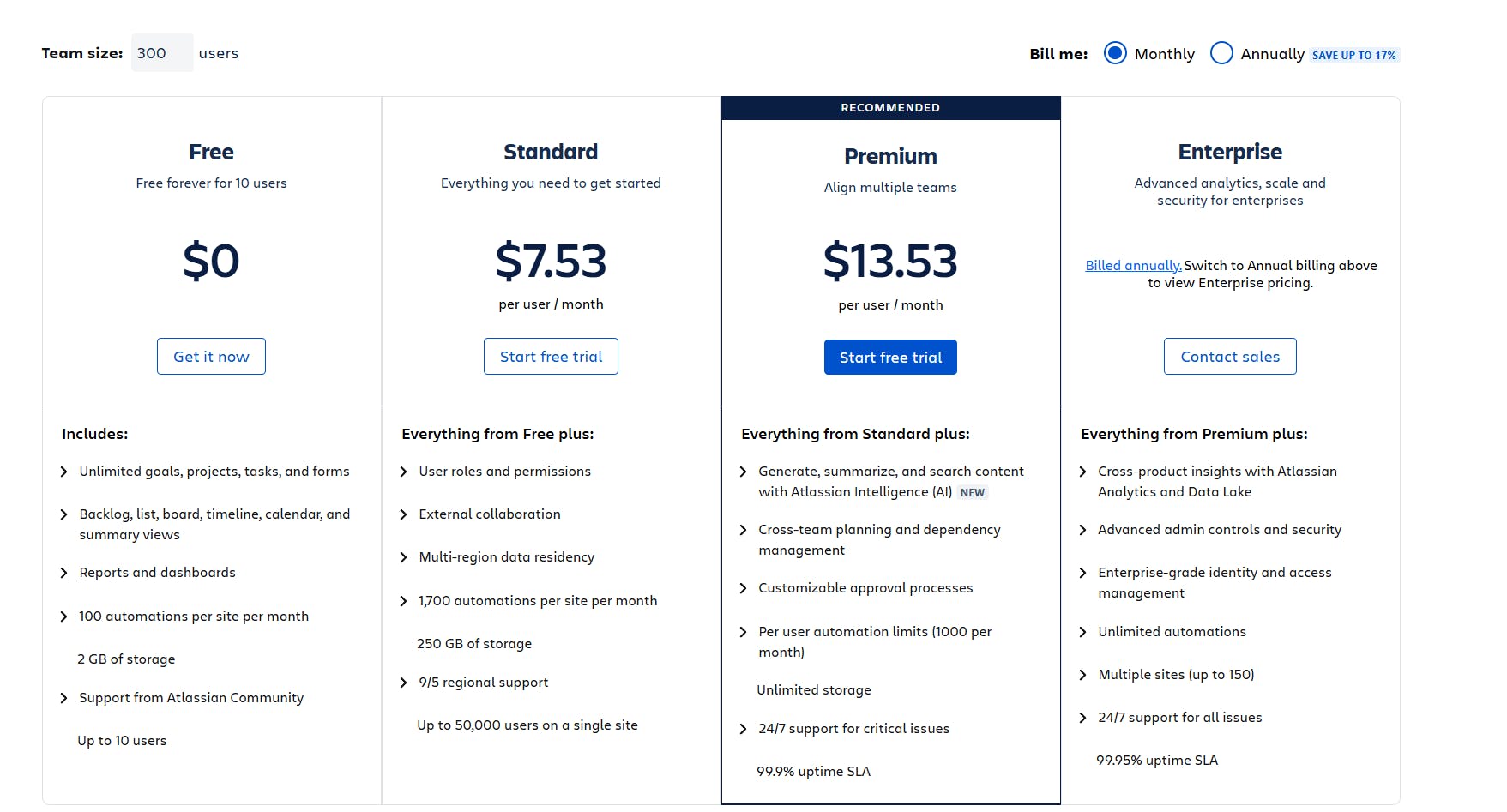
Jira's pricing scales with your team. That means larger teams pay less per user. As for the free plan, you get 10 users, 100 monthly automations, and 2GB storage.
4. Monday.com – Best For Visual Project Management And Customizations
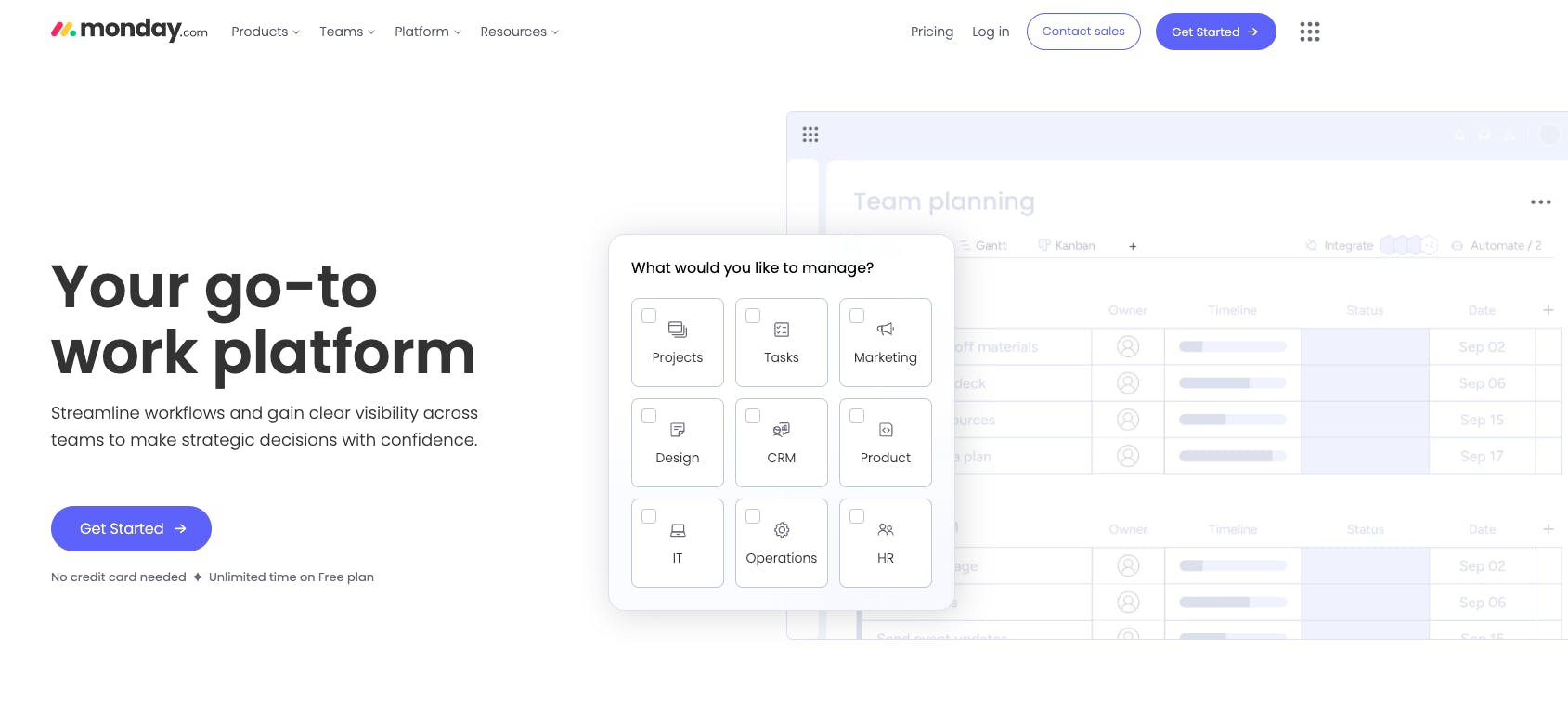
With powerful customizations and automations, Monday enables you to organize not just tasks but also projects, workflows, and customer relationships. It also includes more project views than any other tool on this list—27 to be exact.
Core Features
- 27 project views, including timeline, map, Kanban, chart, and list
- Customizable dashboards with 50+ widgets
- Drag-and-drop interface for task management,
- Built-in time tracking and capacity planning
- Native and custom automations
- Monday AI for data analysis
Why We Picked Monday.com?
- Offers advanced board and workflow customizations
- Features a visual interface with key project details at a glance—deadlines, task status, progress, and assignees
- Facilitates real-time collaboration via whiteboards and docs
- Provides real-time insights through various reporting features, including detailed reports, summaries, pivot boards, and chart visualizations

Things We Wish Were Better
- Basic free tier and expensive plans
- Doesn’t support nested dashboards for organizing different project levels
- Sometimes, updating entries creates duplicates, leading to confusion

User Ratings
Monday.com has a combined rating of 4.6/5 based on 22000+ reviews on G2, Capterra, and GetApp.
Pricing
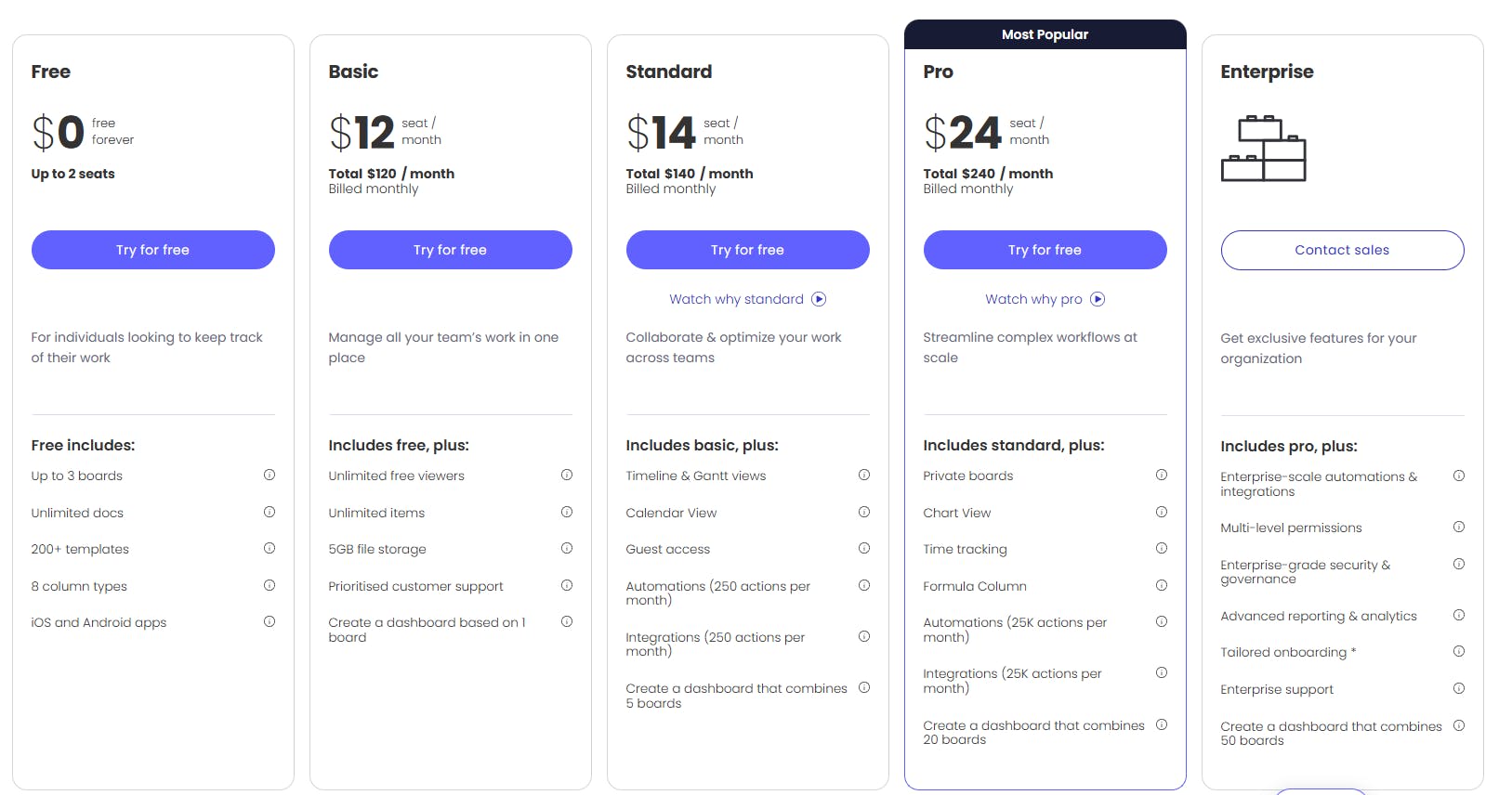
Monday.com offers five plans, including a free tier with two seats and three dashboards.
5. Todoist – Best For To-Do List Task Management
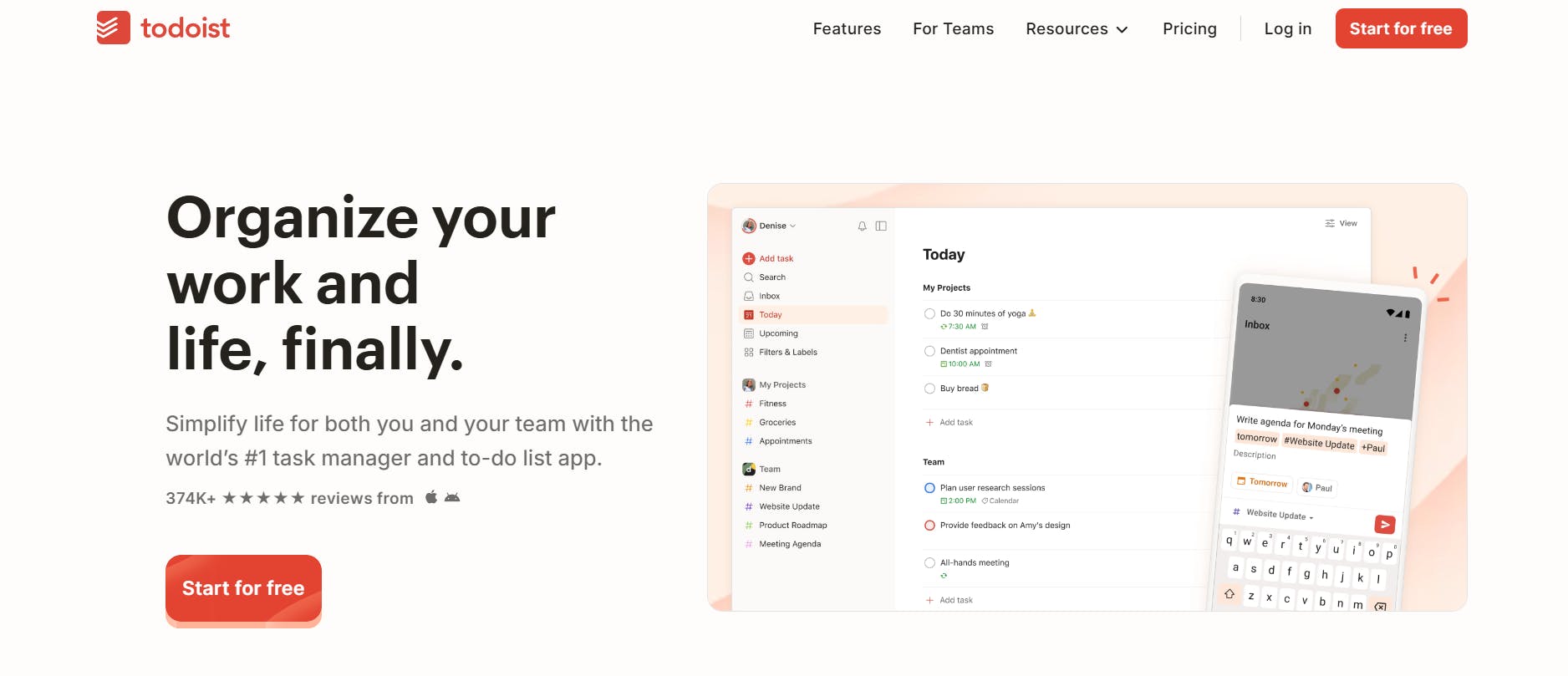
Todoist is a user-friendly to-do list app designed for efficient task management. While Trello focuses on project management, Todoist excels with its simple checklists, making it easy to track tasks as they progress and strike them off as they’re completed.
Core Features
- Tasks with subtasks, prioritization, labels, comments, and filters
- Automatic reminders and recurring due dates
- Shared workspace for collaboration
- 80+ integrations
Why We Picked Todoist?
- User-friendly interface
- Affordable pricing
- Custom dashboards for tracking and managing tasks
- Offers a mobile app for managing tasks on the go

Things We Wish Were Better
- The mobile app lacks some functionalities, such as voice typing and task filters
- Most filter views are only available with the paid plans
- Limited reporting
- Collaboration features are only available in the business plan

User Ratings
Todoist has a combined rating of 4.5/5 based on 5600+ reviews on G2, Capterra, and GetApp.
Pricing
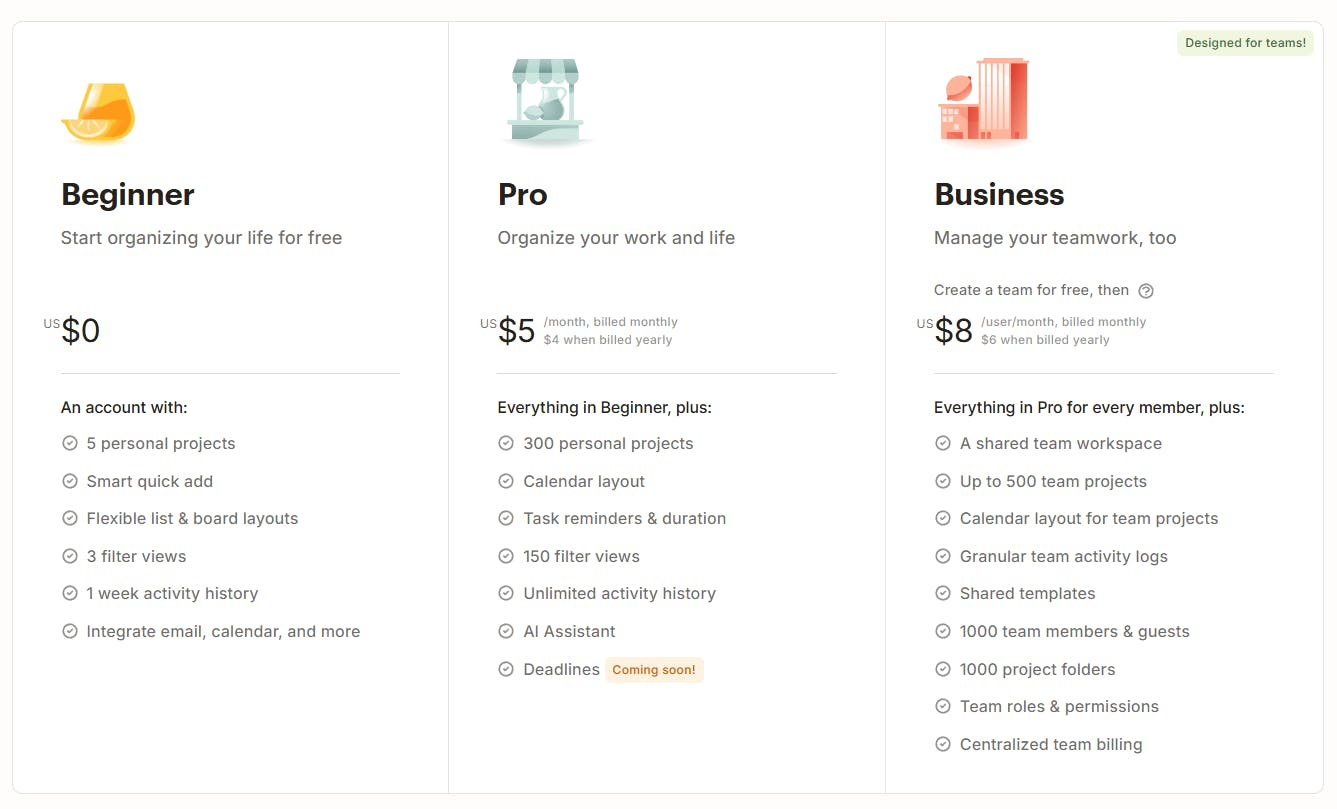
Todoist offers three plans:
6. Smartsheet – Best For Spreadsheet-Based Project Management
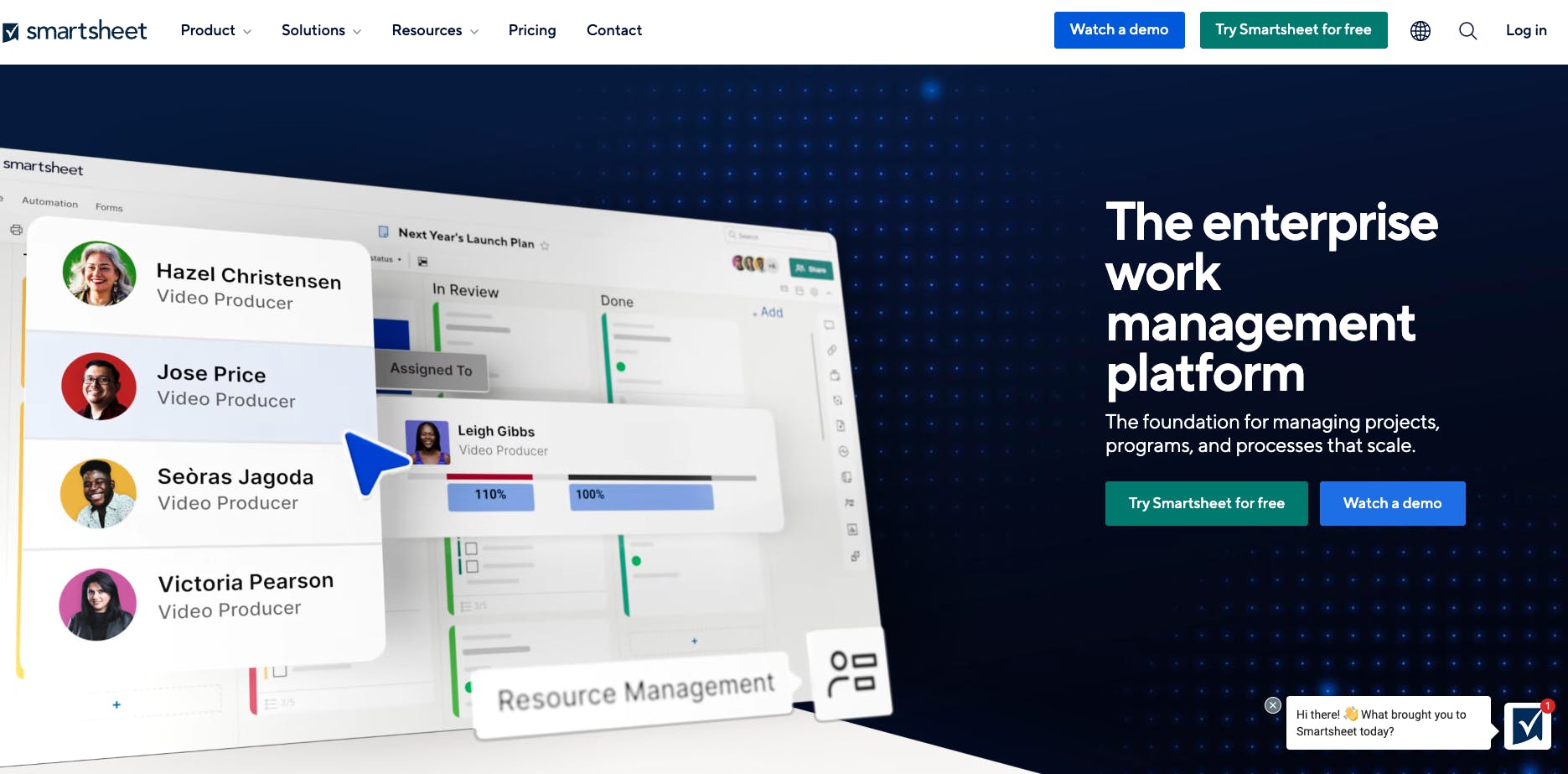
SmartSheet provides a familiar, spreadsheet-like interface for tracking, managing, and organizing tasks. While Trello is ideal for small teams with visual project management needs, SmartSheet offers a more advanced, feature-rich experience—perfect for data-driven teams.
Core Features
- Timeline, Grid, Board, Gantt, Calendar, Resource views
- Subtasks, dependencies, scheduling, alerts, and reminders
- Real-time dashboards with custom reports and widgets
- Customizable forms to capture feedback, requests, client info, and fieldwork
- Workload tracking and management
- Built-in automation templates
Why We Picked SmartSheet?
- Offers customized dashboards and reports for tracking progress
- Features user-friendly Gantt charts
- Includes Gantt, grid, board, and calendar views in low-tier plans
- Offers custom automation

Things We Wish Were Better
- Has a steep learning curve
- Limited real-time reporting with report-sharing restrictions
- Lacks auto-save option – software glitches have led users to lose their work
- Requires separate tabs for tasks instead of allowing multiple tabs within one document.
- Limited storage (500k cell capacity with 20k rows and 400k columns)

User Ratings
SmartSheet has a combined rating of 4.5/5 based on 23k+ reviews on G2, Capterra, and GetApp.
Pricing
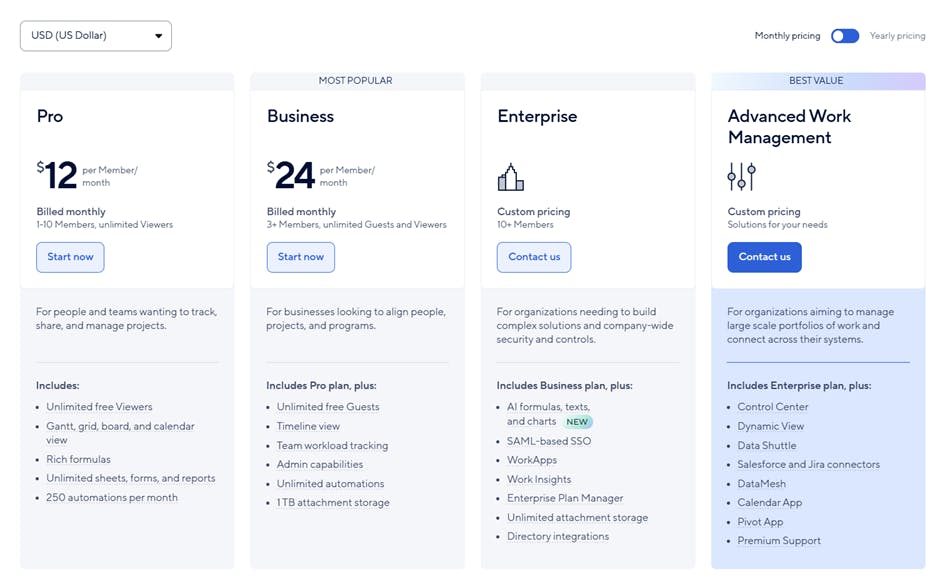
SmartSheet has a 30-day free trial and four paid plans with user limits and feature lock-ins.
7. Kanban Tool – Best For Collaborative Visual Project Management
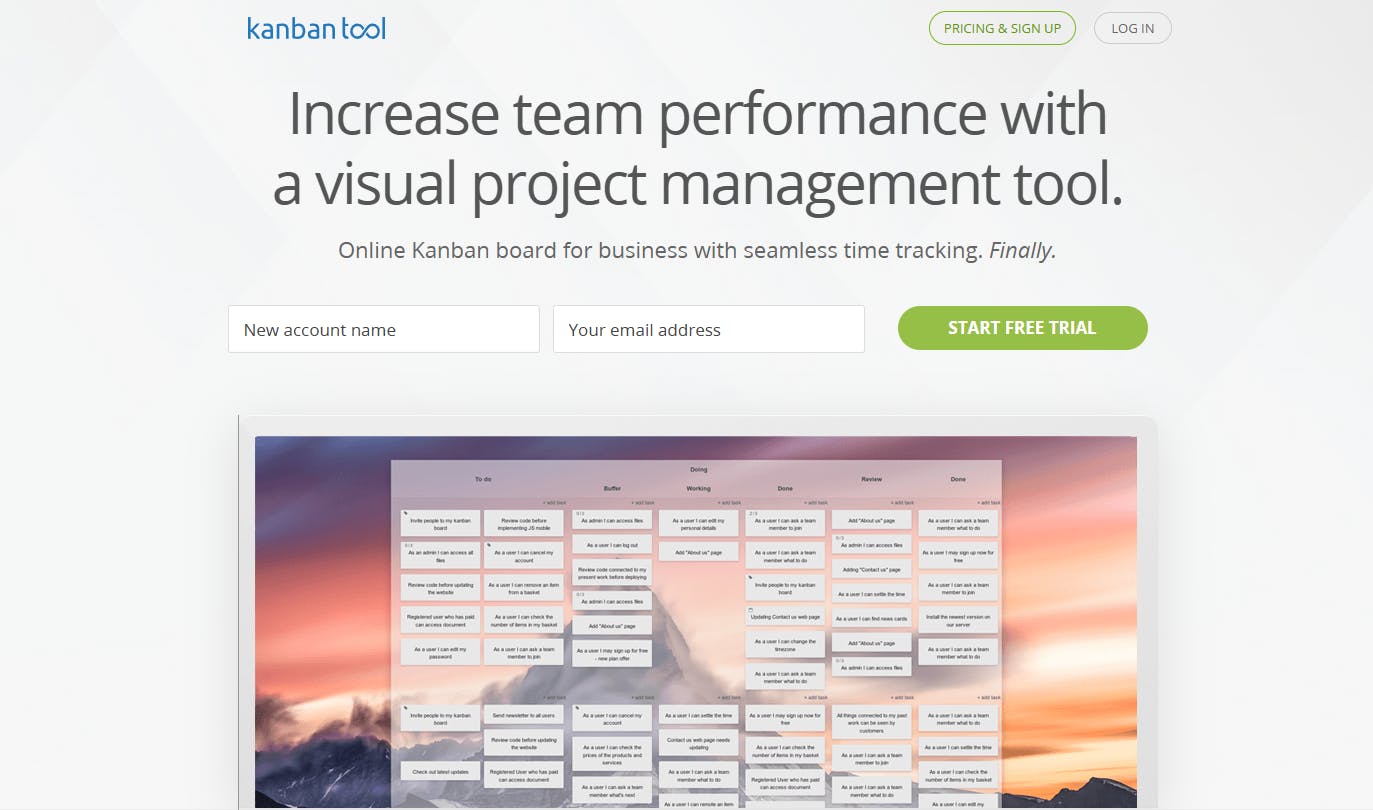
Kanban Tool and Trello are similar in that both provide Kanban boards for project management. However, Kanban Tool includes native features that Trello offers as Power-Ups, such as recurring tasks. Additionally, it features dependencies and task templates, which Trello lacks.
Core Features
- Task management with due dates, dependencies, templates, recurring tasks, timers, tags, and reminders
- Basic Kanban analytics and metrics with cycle time reports and cumulative flow diagram
- AI Assistant for creating Kanban boards
Why We Picked Kanban Tool?
- Clean and intuitive UI
- Allows customizing color schemes and background
- Excellent custom support with quick response time

Things We Wish Were Better
- The free plan is somewhat limited for small businesses, as it only allows two users.
- The interface is less visually appealing compared to other project management tools

User Ratings
Kanban Tool has a combined rating of 4.75/5 based on 190+ reviews across G2 and Capterra.
Pricing
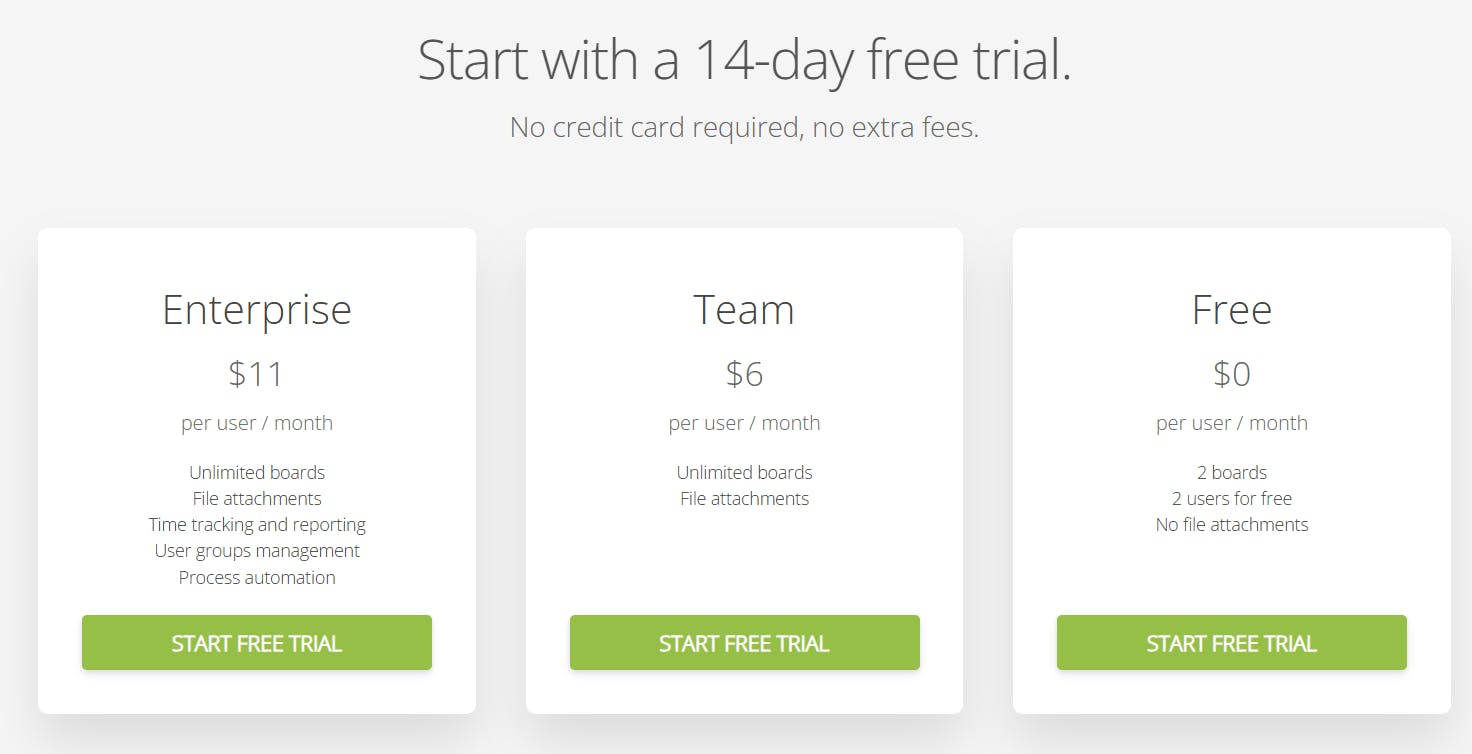
Kanban Tool offers a 14-day free trial along with three plans, including a free tier for two users.
8. Airtable – Best For Enterprise-Level Database Management
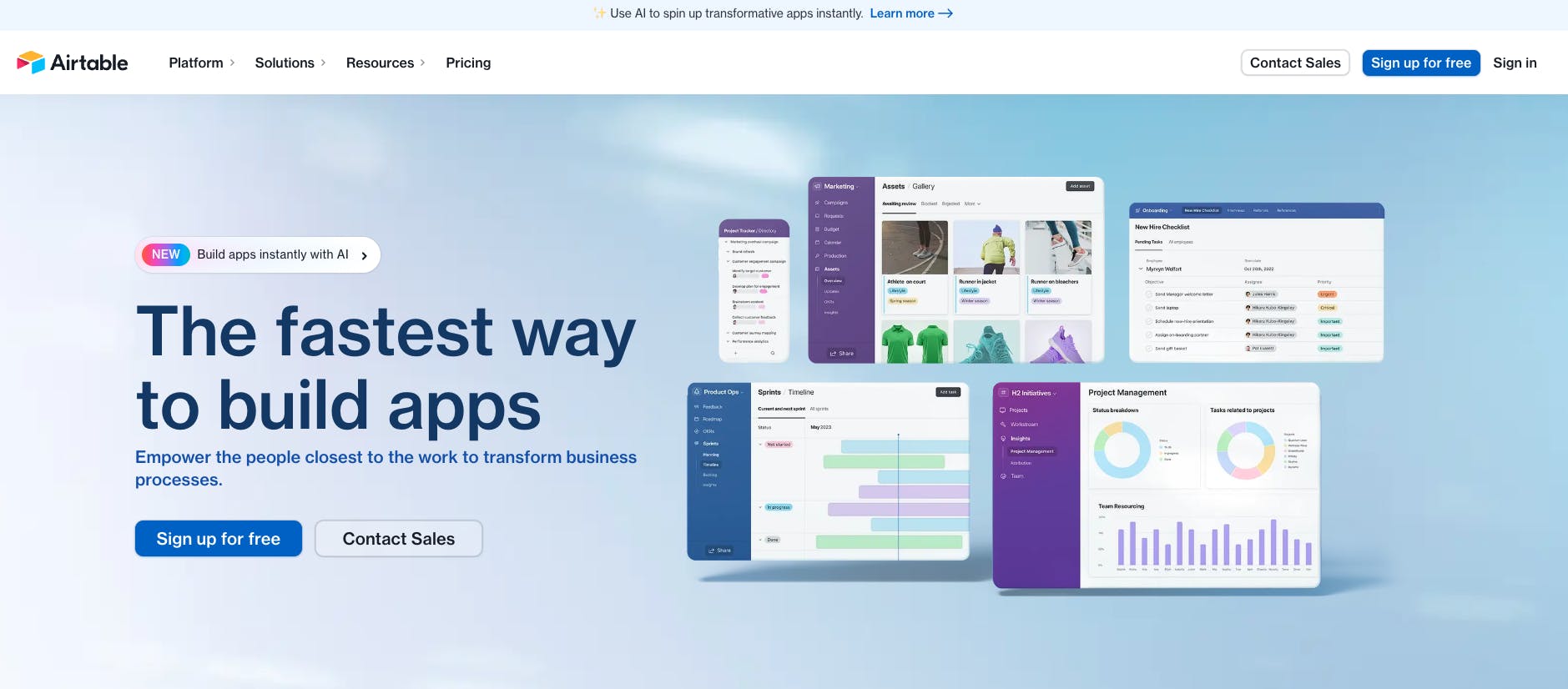
Airtable includes some Trello-like features but goes further with advanced project management tools, such as Gantt charts, resource tracking, and dependency management. It also has a neat AI feature that lets you build efficient workflows, organize data, and whip up customized apps.
Core Features
- Multiple project views, including Kanban, Calendar, and Gantt charts
- Tasks and to-dos, organized by due dates, dependencies, priority, status
- Built-in resource planning and workload management
- AI to automate operations, product workflows, resource allocation
Why We Picked Airtable?
- Has visually intuitive database features ideal for large teams
- Offers no-code database creation
- Facilitates real-time collaboration with tags, comments, status updates, and activity history view.

Things We Wish Were Better
- Struggles with large datasets, especially when handling complex calculations
- Locks advanced customization options behind more expensive plans
- Basic automations and integrations unsuitable for complex workflows

User Ratings
Airtable has a combined rating of 4.6/5 based on 4500+ reviews on G2 and Capterra.
Pricing
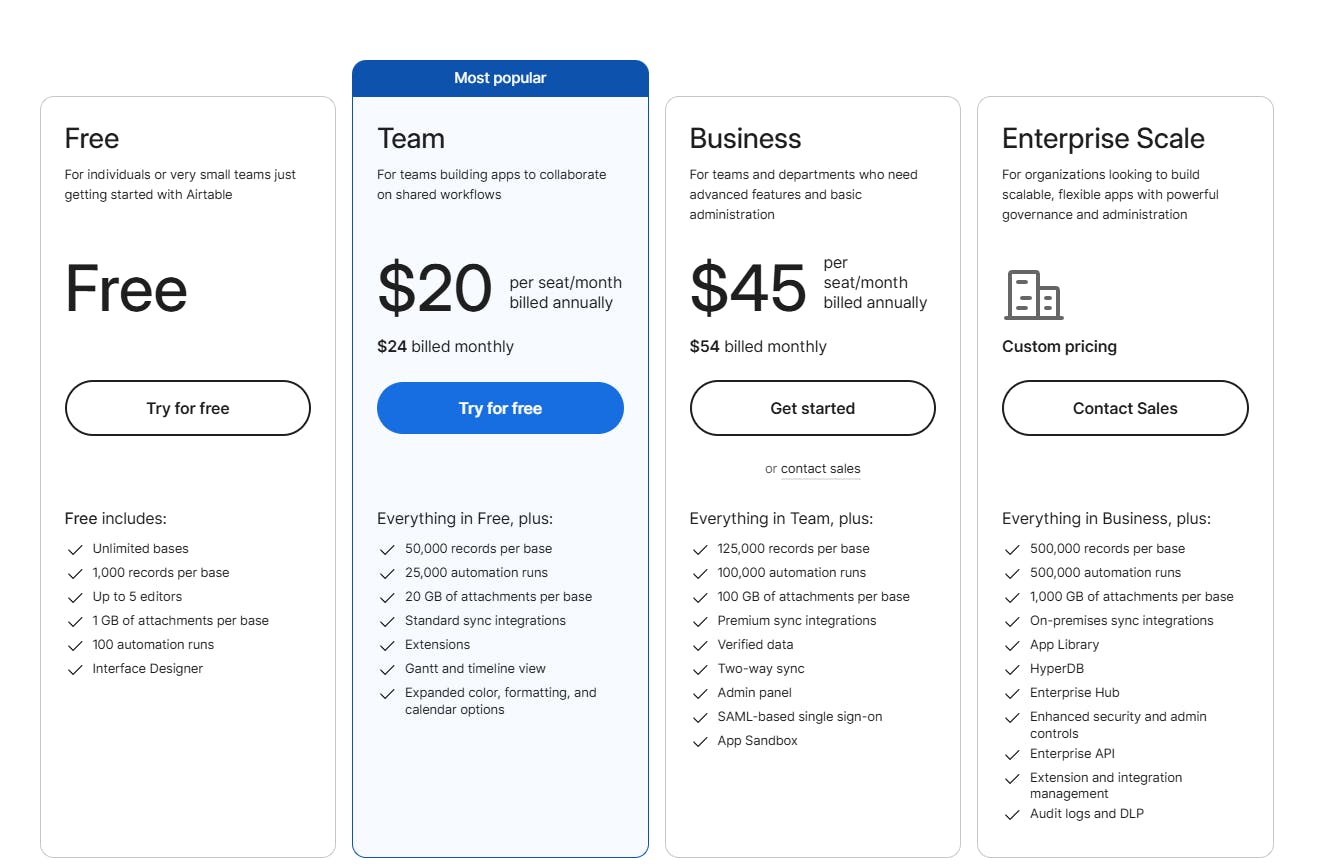
Airtable offers three paid plans and AI as an add-on starting at $6 per seat/month.
9. Teamwork.com – Best For Client-Centric Project Management
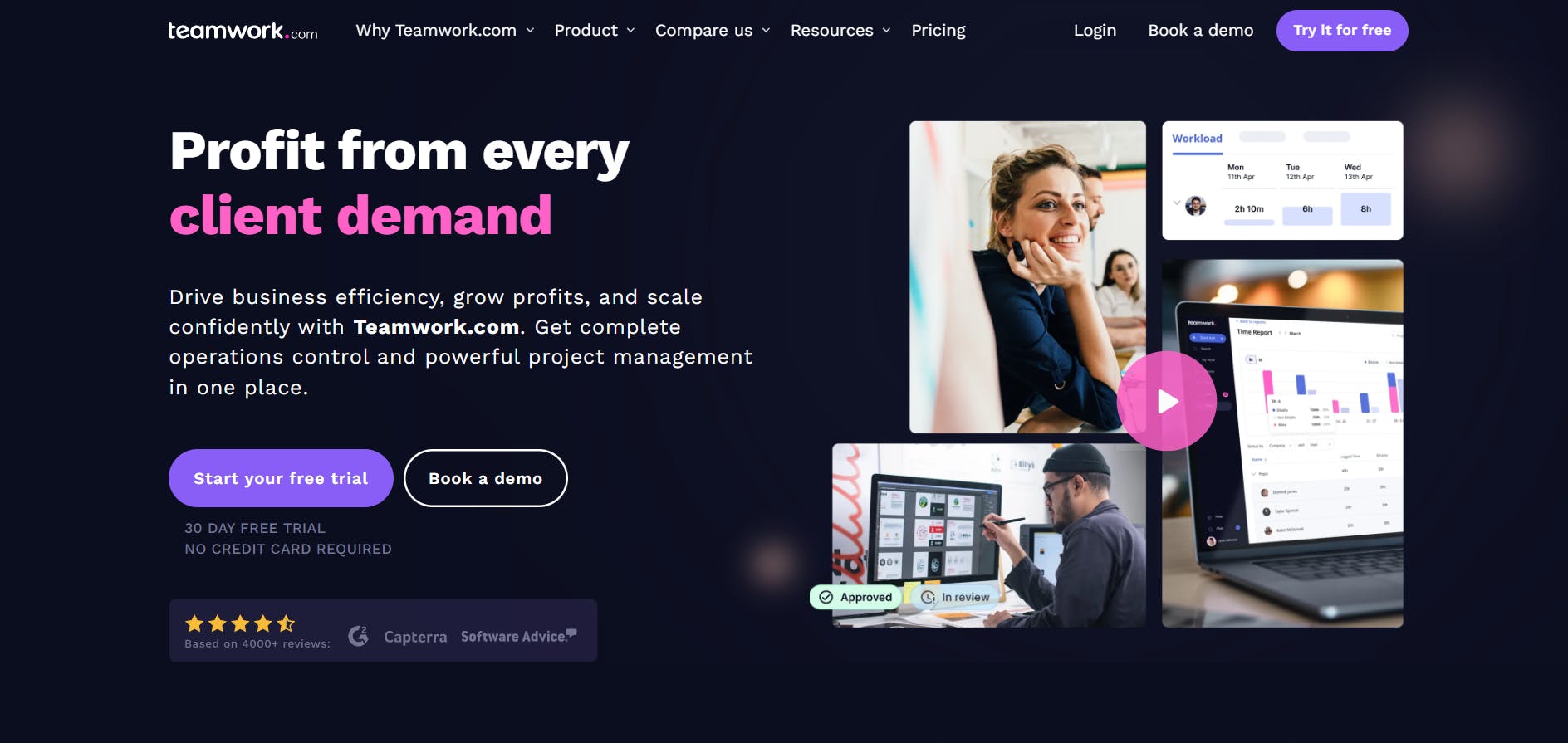
Unlike Trello, Teamwork offers extensive features without requiring add-ons or integrations. It’s flexible, allowing you to organize workflows to fit your needs, and includes robust reporting and native time-tracking features right out of the box.
Core Features
- Multiple project views—list, table, Gantt, and board (in the Starter plan)
- Tasks, subtasks, dependencies, comments
- Native time-tracking with timesheets, activity logs, time reminders
- Billing and invoicing
- Custom budgets with expense and profitability tracking
Why We Picked Teamwork.com?
- Includes a comprehensive workload planner
- Features native time-tracking with timesheets
- Offers weekly status reports, including portfolio, project health, and performance charts

Things We Wish Were Better
- Lacks a calendar view for viewing tasks at a glance
- Tracking collaborator hours is available only for paid users
- Limited reporting capabilities

User Ratings
Teamwork has a combined rating of 4.5/5 based on 2800+ reviews on G2, Capterra, and GetApp.
Pricing
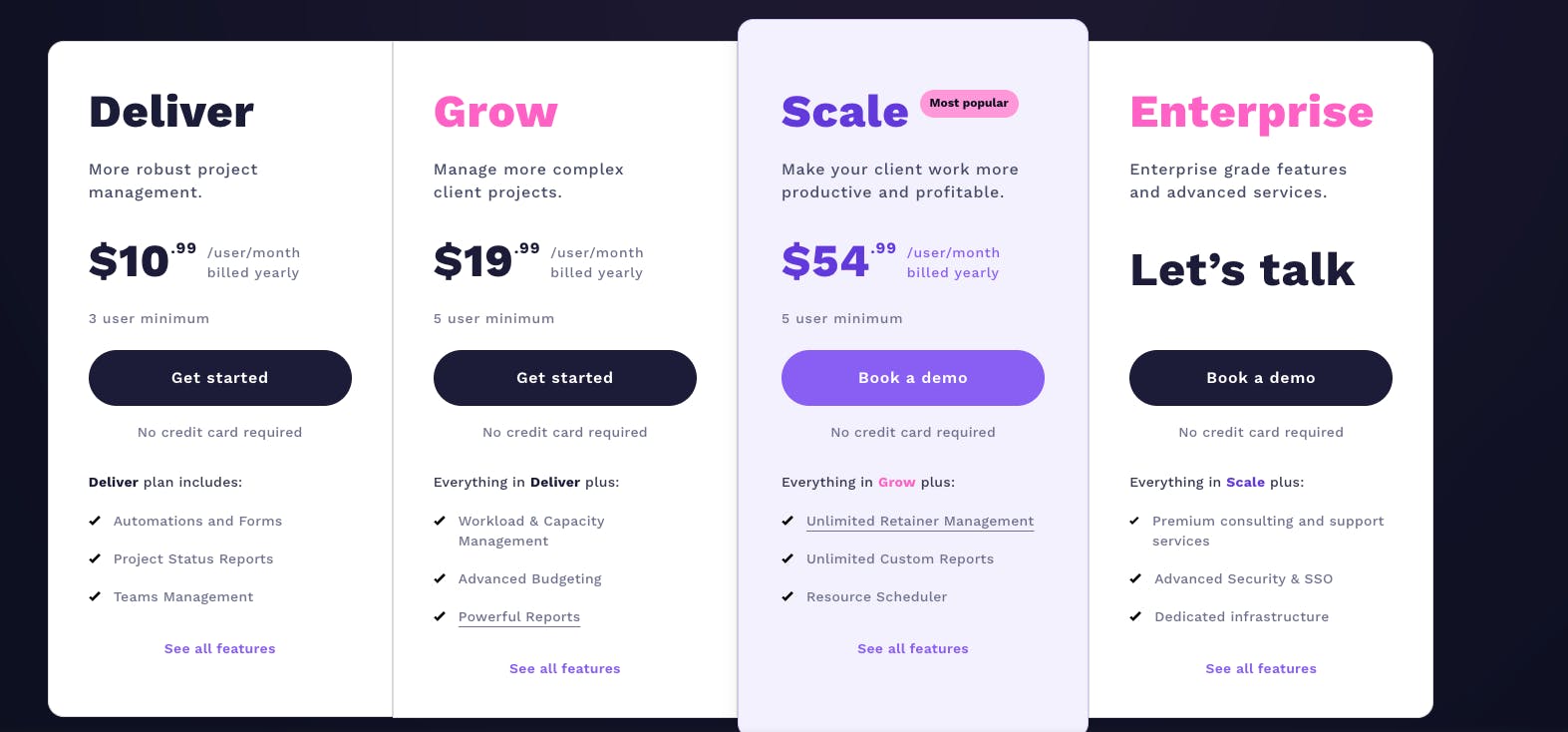
Teamwork offers a 30-day free trial and three paid plans with minimum user requirements and feature lock-ins.
P.S.: See how Teamwork compares to the best time management tools
10. Wrike – Best For Collaborative Project Management
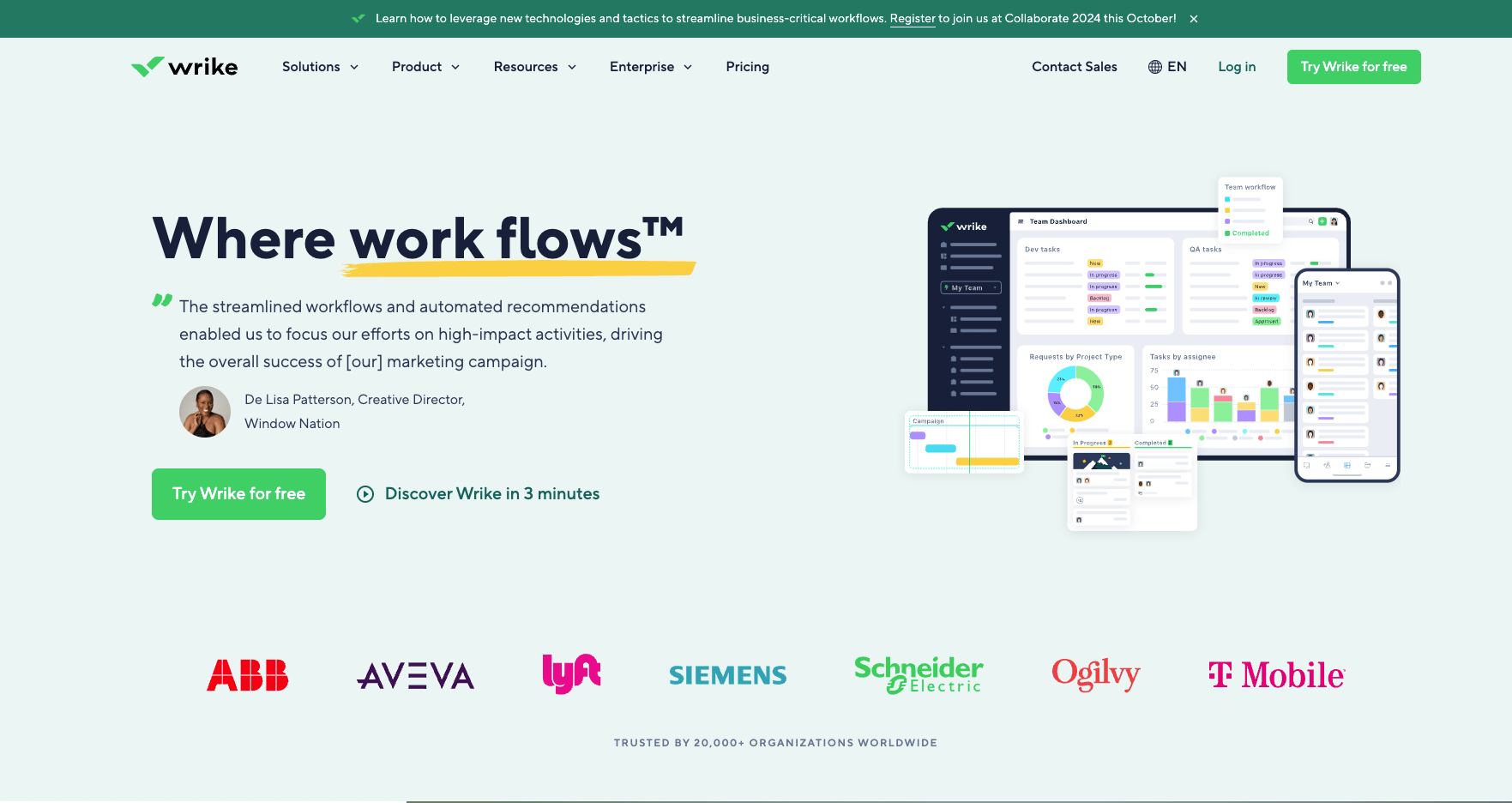
Wrike and Trello serve distinct project management needs. Trello is ideal for simpler workflows and smaller teams, focusing on ease of use and straightforward task tracking. In contrast, Wrike is designed for larger, enterprise-level projects, allowing users to customize everything – from workflows and workspaces to roles, projects, and processes.
Core Features
- List, Gantt chart, and board views
- Tasks, subtasks, dependencies, and custom fields
- Custom item types to create configurable workspaces
- Blueprints to replicate recurring tasks, projects, and folders
- AI for content creation, summarization, and risk prediction
Why We Picked Wrike?
- Offers customizable projects, fields, and workflows
- Includes custom dashboards for tracking task status, time spent on tasks, and other metrics
- Allows daily campaign and project tracking
- Lets you create tasks, folders, and projects using blueprints

Things We Wish Were Better
- Steep learning curve due to several features
- Lacks project-level resource management
- Displays projects and tasks in such a way that you need to create separate reports and dashboards for them

User Ratings
Wrike has a combined rating of 4.3/5 based on 9000+ reviews on G2, Capterra, and GetApp.
Pricing
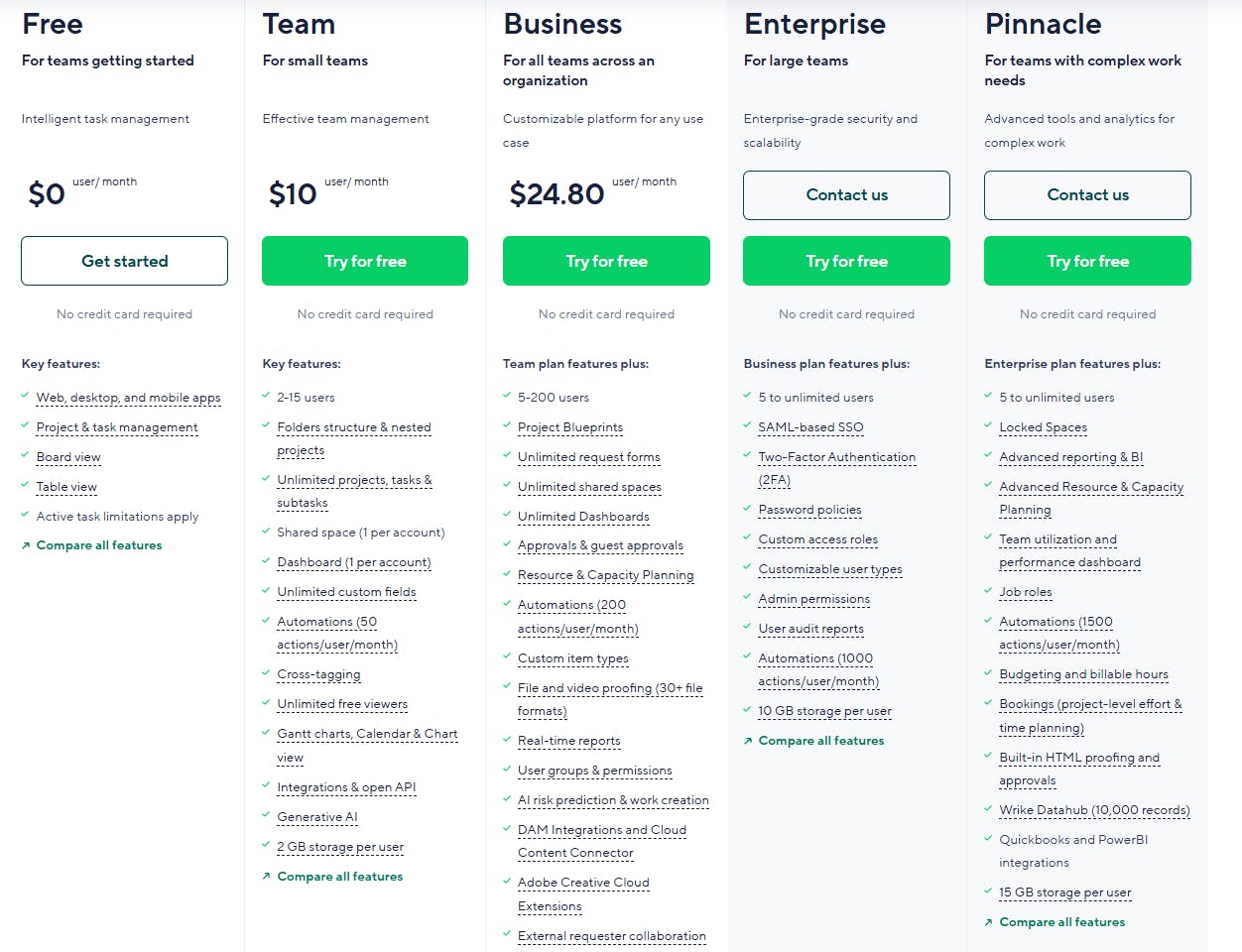
Wrike offers a free plan and four paid plans with a 14-day trial:
11. ProofHub – Best For Content And Task Management
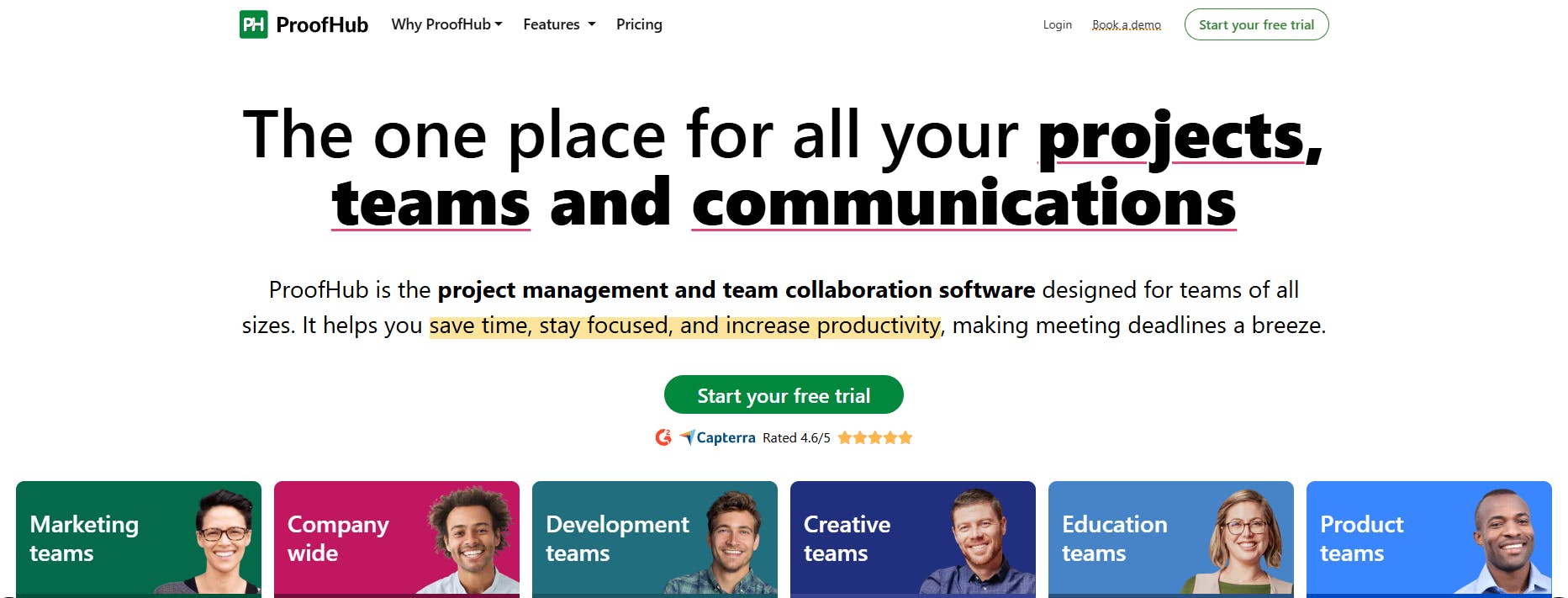
ProofHub packs more muscle than Trello when it comes to complex projects. While Trello handles the basics, ProofHub tackles the complex stuff head-on. It features built-in time tracking and timesheets and facilitates real-time collaboration via chat and discussions. The best part? You won't pay extra for integrations like you do with Trello's power-ups.
Core Features
- Multiple work views List, Gantt charts, board, table, calendar)
- Tasks, subtasks, dependencies
- Custom fields and labels for sorting and grouping tasks
- Built-in time tracking with timesheets and resource planning
- Basic reporting— status reports, time-logged reports, resource usage reports
Why We Picked ProofHub?
- Supports content management—from planning to creating content and editing
- Enables collaboration with third parties at no extra cost
- Offers centralized file management
- Enables co-editing project plans, creating guidelines, with collaborative notes

Things We Wish Were Better
- Too many notifications distract users from their tasks
- Lack of filter functionality in notifications, which might lead to users missing out on important information
- Lack of budgeting feature

User Ratings
ProofHub has a combined rating of 4.6/5 based on 300+ reviews on G2, Capterra, and GetApp.
Pricing
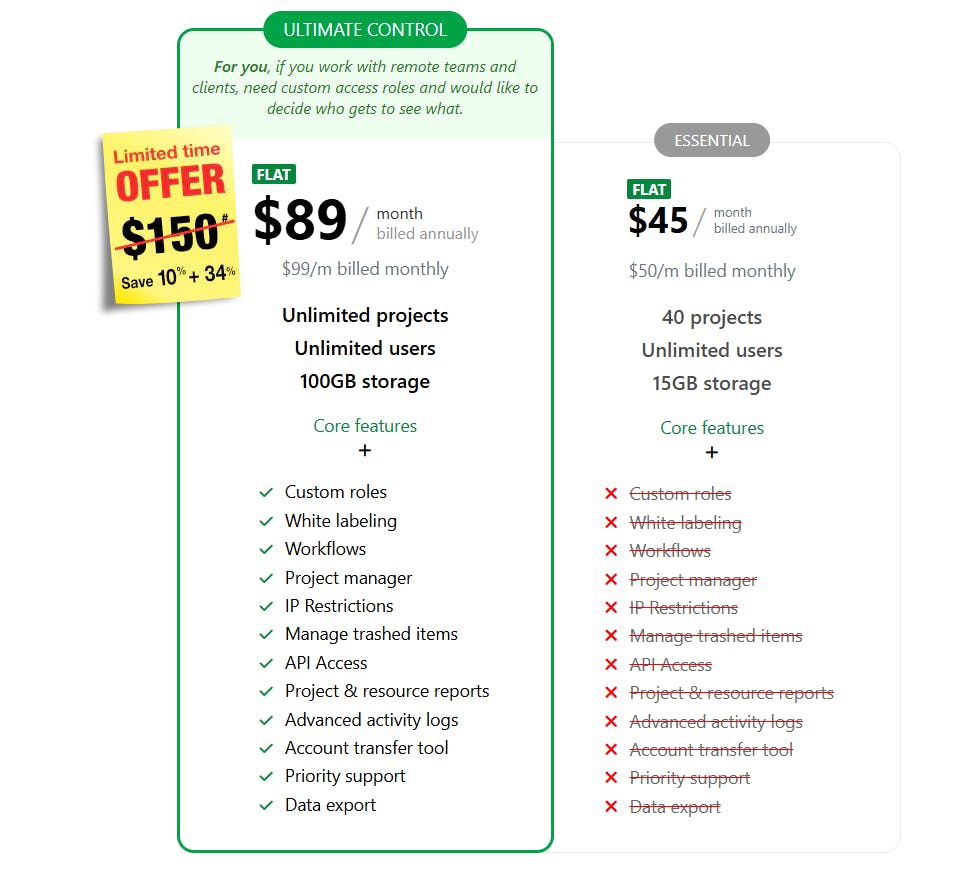
ProofHub offers a 14-day free trial and two fixed-price plans:
12. ClickUp – Best For Project Management and Team Collaboration
Compared to Trello, ClickUp is a more customizable platform for creating, tracking, and managing tasks, automating workflows, and collaborating in real-time. Plus, ClickUp has a robust free plan that allows users to access multiple views, collaborative docs, built-in workflows, feature-rich tasks, AI, and templates to streamline project workflows.
Core Features
- List, Gantt, Board, Calendar, timeline views
- Tasks, subtasks, dependencies, prioritization, and task comments
- Docs and Whiteboards for real-time collaboration
- Time-tracking and resource management
- Real-time reports
- Workflow automation
- ClickUp Brain (AI-feature)
Why We Picked ClickUp?
- Offers goal-setting, time-tracking, and comprehensive reporting
- Multiple customizations for task types, color coding, and custom fields
- Generates real-time dashboards for progress and workload tracking

Things We Wish Were Better
- Slow loading, especially when working with larger or more complex setups
- Lacks data privacy—if not managed well, confidential data might be visible to everyone working on the project
- Too many tools and features lead to a steeper learning curve

User Ratings
ClickUp has a combined rating of 4.6/5 based on 18,000+ reviews on G2, Capterra, and GetApp.
Pricing
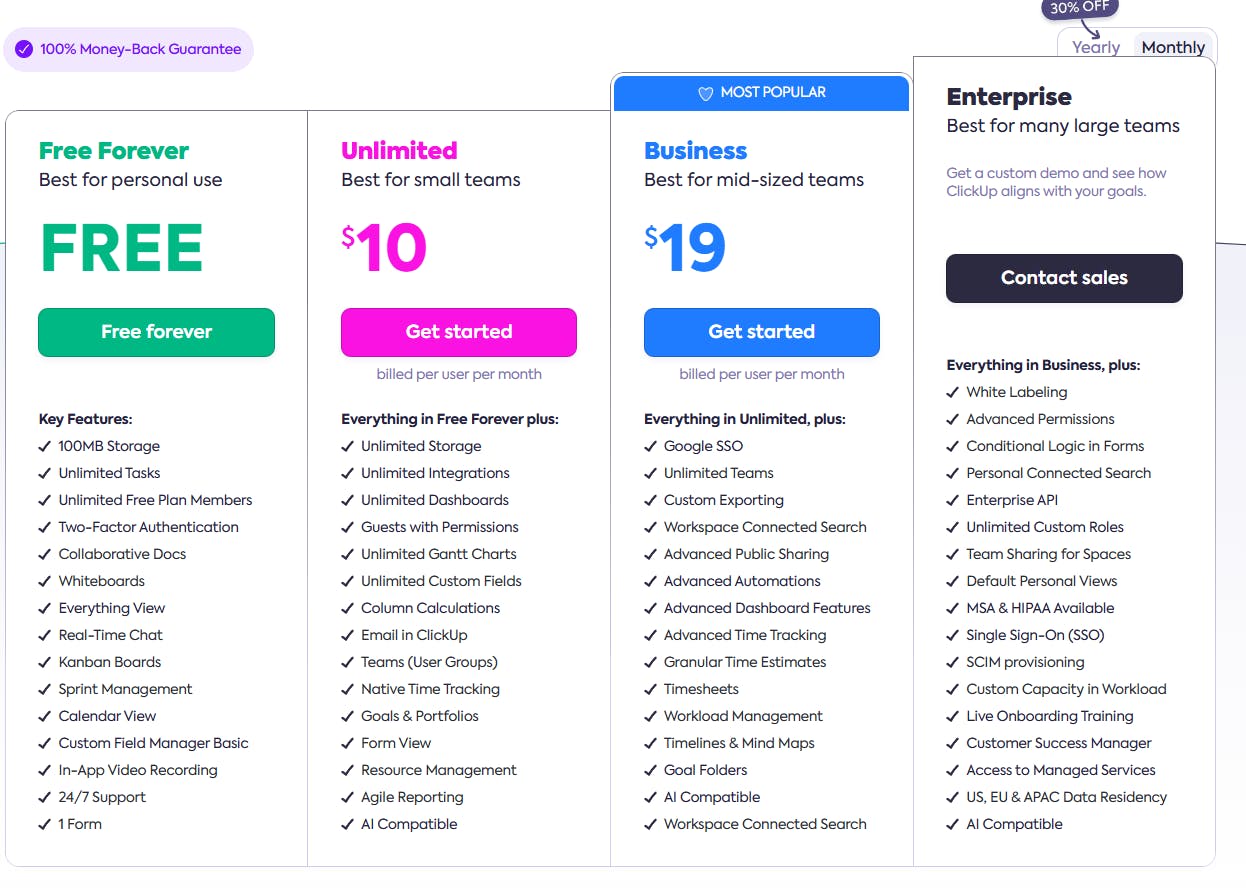
ClickUp offers a generous free plan with unlimited tasks and collaboration features. It also has three paid plans:
13. Zoho Projects – Best For Collaborative Project Tracking and Management
Zoho Projects addresses Trello’s limitations by adding milestones and issue tracking for timely project delivery. It combines Trello-like task management with a high-level view of project progress and supports real-time collaboration through interactive feeds, forums, and group chats.
Core Features
- Tasks, subtasks, dependencies
- Calendar, Gantt, Kanban views
- Milestones to track progress
- Blueprint for task automation
- Built-in time tracking with timesheet reports
- Issue tracking, customizations, automation, and SLAs
Why We Picked Zoho Projects?
- Has an intuitive interface
- Offers comprehensive project tracking and reporting
- Features a resource utilization chart with bar and heatmap views
- Helps track and maintain project records from start to end

Things We Wish Were Better
- Basic workflow automation—not customizable or powerful enough for larger projects
- No pricing flexibility; significant price difference between premium and enterprise plans
- Steep learning curve due to too many features

User Ratings
Zoho Projects has a combined rating of 4.4/5 based on 1800+ reviews across G2, Capterra, and GetApp.
Pricing
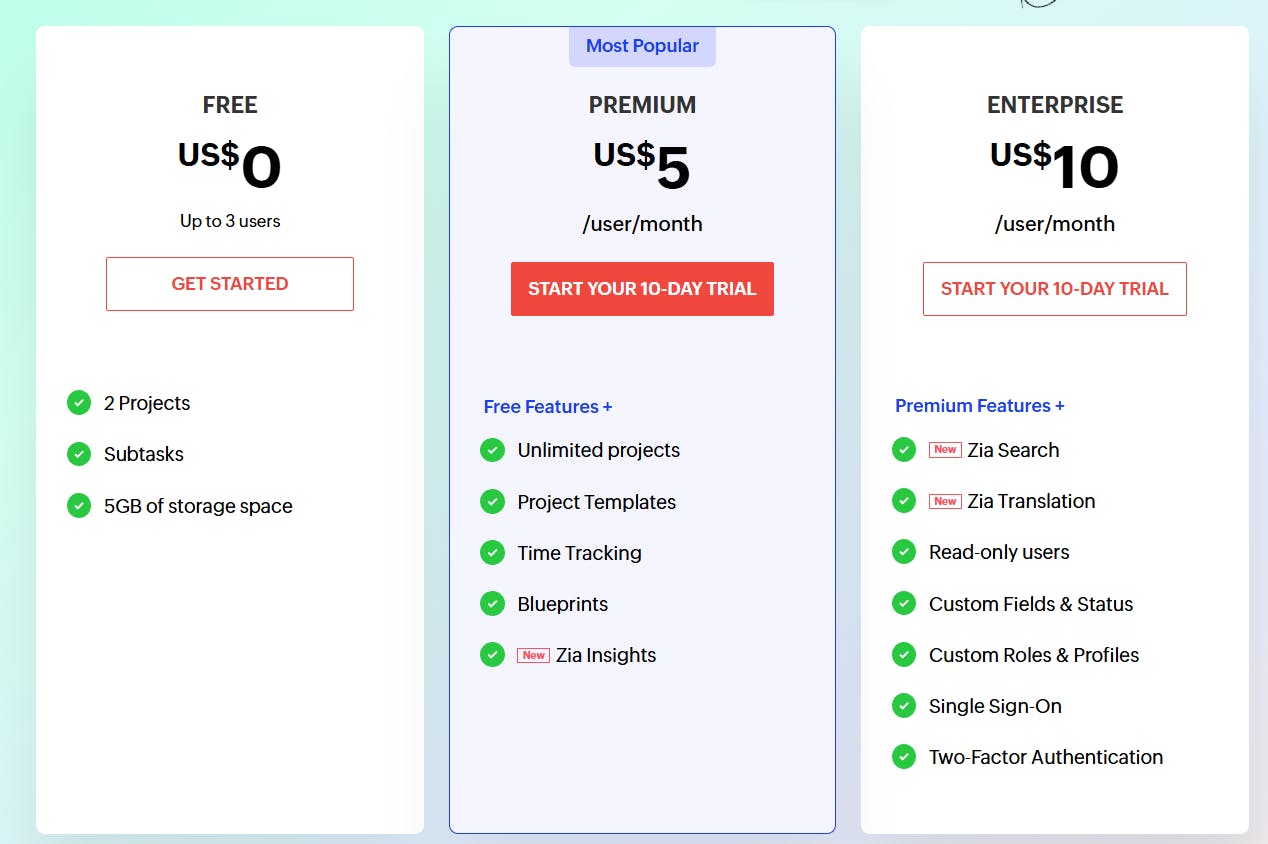
Zoho Projects has a 10-day free trial and a free plan for up to three users. It offers two paid plans.
14. Notion – Best For Note-Taking and Knowledge Management
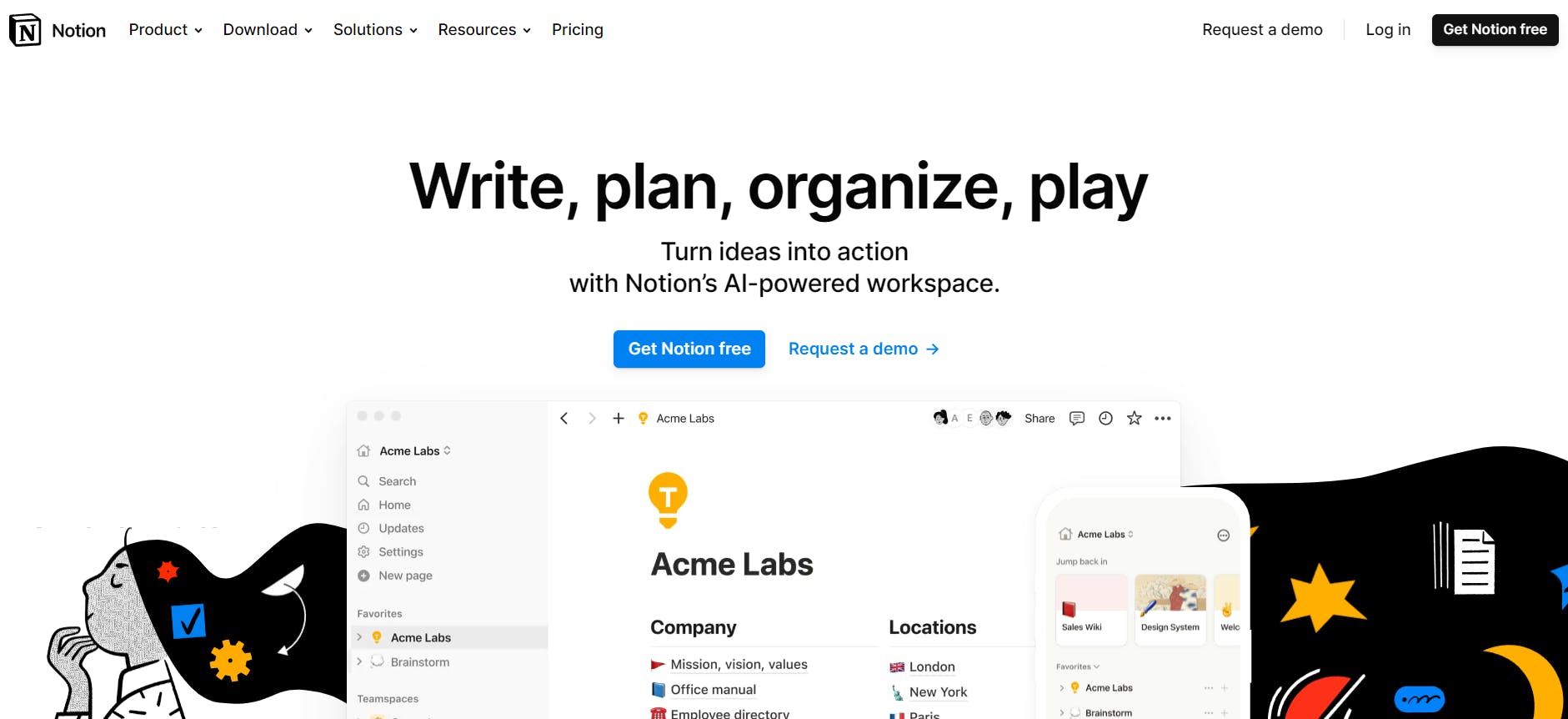
Notion is a versatile tool that lets you organize everything —from tasks and projects to databases and wikis. While Trello’s Kanban boards excel at managing tasks, Notion takes it a step further with collaborative features like docs, notes, and tables. It also simplifies documentation, enhances communication, and enables the creation of customized databases.
Core Features
- Tasks, subtasks, priorities, dependencies
- Customizable pages to create wikis, notes, databases
- Multiple work views – tables, lists, galleries, boards, timelines, card formatting
- Database and custom automations using Notion API
- Notion AI
Why We Picked Notion?
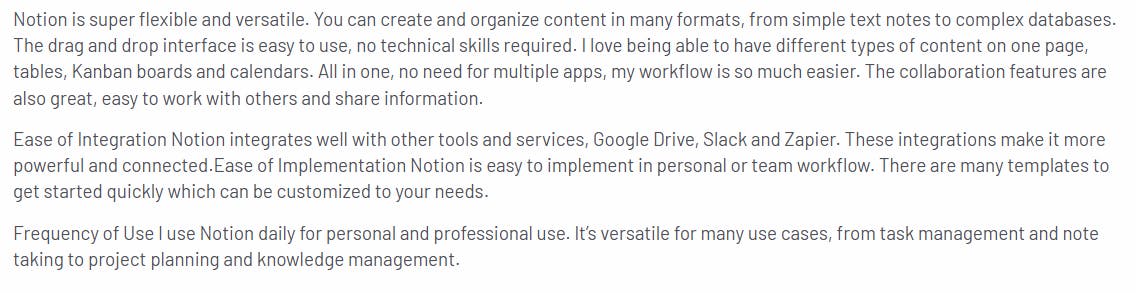
- Allows organizing content in different formats–from notes to databases
- Intuitive drag-and-drop interface
- Powerful page customizations and templates to store and access data
Things We Wish Were Better
- Although intuitive, Notion has a steep learning curve
- Premium features are expensive for startups and small businesses
- Slow loading issues when working with large datasets
- Lacks time tracking feature

User Ratings
Notion has a combined rating of 4.7/5 based on 10,000+ reviews across G2, Capterra, and GetApp.
Pricing
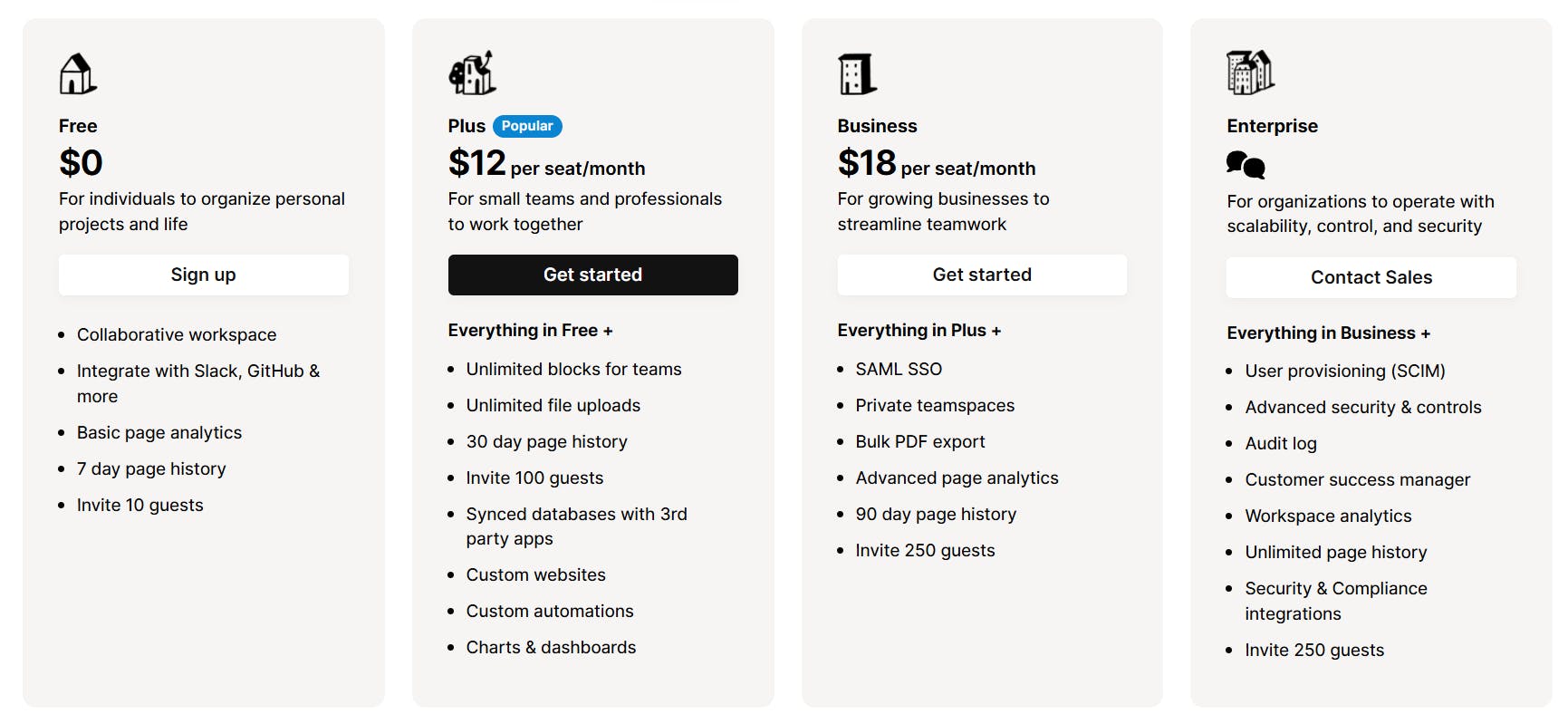
Notion has a free plan with basic features and three paid plans. Plus, Notion AI is available at $10 per member/ month.
15. Businessmap – Best For Strategic Project Planning
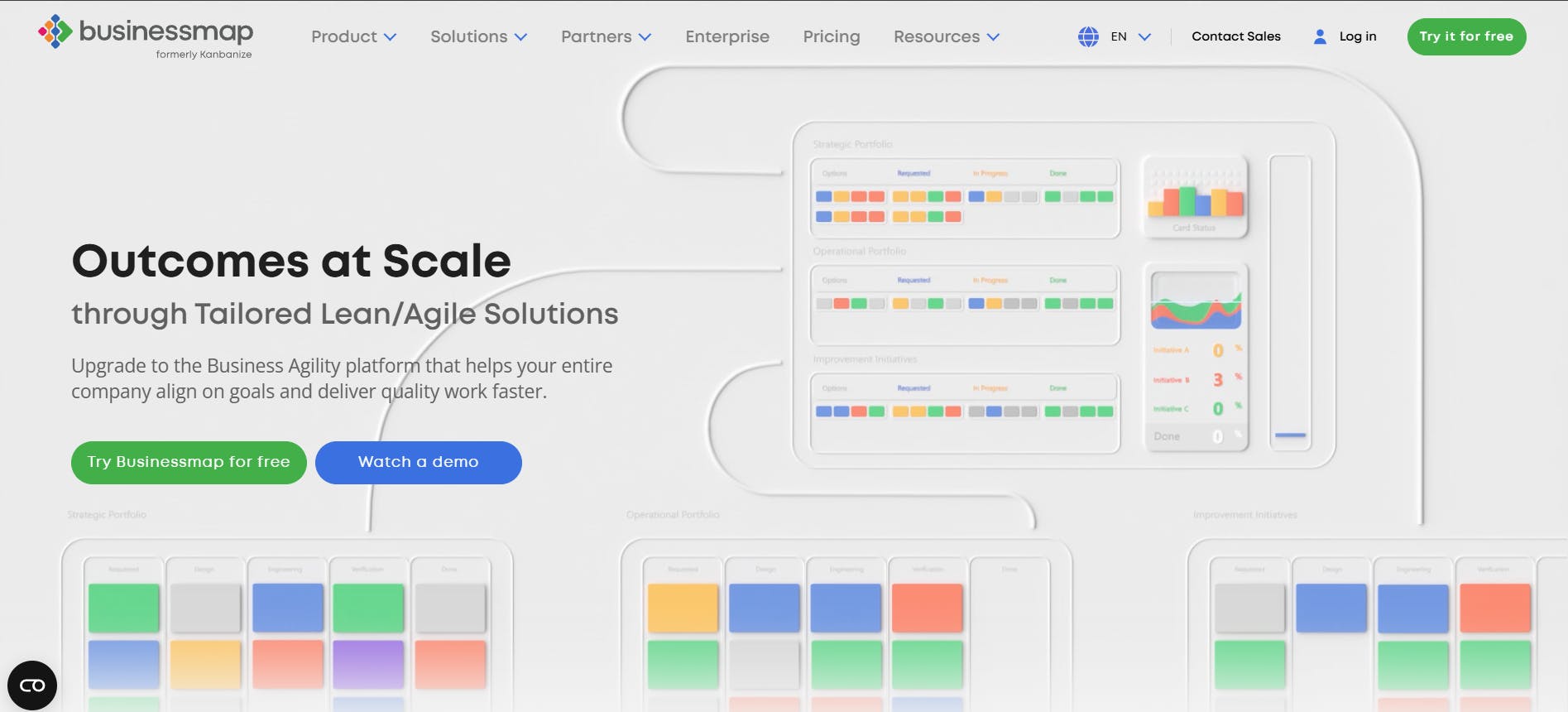
Businessmap, formerly Kanbanize, is Trello-like but has more features. It’s a flexible platform that consolidates multiple tools, providing visibility across projects and portfolios. It helps you visualize workflows, establish feedback loops and work-in-progress limits, and ensure continuous improvement with robust analytics.
Core Features
- Project views – Timeline, Gantt charts, boards
- Customizable workflows
- Management dashboards with initiatives & outcome reports, workflow performance summaries, and workflow analytics
- Project forecasting for possible outcomes and duration
- Kanban boards to track tasks and dependencies
Why We Picked Buisnessmap?
- Offers great visualization for complex projects
- Makes it easy to delegate work across teams and hierarchies
- Supports agile teams with customizable workflows and dashboards

Things We Wish Were Better
- Slightly steep learning curve
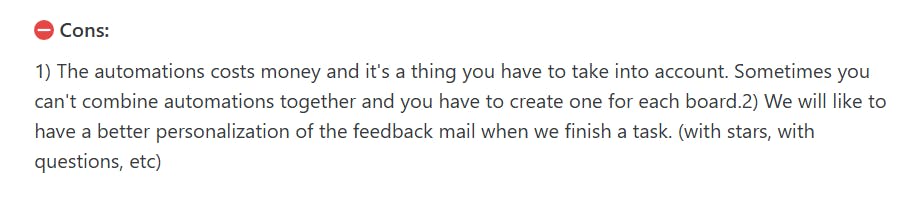
- Frequent updates break existing automations and APIs
- Automations are available as a paid add-on
- Difficult to find old cards — not suitable for prioritizing work
User Ratings
Businessmap has a combined rating of 4.5/5 based on 400+ reviews across G2, Capterra, and GetApp.
Pricing
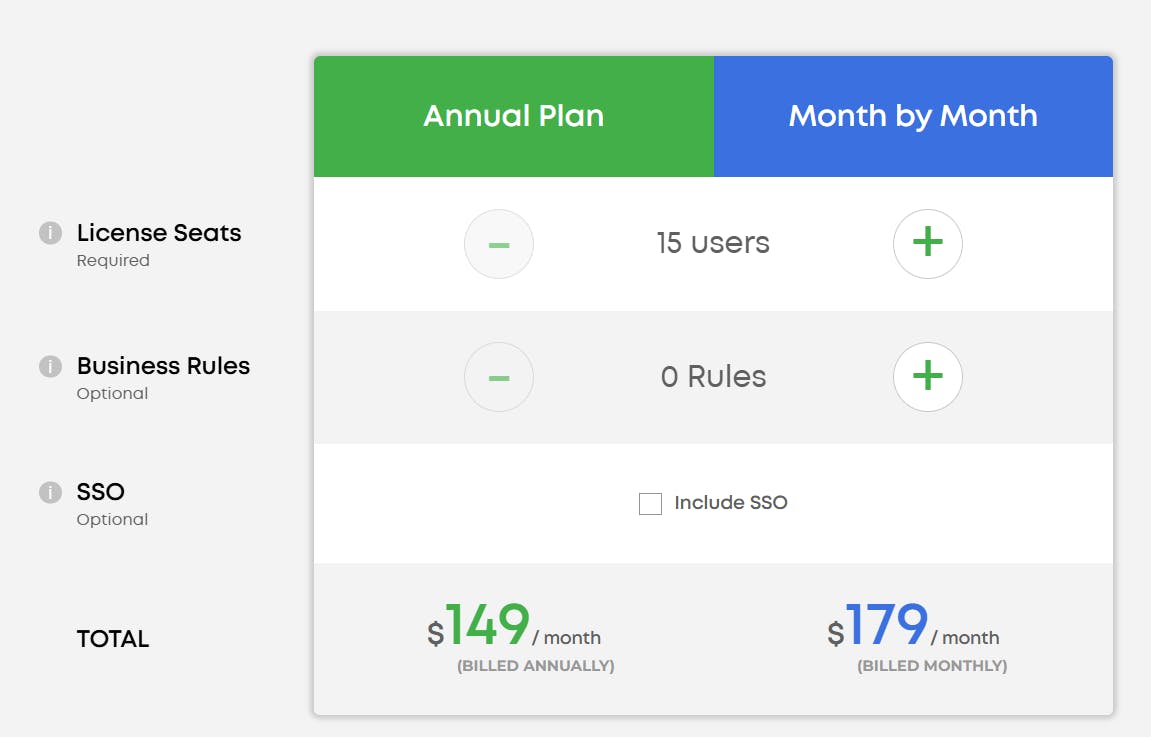
Businessmap offers a 90-day free trial. Its pricing is based on the number of users and business rules. Here’s the pricing for 15 users.
Which Trello Alternative Should You Choose?
When looking for the best Trello alternatives, consider your team’s unique needs — whether it’s robust task management, time-tracking, capacity planning, advanced analytics, budgeting, or expense tracking.
If you need an end-to-end task management solution, check out this list. Or, if you’re an agency looking for time tracking, resource planning, and client management features in one tool, consider looking into this list of the best agency management tools.
Lastly, if you want to learn more about SmartTask or try out its features, sign up now for a free account.
Frequently Asked Questions (FAQs)
1. Why should you look for a Trello alternative?
According to user reviews, Trello lacks several features considered necessary for advanced project management, such as:
- Detailed reporting and analytics
- Time tracking
- Resource and finance management
Also, Trello locks basic features like project views, custom fields, and templates behind more expensive plans, which isn't optimal for many users.
2. Can I migrate my Trello data to these alternatives?
Trello Premium allows you to export your board content in CSV format which can be accessed via Excel and other spreadsheet tools.
Plan your resources smarter with one scalable client delivery management system.
Try it Live - It's FREE


