
Templates
IT Project List
The IT Project List Template facilitates efficient tracking, organization, and execution of IT projects, ensuring teams can manage tasks effectively and meet deadlines consistently.
Use TemplateCategories
What is an IT Project List Template?
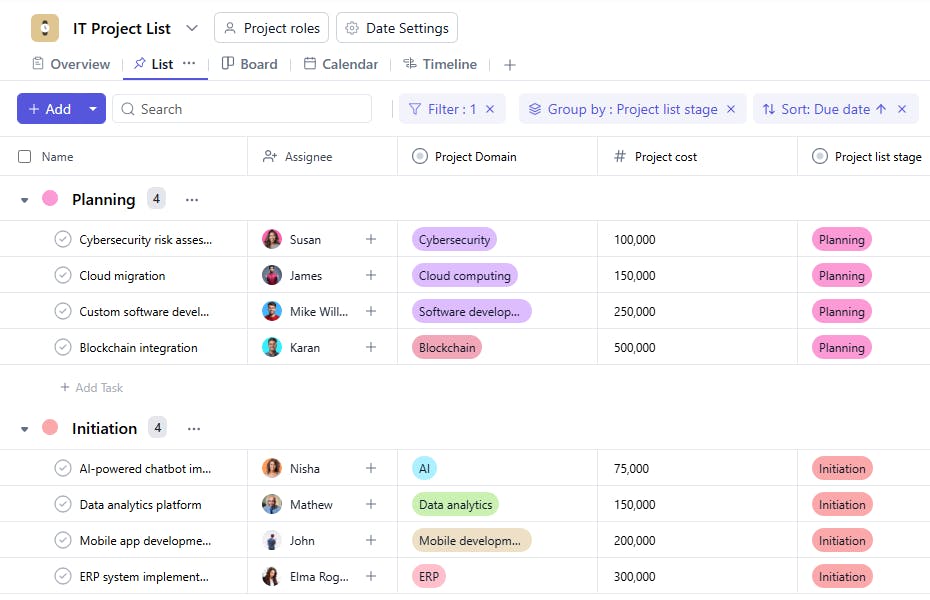
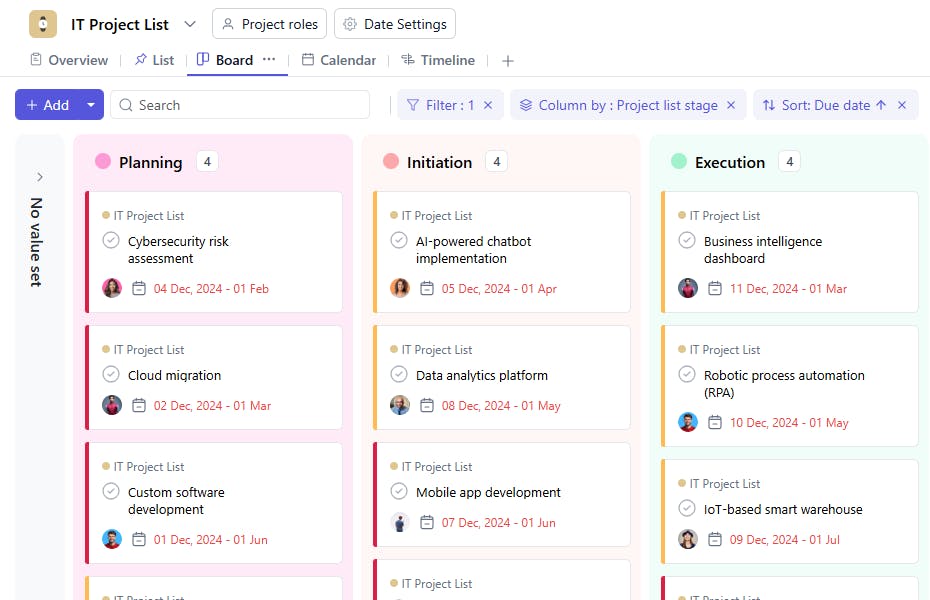
An IT Project List Template is a structured tool designed to track and manage IT projects systematically. It includes task names, assignees, project domains, project stages, completion percentages, project complexity levels, priorities, start dates, and end dates. This helps ensure IT projects are completed on time, within budget, and with the desired quality.
Here’s a closer look at its key features:
IT Project List Template: Key Features
- Organized Project Tracking: Maintain a clear overview of all ongoing, planned, and completed IT projects, categorized by priority and type.
- Resource Allocation: Assign team members to projects, track their workloads, and ensure optimal resource utilization.
- Project Timeline Management: Monitor project timelines and milestones to keep all tasks on schedule.
- Collaboration and Updates: Facilitate collaboration among team members with real-time updates, comments, and task tracking.
- Performance Metrics: Track the progress of projects and assess completion rates, budgets, and resource efficiency.
How to Use the IT Project List Template?
Here’s a step-by-step guide to using SmartTask’s IT Project List Template:
- Input Project Details: Begin by entering the project names, types (e.g., Software Development, Network Setup), and objectives.
- Assign Tasks and Deadlines: Break down each project into tasks, assign them to team members, and set deadlines.
- Monitor Status and Progress: Use the template to track whether a project is in the planning, execution, or completion stage.
- Track Budgets and Costs: Input project budgets and ongoing expenses to ensure financial oversight.
- Analyze and Adjust: Use built-in reporting features to review project outcomes and adjust workflows for future projects.
Portfolio View: You can also utilize the portfolio view instead of creating a sperate template for IT Project list
Custom Fields for Enhanced Organization
This IT Project List Template includes the following fields for better tracking and management:
- Project Domain: The field or domain of the project (e.g., Cloud Computing, Software Development).
- Project List Stage: Planning, Execution, Testing
- Completion Percentage: The percentage of the project that has been completed.
- Project Complexity: Low, Medium, High
Additional Customization Options
Here are a few ways to further customize the IT Project List Template:
- Dependencies: Add a field to track tasks or projects dependent on others.
- Risk Assessment: Include a field for tracking potential risks associated with each project.
- Budget Tracking: Add a field to record the allocated budget and expenditures for each project.
- Resource Requirements: Document specific tools, skills, or team members needed for the project.
- Notes: Add a section for additional observations or remarks related to each project.


