
Templates
All Hands Meeting
The All Hands Meeting Template simplifies meeting organization, ensuring all tasks are completed on time and the event runs smoothly, fostering effective communication and collaboration.
Use TemplateCategories
Slide 1 of 2 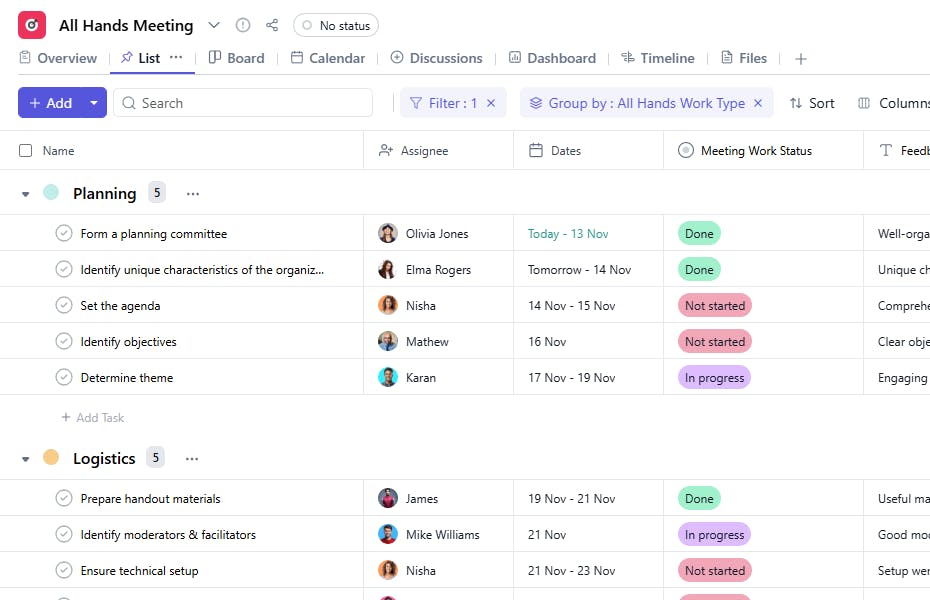
Slide 2 of 2 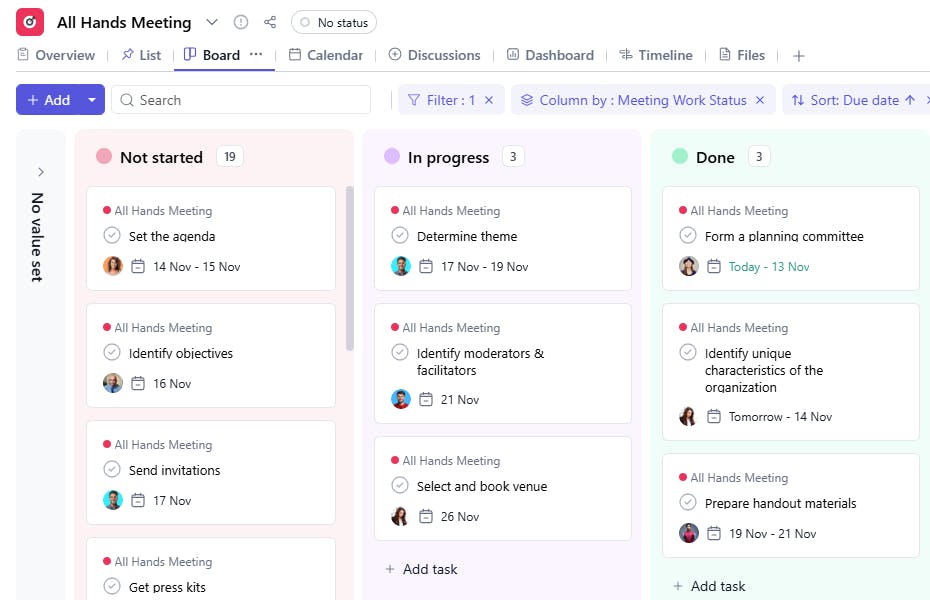
What is an All Hands Meeting Template?
An All Hands Meeting Template provides a structured framework for planning, executing, and evaluating company-wide meetings. It helps track tasks, assign responsibilities, monitor meeting stages, and gather feedback for continuous improvement.
Here’s a closer look at its key features:
All Hands Meeting Template: Key Features
- Structured Agenda: The template provides a clear agenda structure, allowing you to plan topics and time allocations efficiently, ensuring that the meeting flows smoothly.
- Seamless Collaboration: Coordinate with team leads and departments to gather content, share updates, and assign speaking roles.
- Customizable for Different Purposes: Whether you're discussing company updates, team performance, or future goals, the template adapts to fit the specific needs of your meeting.
How to Use the All Hands Meeting Template?
Here’s a step-by-step guide to using the All Hands Meeting Template:
- Create a New Meeting: Log into SmartTask, click "New Project," and select the All Hands Meeting template.
- Tailor the Agenda: Customize the meeting agenda by adding relevant topics, speakers, and time slots. Consider your goals for the meeting and prioritize content accordingly.
- Assign Tasks and Roles: Assign speakers, presenters, and team leads to specific topics or updates. Track the progress of any preparatory tasks.
- Collaborate on Content: Use collaboration features to gather presentations, data, and input from team members to ensure everyone is aligned before the meeting.
- Track Follow-Ups: After the meeting, track action items, follow-ups, and feedback to ensure alignment and accountability.
Custom Fields for Enhanced Organization
This All Hands Meeting Template includes the following fields for better task tracking and meeting management:
- Work Type: Planning, Execution, Follow-Up.
- Work Status: Not Started, In Progress, Complete
- Feedback: Feedback from attendees to assess meeting success and identify improvements.
Additional Customization Options
Here are a few ways to further customize the All Hands Meeting Template:
- Priority Levels: Add a priority field to highlight critical tasks.
- Agenda Field: Include a section for listing the meeting agenda to keep discussions focused.
- Recurring Meetings: Use recurring tasks for regularly scheduled all-hands meetings.
- File Attachments: Attach presentation slides, meeting minutes, or reference documents for easy access.
- Follow-Up Actions: Add a section to track post-meeting actions and who is responsible for them.


