
Templates
A/B Testing
The A/B Testing Template helps ensure that all aspects of A/B testing are well-organized and trackable, providing clarity on the testing process and facilitating data-driven decision-making for optimized marketing strategies.
Use TemplateCategories
What is an A/B Testing Template?
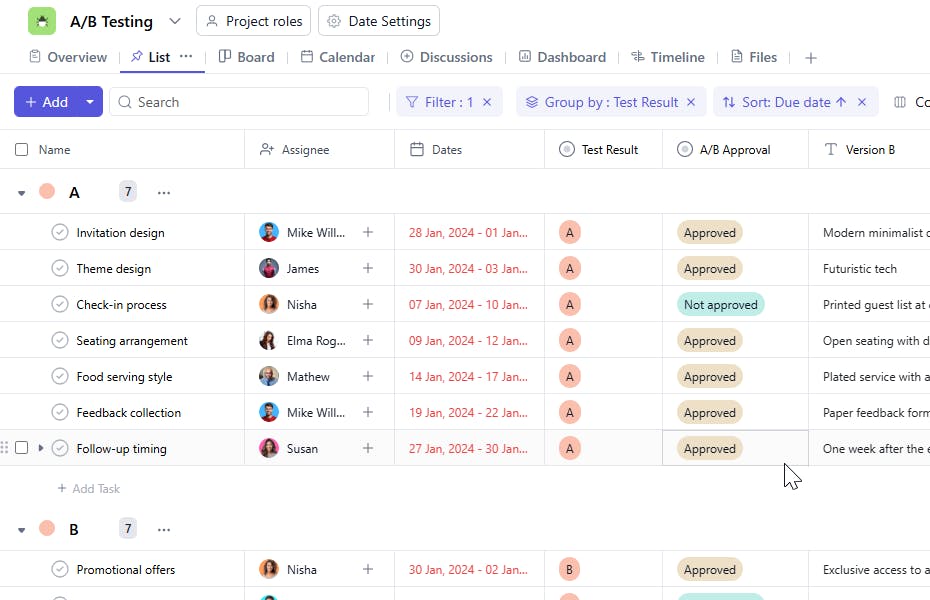
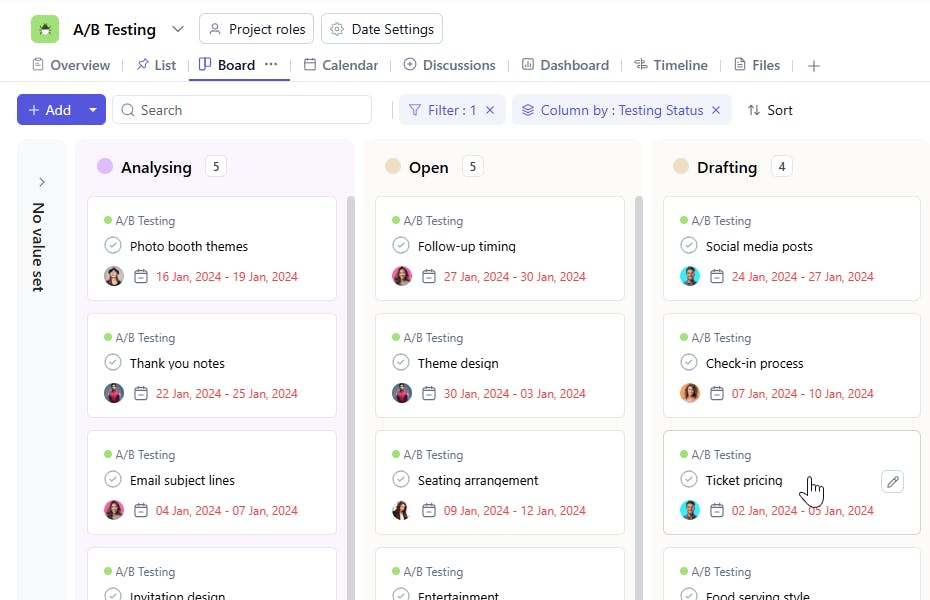
An A/B Testing Template provides a structured framework to manage and monitor A/B tests for marketing campaigns or product development. It helps you track the task name, assign responsibilities, set test versions, monitor the testing status, and record the results of each test. By organizing all elements of the test, it ensures a clear overview of performance, enabling data-driven decisions.
Here’s a closer look at its key features:
A/B Testing Template: Key Features
- Organized Testing Phases: The template breaks down the entire A/B testing process into structured steps, from hypothesis creation to analyzing results, helping you stay organized and on track.
- Easy Collaboration: With built-in communication tools, the template allows your team to discuss test designs, share insights, and collaborate efficiently throughout the testing process.
- Customizable to Your Needs: Whether you’re testing landing pages, email campaigns, or other content, the template can be tailored to fit the specific needs of your test.
How to Use the A/B Testing Template?
Here’s a step-by-step guide to using SmartTask’s A/B Testing Template:
- Create a New Project: Log into SmartTask, click "New Project," and select the A/B Testing template.
- Set Testing Goals: Customize the template by defining the goals of your test, such as increasing conversion rates or improving user engagement.
- Design Test Variants: The template is structured to guide you through the creation of test variants, tracking the different versions of a page or content element.
- Run the Test: Execute the test and monitor performance in real-time, using SmartTask’s collaboration tools to stay aligned with your team.
- Analyze Results: Once the test is complete, use the final phase to analyze the data, compare results, and make decisions based on the insights gained.
Custom Fields for Enhanced Organization
This A/B Testing Template includes the following fields for better test tracking and analysis:
- Testing Status: Not Started, In Progress, Completed
- Version A: The first version
- Version B: The second version
- Test Type: The type of A/B test
- Test Result: The results from the A/B test
- A/B Approval: Whether the test results have been approved for implementation or further action.
Additional Customization Options
Here are a few ways to further customize the A/B Testing Template:
- Performance Metrics: Add fields to track key performance indicators (KPIs) like conversion rate, bounce rate, or click-through rate.
- Graphical Analysis: Use charts or graphs to compare the performance of Version A and Version B visually.
- Recurring Tests: Set up recurring tasks for ongoing A/B tests, especially for testing variations over time.
- Automated Reminders: Set reminders for test milestones such as starting, reviewing, and concluding the tests.
- File Attachments: Attach related files such as test plans, results reports, or creative assets for easy reference.


