
Templates
Accounts Payable
The Accounts Payable Template helps streamline the tracking and management of accounts payable, ensuring timely payments, accurate invoicing, and smooth financial operations.
Use TemplateCategories
What is an Accounts Payable Template?
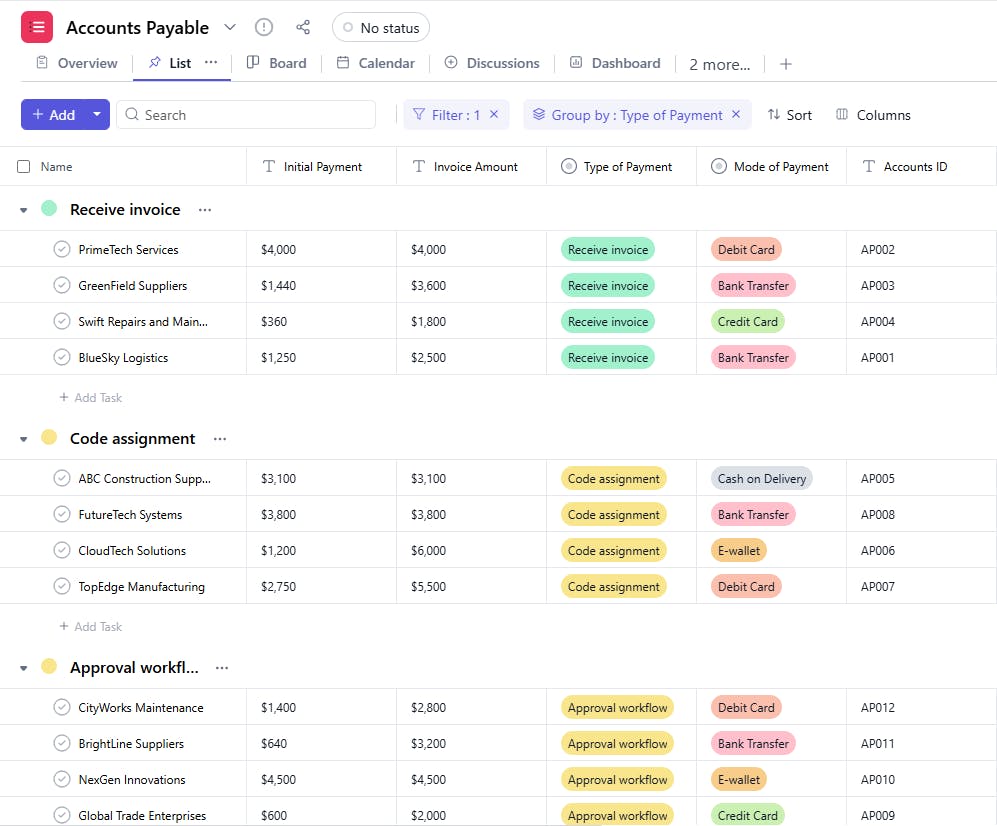
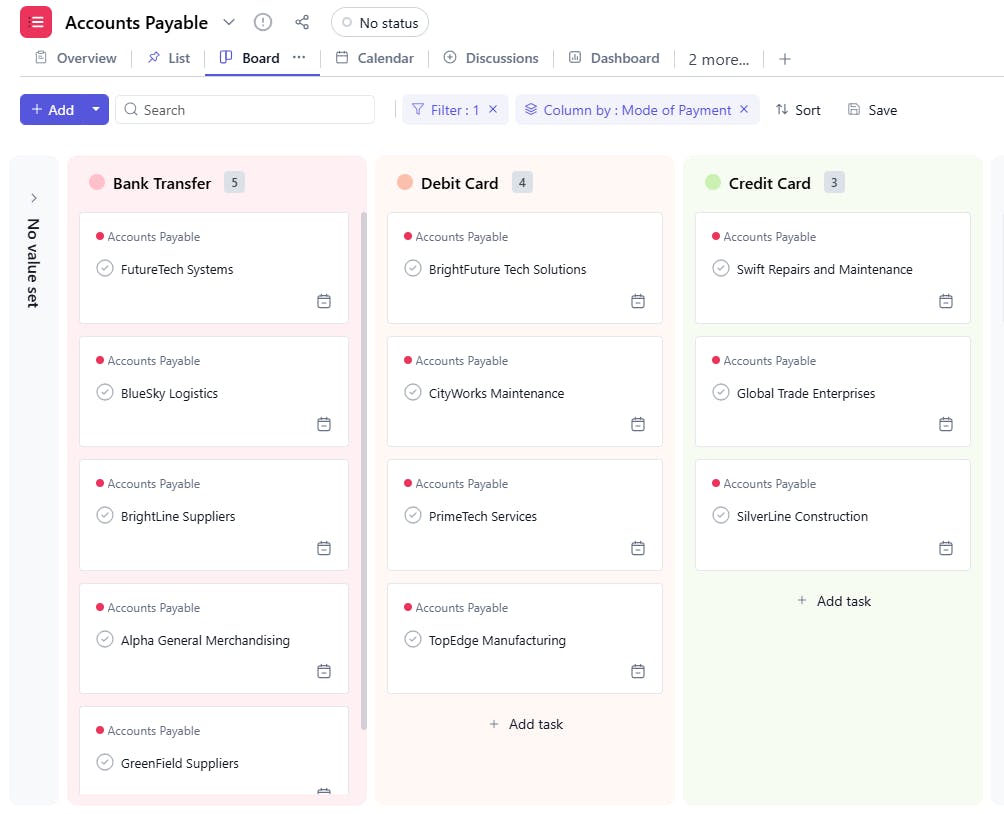
An Accounts Payable Template is a tool used to manage and track the accounts payable for a business. It includes key details such as task names, account IDs, emails, payment types, services provided, payment terms, invoice amounts, initial payments, balance amounts, and payment due dates. This ensures organized and efficient tracking of financial obligations and ensures timely payment to vendors.
Here’s a closer look at its key features:
Accounts Payable Template: Key Features
- Comprehensive Payment Tracking: Monitor all outstanding bills, payment statuses, due dates, and amounts to ensure timely payments.
- Vendor Management: Keep track of vendor details, including payment terms, contact information, and transaction history.
- Expense Categorization: Organize payments by categories (e.g., utilities, services, goods) for clearer financial analysis.
- Invoice Approval Workflow: Set up approval workflows to ensure every payment is authorized before processing.
- Due Date Management: Track due dates and set reminders for pending payments to avoid late fees and maintain good vendor relationships.
- Payment Status Monitoring: Track the progress of payments to ensure invoices are paid, and funds are disbursed.
How to Use the Accounts Payable Template?
Here’s a step-by-step guide to using SmartTask's Accounts Payable Template:
- Capture Vendor and Invoice Details: Enter vendor names, invoice numbers, amounts, due dates, and payment terms.
- Set Payment Due Dates: Track when each payment is due and set automated reminders to prevent missing deadlines.
- Assign Tasks: Assign team members responsible for processing invoices or seeking approval.
- Monitor Payment Status: Update the payment status (e.g., Pending, Paid, Overdue) to track the progress of each invoice.
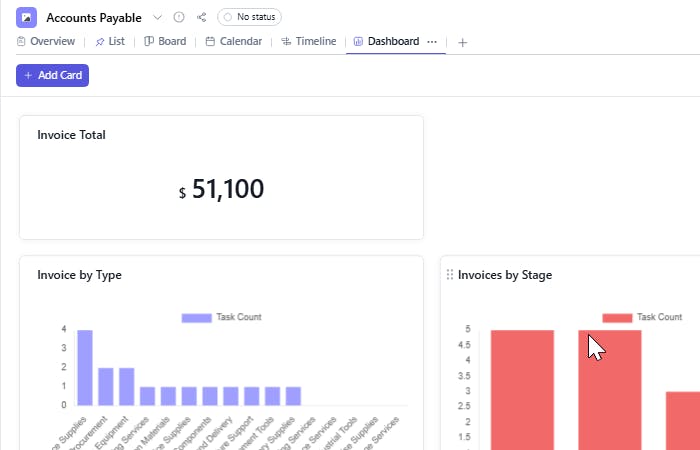
- Generate Reports: Use reports to track payments, expenses, and due dates for better financial visibility.
Custom Fields for Enhanced Organization
This Accounts Payable Template includes the following fields for better tracking and management:
- Accounts ID: The unique identifier for the account associated with the payment.
- Email: The email address of the vendor or supplier.
- Type of Payment: Bank Transfer, Credit Card
- Service Provided: A description of the service or product provided by the vendor.
- Payment Terms: The payment agreement terms
- Payment Type: Partial Payment, Full Payment
- Invoice Amount: The total amount to be paid.
- Initial Payment: The amount paid initially.
- Balance Amount: The remaining balance due after the initial payment.
- Payment Due Date: The due date for the payment.
Additional Customization Options
Here are a few ways to further customize the Accounts Payable Template:
- Vendor Category: Add a category for vendors (e.g., Suppliers, Contractors).
- Invoice Number: Include the invoice number associated with each payment.
- Payment Status: Add a field to track whether the payment is pending, paid, or overdue.
- Notes: Include a section for any additional notes or payment-related details (e.g., payment delays, discounts).


