
Templates
Android Developer Roadmap
The Android Developer Roadmap Template helps track and organize the various tasks and phases required to become an efficient Android developer, ensuring that key milestones, dependencies, and deadlines are met throughout the development journey.
Use TemplateCategories
What is an Android Developer Roadmap Template?
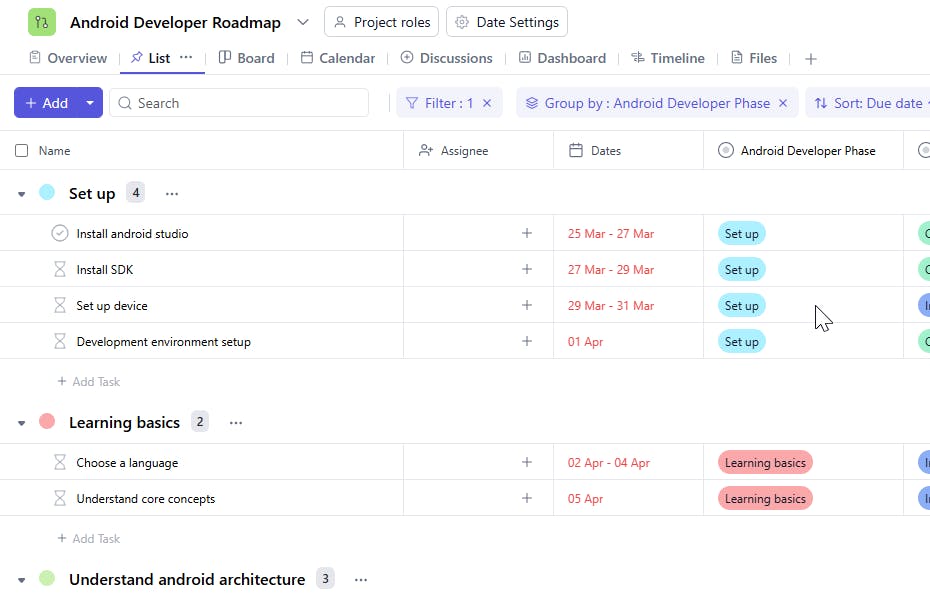
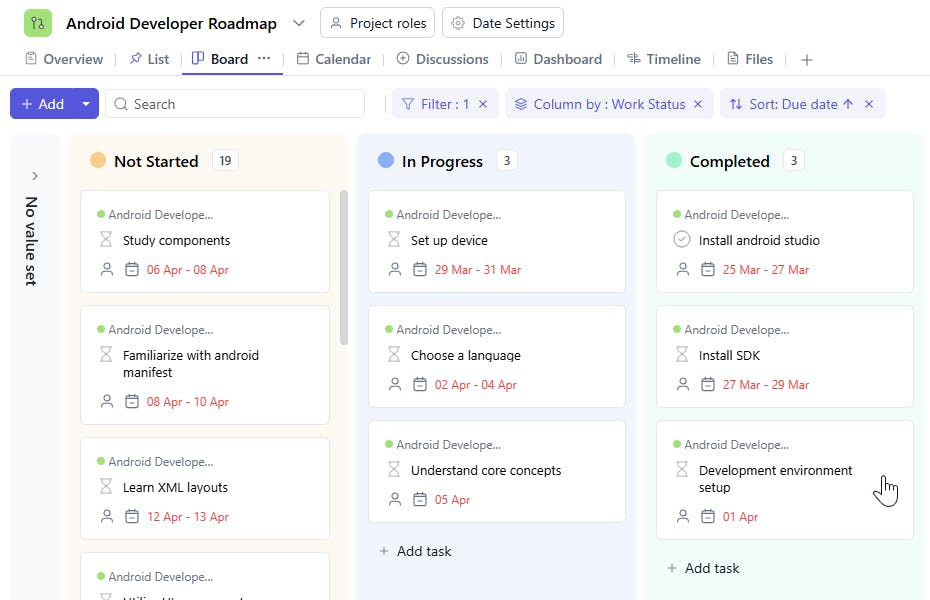
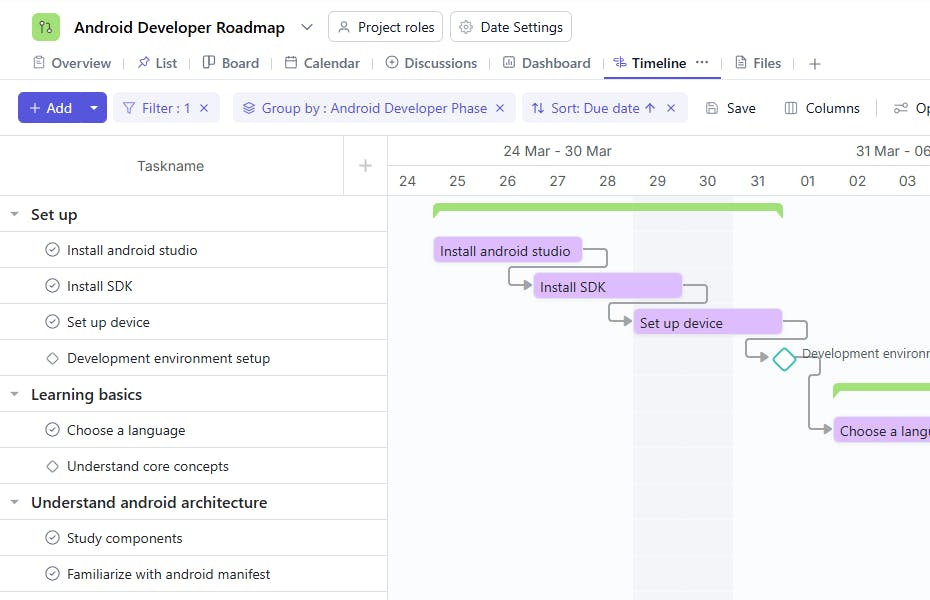
An Android Developer Roadmap Template is a structured tool used to guide and track the learning and development process for Android developers. It includes details such as task names, assignees, phases, descriptions, start and due dates, status, dependencies, and milestones. This helps developers stay organized, manage their learning progress, and ensure that they achieve the necessary skills and knowledge within set timeframes.
Here’s a closer look at its key features:
Android Developer Roadmap Template: Key Features
- Step-by-Step Learning Path: The template breaks down Android development into clear stages, guiding developers from beginner to advanced levels.
- Organized Workflow: Plan, track, and manage learning objectives and project milestones in an orderly manner to stay on course.
- Real-Time Collaboration: Work with mentors, peers, or teams to share updates, discuss issues, and seek feedback using built-in collaboration tools.
- Customizable to Your Needs: Tailor the roadmap to focus on specific development goals, like mastering Kotlin, improving UI/UX skills, or integrating APIs.
How to Use the Android Developer Roadmap Template?
Here’s a step-by-step guide to using SmartTask’s Android Developer Roadmap Template:
- Create a New Project: Log into SmartTask, click “New Project,” and select the Android Developer Roadmap template.
- Customize the Template: Adjust fields and stages to match your learning goals or project requirements, such as focusing on Kotlin or Firebase.
- Plan Learning Stages: Follow a structured progression from fundamentals to advanced topics, using tasks to track each phase.
- Collaborate and Share Progress: Use collaboration tools to discuss challenges, share resources, and seek guidance from peers or mentors.
- Monitor Progress and Adjust: Regularly review progress and refine the roadmap based on evolving learning objectives or project demands.
Custom Fields for Enhanced Organization
This Android Developer Roadmap Template includes the following fields for better tracking and management:
- Development Phase: Set up, Learning basics, Understand android architecture, Design user interface, Implement functionality, Network communication, Testing and debugging, Testing and debugging, Publish the app.
- Development Status: Not Started, In Progress, Completed.
Additional Customization Options
Here are a few ways to further customize the Android Developer Roadmap Template:
- Skill Level: Add a field to specify the skill level required for each task (e.g., Beginner, Intermediate, Expert).
- Resources: Include links or resources (e.g., tutorials, books) to help complete the task.
- Task Priority: Specify the priority level of each task (e.g., High, Medium, Low).
- Progress Tracking: Add a field to track the percentage of completion for each task.
- Comments: Include a section for additional notes or comments related to the task.


