
Templates
App Development Plan
Turning an app idea into reality involves many moving parts. With so many tasks to manage, it’s easy for things to get overlooked.
Use TemplateCategories
What is an App Development Plan Template?
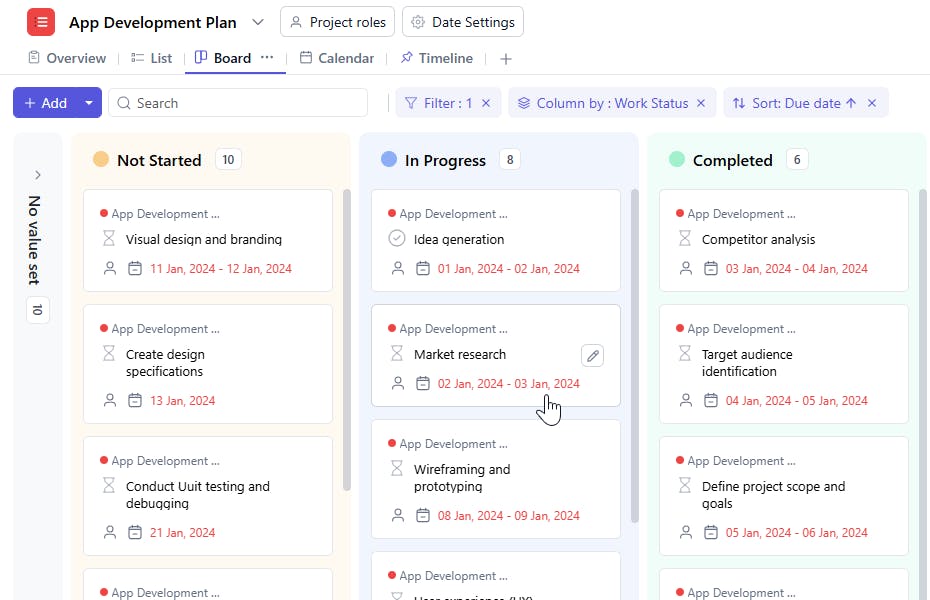
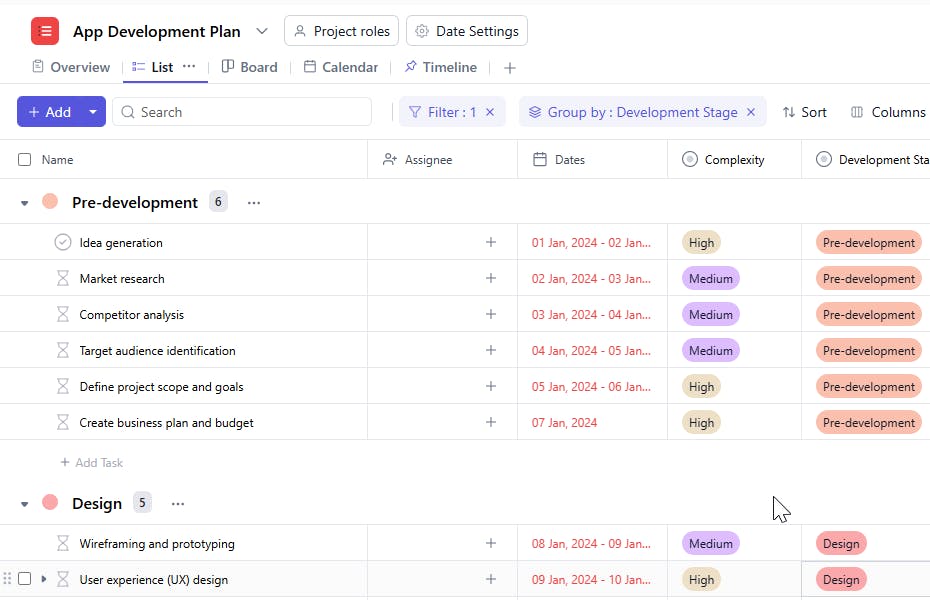
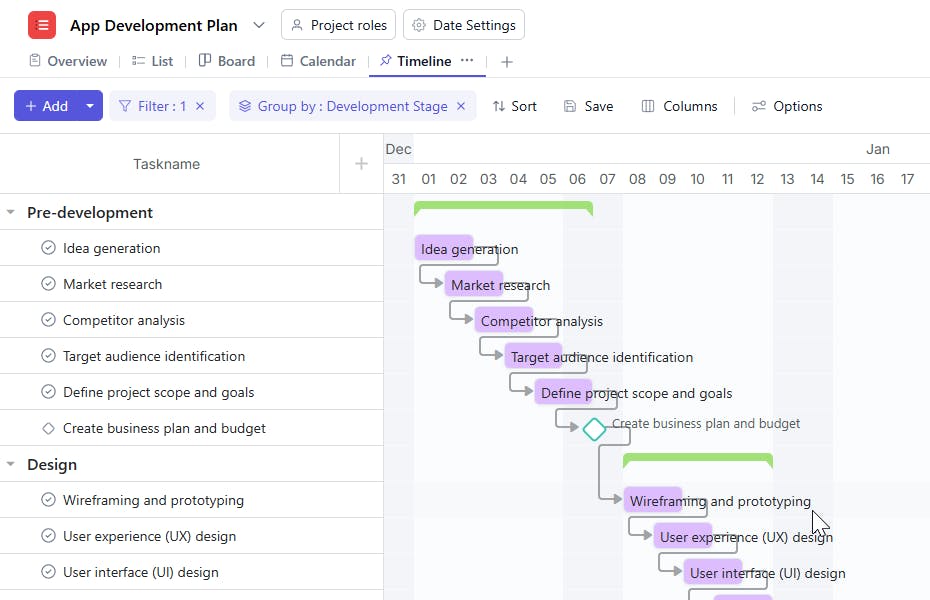
An App Development Plan Template acts as your roadmap, guiding your team through each phase of the development process. From planning and design to launch and post-launch, this template ensures all aspects of the app are covered, helping you stay organized, efficient, and on schedule.
Here’s a closer look at its key features:
App Development Plan Template: Key Features
- Clear Framework: Provides a structured path through every stage of development, ensuring all critical milestones are achieved.
- Predefined Tasks: Saves valuable time by offering ready-to-use tasks and steps, so your team can focus on execution rather than planning.
- Team Collaboration: Assign tasks, share files, and communicate directly within the template, making team coordination seamless and efficient.
- Real-Time Progress Tracking: Monitor the status of each task and track deadlines, so nothing falls behind schedule.
How to Use the App Development Plan Template
Follow these simple steps to get started and tailor the template to your app’s unique needs:
- Select and Customize: Log in to SmartTask, choose the App Development Plan template, and adjust tasks, deadlines, and team assignments to suit your app’s requirements.
- Define Your App’s Goals: Clearly outline the app’s objectives and features to set a clear direction for the development team.
- Collaborate Efficiently: Use SmartTask’s communication tools—such as task comments and file sharing—to keep everyone aligned and informed.
- Track Milestones: Set up timelines and monitor progress to ensure tasks are completed on time and any roadblocks are addressed promptly.
- Review and Improve: After the app launch, gather feedback from the team to evaluate the development process and identify areas for improvement in future projects.
Custom Fields for Enhanced Flexibility
SmartTask’s App Development Plan Template includes several customizable fields, such as:
- Phase → Pre-development, Design, Development, Tools & Technologies, Testing, Launch, Post-launch, Additional Steps, Methodologies.
- Complexity → High, Medium, Low
- Approval Status → Approved, Rejected, Pending
- Stage → Completed, Initiated, In Progress, Yet to Start, On Hold
- Team → UI/UX Designer, Business Analyst, Product Manager, QA Engineer, Business Analyst
Additional Customization Options
Take your App Development Plan Template to the next level with these customization options:
- Custom Workflows: Tailor workflows to fit your team's development process, whether you’re using Agile, Waterfall, or another methodology.
- Tool Integrations: Sync with popular tools like Slack, GitHub, or Google Drive to streamline your workflow and ensure everything is connected.
- Automated Reminders: Set up notifications for deadlines, task updates, and approvals to stay ahead of schedule.
- Recurring Templates: Save time on future app projects by duplicating the template, ensuring consistency across your team’s work.


