
Templates
Asset Tracking
The Asset Tracking Template helps organizations monitor and manage their assets across locations, departments, and lifecycle stages ensuring complete visibility, accountability, and utilization of valuable resources.
Use TemplateCategories
What is an Asset Tracking Template?
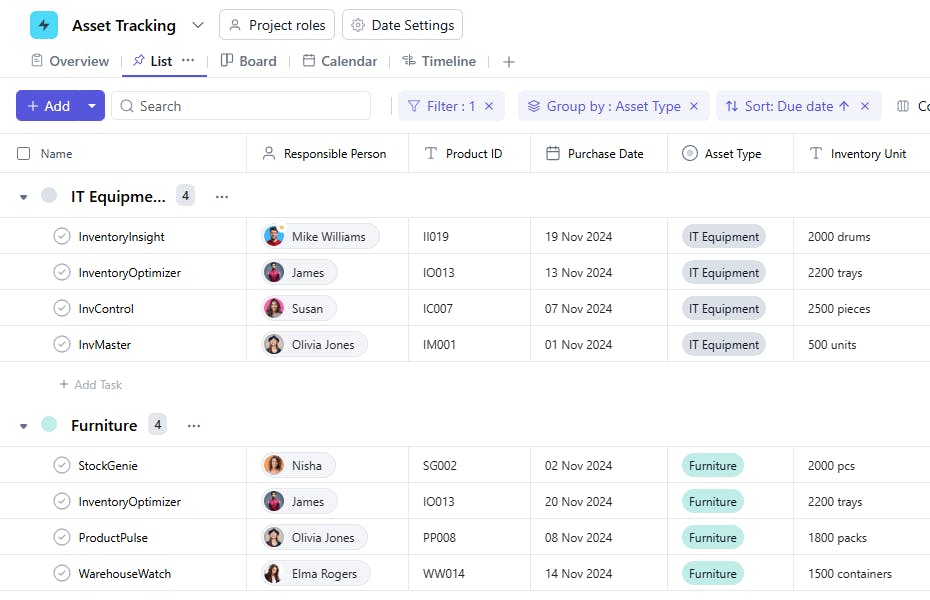
An Asset Tracking Template provides a structured way to record and monitor all company assets from IT equipment and machinery to furniture and vehicles. It enables teams to maintain a centralized record of asset details, ownership, maintenance schedules, and current status, ensuring assets are always in the right place and in good condition.
Here’s a closer look at its key features:
Asset Tracking Template: Key Features
- Centralized Asset Information: Maintain a comprehensive list of all assets, including asset ID, name, type, model, serial number, and assigned user or department.
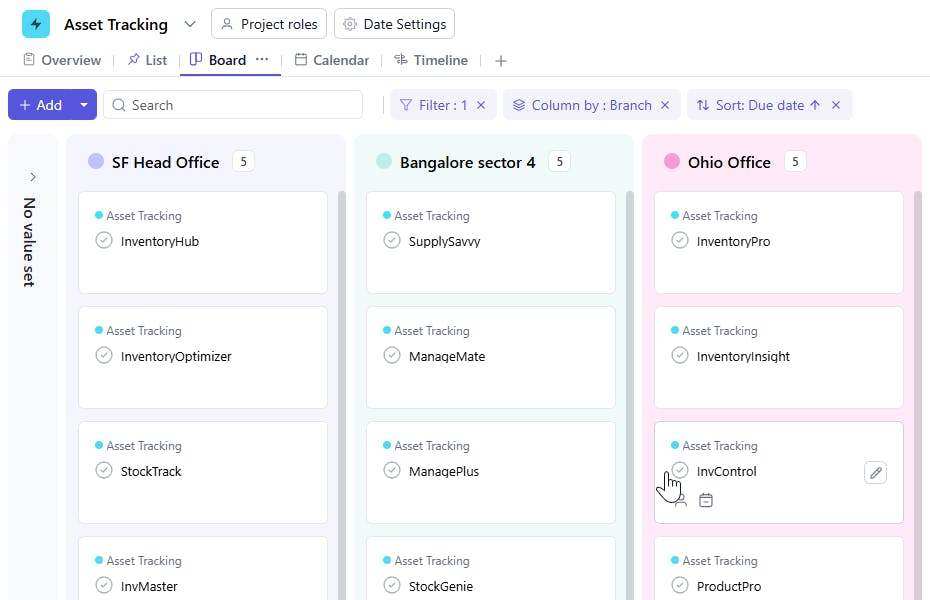
- Location-Based Tracking: Record where each asset is located such as a warehouse, office, or client site for easy retrieval and accountability.
- Ownership & Assignment: Assign assets to employees or departments, ensuring clear responsibility and traceability.
- Lifecycle Management: Track the full lifecycle of assets, including procurement date, warranty expiry, maintenance, and disposal.
- Maintenance Scheduling: Log maintenance dates and set reminders for upcoming services to extend asset life and minimize downtime.
- Condition & Status Updates: Keep asset condition, utilization, and availability status updated to prevent misuse or loss.
How to Use the Asset Tracking Template
- Add Asset Details: Begin by listing all assets with their key details - asset ID, name, type, model, and serial number.
- Assign Ownership: Specify who is responsible for each asset an individual, team, or department.
- Define Location: Enter the physical or virtual location where the asset is stored or used.
- Record Lifecycle Events: Log purchase date, warranty, and maintenance history for each asset.
- Monitor Status: Update condition (e.g., Active, Under Repair, Retired) and set automated reminders for maintenance or audits.
Custom Fields for Enhanced Organization
SmartTask’s Asset Tracking Template includes the following custom fields to help you maintain a complete and structured record:
- Asset ID: Unique identifier for each asset (e.g., “AST-001”).
- Asset Type: IT Equipment, Furniture, Machinery, Vehicle, Real Estate, etc.
- Location: Current asset location (office, warehouse, or project site).
- Responsible Person: Employee or department responsible for the asset.
- Purchase Date: When the asset was procured.
- Serial Number: Manufacturer’s serial or registration number.
- Manufacturer / Vendor: Supplier or manufacturer details.
- Last Maintenance Date: Most recent service or inspection date.
Additional Customization Options
- Automated Maintenance Reminders: Get alerts when assets are due for servicing or nearing warranty expiry.
- QR / Barcode Tagging: Use scanning for quick asset identification and updates.
- Audit & Compliance Tracking: Schedule regular audits to ensure physical verification and policy compliance.
- Reports & Dashboards: Generate reports on asset distribution, depreciation, and maintenance history.
- Collaboration & Accountability: Use task comments and file attachments for invoices, warranty documents, and maintenance logs.
The Asset Tracking Template ensures your organization maintains full control over all its assets minimizing loss, improving utilization, and simplifying audits.


