
Templates
Backlogs And Sprints
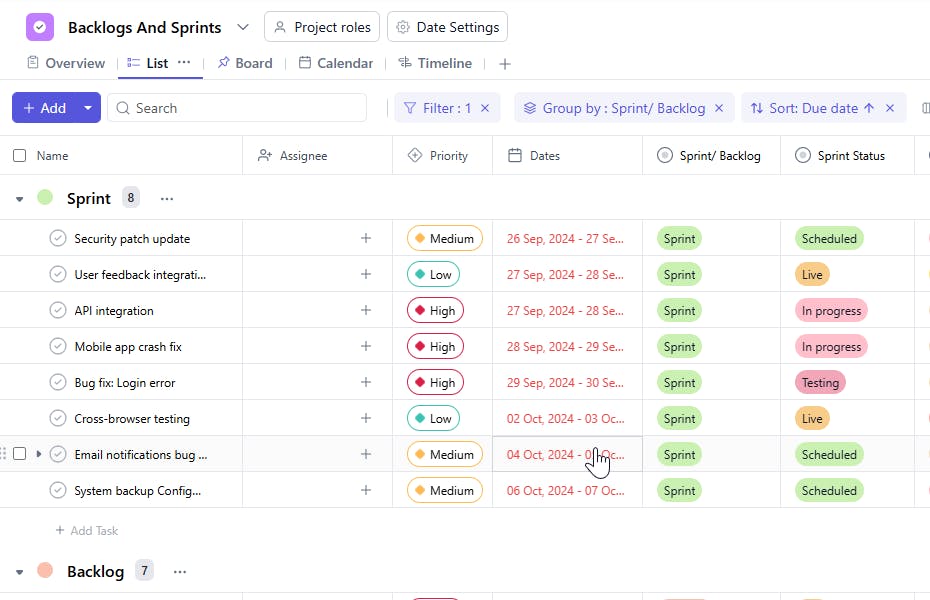
The Backlogs and Sprints Template is an excellent tool for managing tasks in an agile or sprint-based framework, allowing you to maintain clear organization, track progress, and ensure efficient execution of each task within the project.
Use TemplateCategories
What is a Backlogs and Sprints Template?
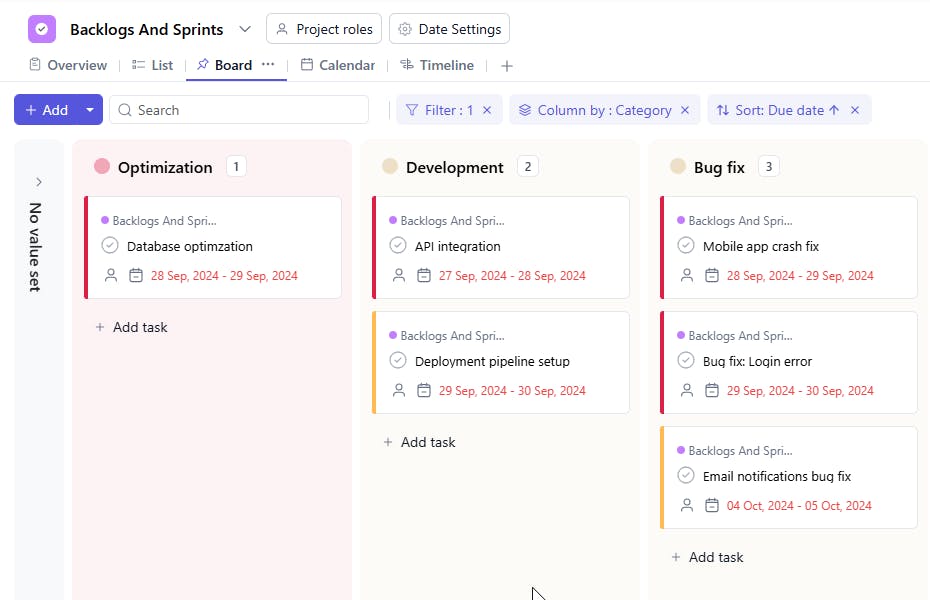
A Backlogs and Sprints Template provides a structured approach to managing project tasks by categorizing them into backlogs and sprints. It allows teams to prioritize tasks, assign them to specific sprints, and track the estimated hours, deadlines, and task completion status. This ensures that each sprint is effectively executed, and progress is visible to the entire team.
Here’s a closer look at its key features:
Backlogs and Sprints Template: Key Features
- Organized Task Backlog: Capture and manage tasks, features, and bugs in a single location, ensuring that no important work is overlooked.
- Sprint Planning: Easily plan, assign, and track tasks within designated sprints to stay focused on short-term goals.
- Collaborative Team Management: Assign tasks, track progress, and set priorities, ensuring everyone is aligned and working towards the same objectives.
- Automated Notifications: Built-in reminders for sprint deadlines, task assignments, and updates help keep the team on track.
How to Use the Backlogs and Sprints Template
Here’s a simple guide to getting started with the Backlogs and Sprints Template:
- Choose and Customize: Select the Backlogs and Sprints Template from SmartTask template list. Customize fields like task categories, priorities, and sprint cycles.
- Enter Backlog Items: Start by adding tasks, user stories, bugs, and features to the backlog. Prioritize them based on project goals and team capacity.
- Create Sprints: Enable sprints configuration from project settings
- Assign Tasks: Delegate specific tasks to team members and track their progress using status updates and completion percentages.
- Monitor and Adjust: Track progress through burndown charts, sprint velocity, and task completion rates. Adjust priorities as needed for future sprints.
Custom Fields for Enhanced Organization
This Backlogs and Sprints Template includes the following fields for better task management and sprint tracking:
- Sprint/Backlog: Whether the task belongs to the backlog or a specific sprint.
- Category: The category or work area
- Sprint Status: Not Started, In Progress, Completed
Additional Customization Options
Here are a few ways to further customize the Backlogs and Sprints Template:
- Performance Metrics: Add fields to track task efficiency or sprint velocity.
- Burndown Charts: Track sprint progress visually with burndown charts to monitor remaining work.
- Recurring Tasks: Set recurring tasks for regular sprint activities or maintenance.
- Automated Reminders: Set reminders for upcoming sprint deadlines or overdue tasks.
- File Attachments: Attach files, such as design documents, user stories, or test cases, to the tasks for easy reference.


