
Templates
Balance Sheet Sample
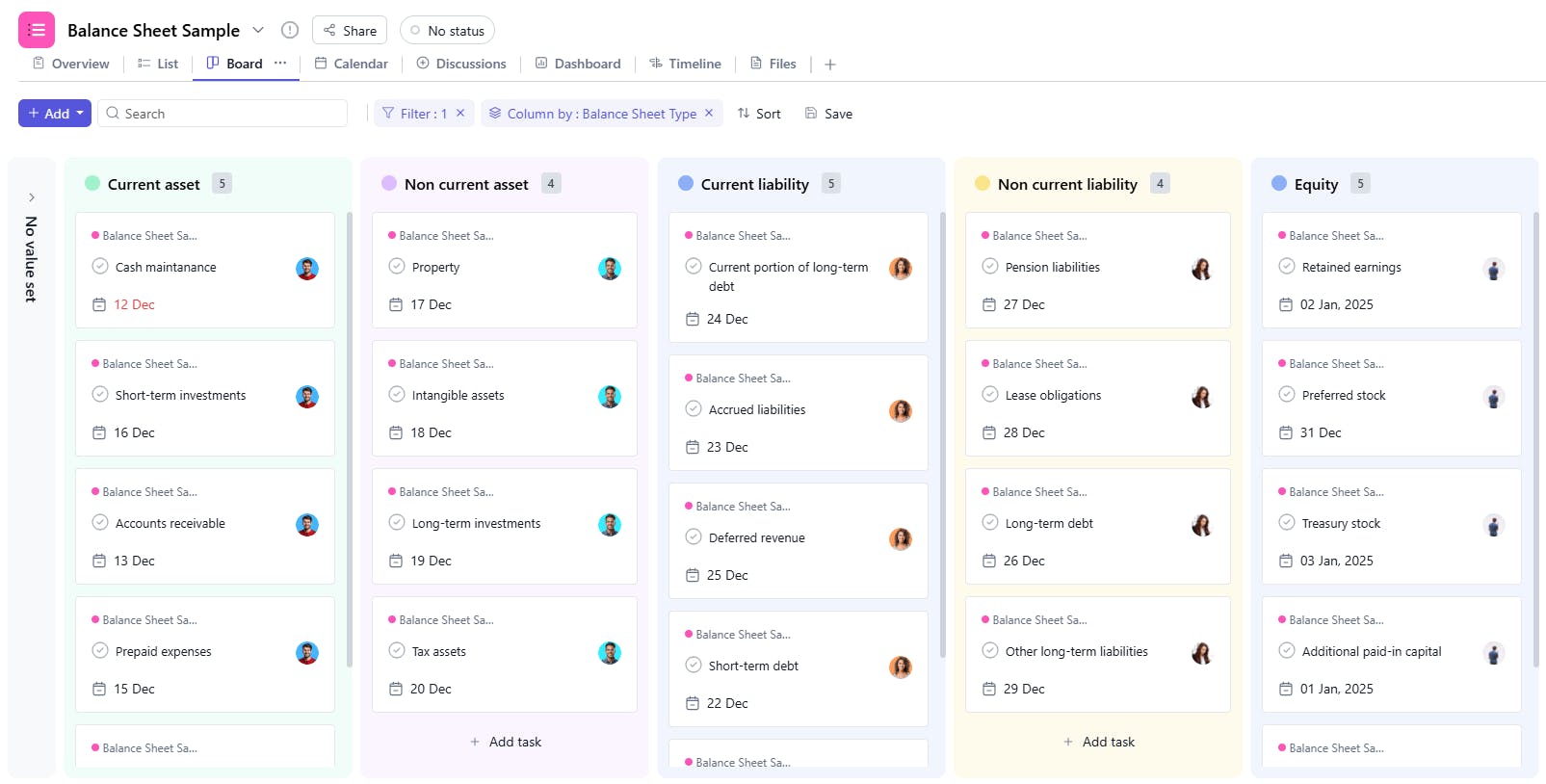
The Balance Sheet Sample Template provides a structured format to track and manage the financial position of a business, ensuring accurate reporting of assets, liabilities, and equity.
Use TemplateCategories
What is a Balance Sheet Sample Template?
A Balance Sheet Sample Template is a tool used to summarize a company's financial position at a specific point in time. It includes details such as task names, unique IDs, types, assignees, valuation methods, allocated amounts, opening balances, closing balances, additions, and dates. This helps ensure clear and accurate tracking of financial transactions and balances.
Here’s a closer look at its key features:
Balance Sheet Sample Template: Key Features
- Comprehensive Financial Tracking: Organize key financial data, including assets, liabilities, and shareholder equity, to ensure your balance sheet reflects accurate and up-to-date information.
- Assets Management: Track and categorize current and non-current assets, including cash, accounts receivable, and inventory.
- Liabilities Management: Keep track of current and long-term liabilities such as loans, accounts payable, and accrued expenses.
- Equity Overview: Monitor equity information, including retained earnings and share capital, to assess your company’s net worth.
- Task Assignment & Monitoring: Assign responsibilities to team members for collecting and verifying financial data, ensuring timely updates to the balance sheet.
How to Use the Balance Sheet Sample Template?
Here’s a step-by-step guide to using SmartTask’s Balance Sheet Sample Template:
- Set Up Financial Categories: Start by organizing the balance sheet into key categories—Assets, Liabilities, and Equity—and customize them as needed for your business.
- Track Assets: Input data on both current assets (e.g., cash, inventory) and non-current assets (e.g., property, equipment).
- Monitor Liabilities: Enter both short-term liabilities (e.g., accounts payable) and long-term liabilities (e.g., loans, mortgages).
- Record Equity: Track your company’s equity, including share capital, retained earnings, and other shareholder equity details.
- Assign Tasks: Assign team members to specific tasks like collecting data, verifying information, and calculating totals for each section of the balance sheet.
- Review & Update: Regularly update the balance sheet, ensuring that all data is current, and review it for accuracy.
Custom Fields for Enhanced Organization
This Balance Sheet Sample Template includes the following fields for better tracking and management:
- Unique ID: A unique identifier for each financial entry.
- Types: Whether the entry is an asset, liability, or equity.
- Valuation Method: The method used for valuing the asset or liability (e.g., Market Value, Cost).
- Amount Allocated: The amount assigned to the entry.
- Opening Balance: The starting balance at the beginning of the period.
- Closing Balance: The ending balance at the end of the period.
- Addition: Any additions or changes to the balance during the period.
Additional Customization Options
Here are a few ways to further customize the Balance Sheet Sample Template:
- Asset Category: Add categories for different asset types (e.g., Cash, Receivables).
- Liability Category: Include categories for liabilities (e.g., Short-Term Debt, Long-Term Liabilities).
- Equity Details: Add a section for equity-related entries (e.g., Retained Earnings, Shareholder Contributions).
- Notes: Add a section for additional notes regarding specific entries (e.g., Revaluation Adjustments, Depreciation).
- Auditor Review: Include a section for audit review and approval of financial entries.


