
Deal Pipeline
Managing a sales or inquiry pipeline from tracking leads to closing deals can feel overwhelming. Here's how a deals pipeline template can help streamline your workflow.
Use TemplateCategories
What is a Sales Pipeline Template?
A sales pipeline template serves as your central hub for tracking and managing all sales opportunities efficiently. From initial contact to deal closure, the template helps maintain visibility and momentum throughout the sales process.
Here's a closer look at its key features:
Sales Pipeline Template: Key Features
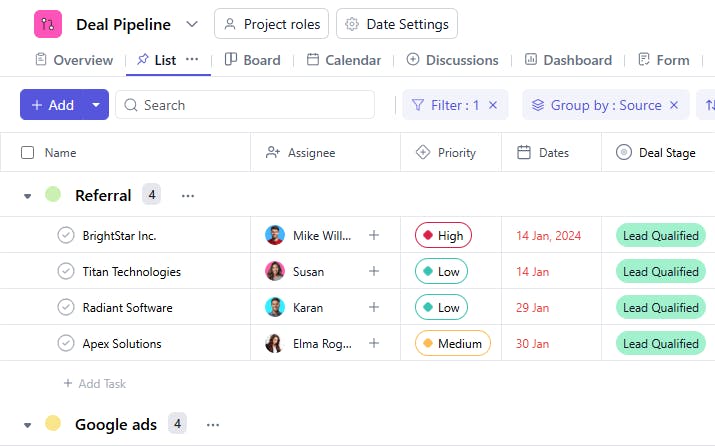
- Comprehensive Lead Management: Track all prospect information from contact details to deal value in one central location. This ensures no opportunity gets overlooked.
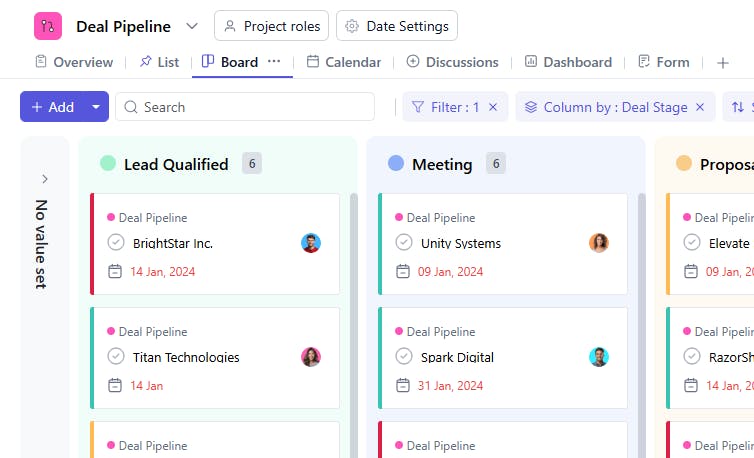
- Stage Tracking: Monitor deals through each pipeline stage, from qualification to closure, keeping your sales process organized and efficient.
- Team Collaboration: Enable real-time updates and communication between team members to keep everyone aligned on deal progress.
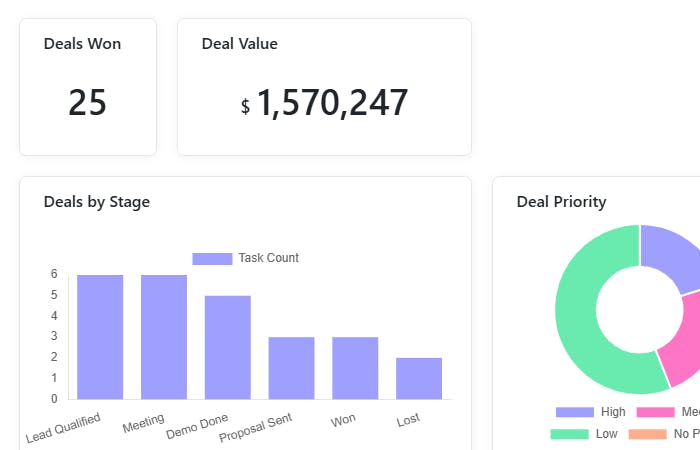
- Performance Analytics: Monitor key metrics and pipeline health to optimize your sales strategy.
How to Use the Sales Pipeline Template
Here's a step-by-step guide to using SmartTask's Sales Pipeline Template for your sales process:
- Setup Pipeline: Select the Sales Pipeline Template from SmartTask's library. Customize stages and workflows to match your sales process.
- Add Leads: Input prospect information, deal values, and expected close dates, organizing them by stage.
- Assign Responsibilities: Delegate leads to sales reps and track their progress in real-time.
- Track Activities: Log all sales activities, from calls to meetings, maintaining a clear history of each deal.
- Monitor Progress: Use built-in analytics to track performance and identify areas for improvement.
Custom Fields for Enhanced Organization
SmartTask's sales pipeline template includes several custom fields, including:
- Deal Stage: Lead, Proposal, Negotiation, Closed
- Priority Level: High, Medium, Low
- Deal Value: Amount
- Expected Close Date
- Last Contact Date
- Lead Source
- Sales Rep
- Customer Notes
Additional Customization Options
Here are a few more ways to customize the Sales Pipeline Template:
- Custom Stages: Add or modify pipeline stages to match your sales cycle
- Automated Updates: Set up notifications for important deal milestones
- Performance Tracking: Create custom reports and dashboards for better insights
The sales pipeline template is your one-stop tool for managing your entire sales process and closing more deals efficiently.
How it is different from Lead Tracking?
Lead tracking focuses on managing and nurturing potential customers, while the deal pipeline manages active sales opportunities through various stages of closure.


