
Templates
Client HR Requirements
The Client HR Requirements Template provides a systematic framework to manage and track recruitment needs raised by clients. This template ensures clear visibility into open positions, hiring progress, and coordination between recruitment teams and clients.
Use TemplateCategories
What is a Client HR Requirements Template?
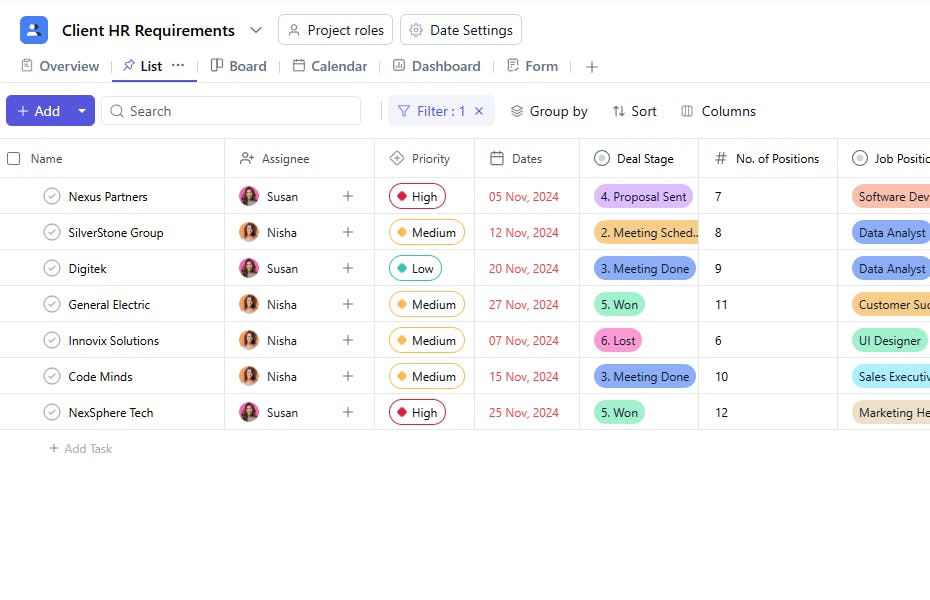
A Client HR Requirements Template is a structured tool designed to manage hiring requests from clients, monitor job positions, and track recruitment progress. It includes fields such as task name, assignee, priority, deal stage, number of positions, offered CTC, and joining date — allowing recruitment teams to stay aligned with client expectations and timelines.
This template helps maintain transparency, prioritize key roles, and ensure smooth coordination from requirement to onboarding.
Here’s a closer look at its key features:
Client HR Requirements Template: Key Features
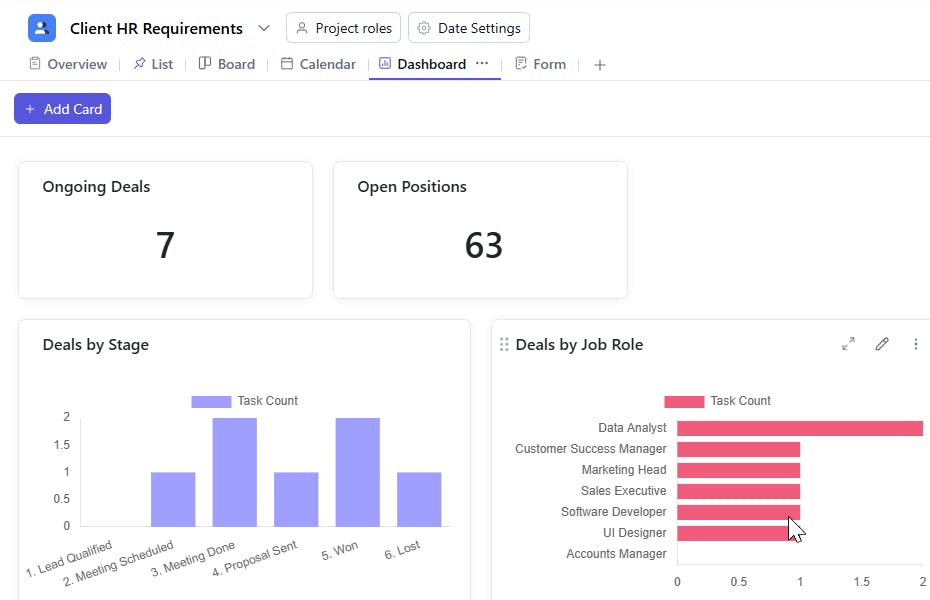
- Centralized Requirement Tracking: Manage all client hiring needs in one place — from request intake to successful onboarding.
- Task-Based Recruitment Workflow: Assign recruiters to each position with clear priorities, due dates, and defined deliverables.
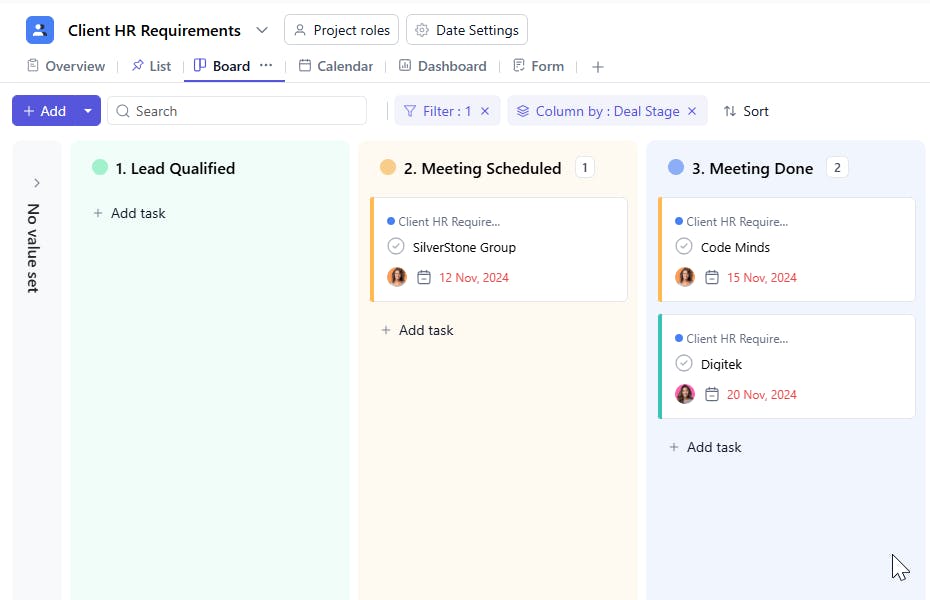
- Deal Stage Visibility: Track the progress of each client’s hiring cycle (e.g., Requirement Received, In Process, Offer Made, Closed).
- Collaborative Hiring Coordination: Keep communication transparent among team members and clients to avoid duplication and delays.
- Performance Monitoring: Measure fulfillment timelines and recruiter performance using consistent data points.
- Centralized Requirement Tracking: Manage all client hiring needs in one place — from request intake to successful onboarding.
- Task-Based Recruitment Workflow: Assign recruiters to each position with clear priorities, due dates, and defined deliverables.
- Deal Stage Visibility: Track the progress of each client’s hiring cycle (e.g., Requirement Received, In Process, Offer Made, Closed).
- Collaborative Hiring Coordination: Keep communication transparent among team members and clients to avoid duplication and delays.
- Performance Monitoring: Measure fulfillment timelines and recruiter performance using consistent data points.
How to Use the Client HR Requirements Template
- Select and Customize: Choose the Client HR Requirements Template from your project management tool. Customize it with your client names, departments, or hiring categories.
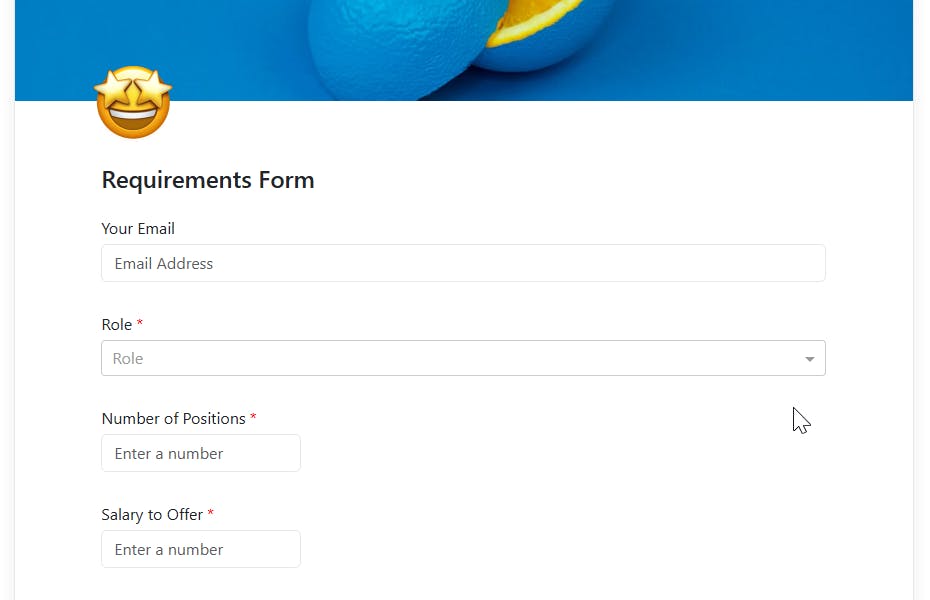
- Add Requirement Details: Enter each client’s HR requirement as a task — specifying position details, number of openings, and priority level.
- Assign Recruiters: Assign specific team members to handle each hiring requirement.
- Track Progress: Update the deal stage regularly (Requirement Received → Screening → Shortlisting → Offer Made → Closed).
- Monitor Hiring Timelines: Use due dates and joining dates to ensure timely fulfillment and client satisfaction.
Custom Fields for Enhanced Organization
This Client HR Requirements Template includes the following fields for detailed tracking and management:
- Task Name: Represents the specific hiring requirement or client request.
- Assignee: The recruiter or team member responsible for managing the role.
- Priority: Defines urgency (High, Medium, or Low) for effective prioritization.
- Start Date: The date when the hiring activity begins.
- Due Date: The target date to close the position.
- Deal Stage: Tracks the progress stage — Requirement Received, In Process, Offer Made, or Closed.
- No. of Positions: Indicates the total number of openings for that specific role.
- Job Position: The title or designation being hired for (e.g., Sales Manager, Software Engineer).
- Offered CTC: The compensation or salary package offered to the candidate(s).
- Joining Date: The confirmed or expected joining date of the selected candidate(s).
Additional Customization Options
Here are a few ways to further customize the Client HR Requirements Template:
- Client Name: To specify which client the requirement belongs to.
- Location: Mention the city or branch where the role is based.
- Recruitment Source: Identify where candidates are sourced from (Portal, Referral, LinkedIn, etc.).
- Remarks / Notes: Include client feedback, special requirements, or communication records.
- Status: Track whether the position is Open, In Progress, or Closed.


