
Templates
Cost Analysis
The Cost Analysis Template helps organizations efficiently track and analyze their financial data, ensuring projects stay on budget, optimizing resource allocation, and calculating ROI to ensure profitability and success.
Use TemplateCategories
What is a Cost Analysis Template?
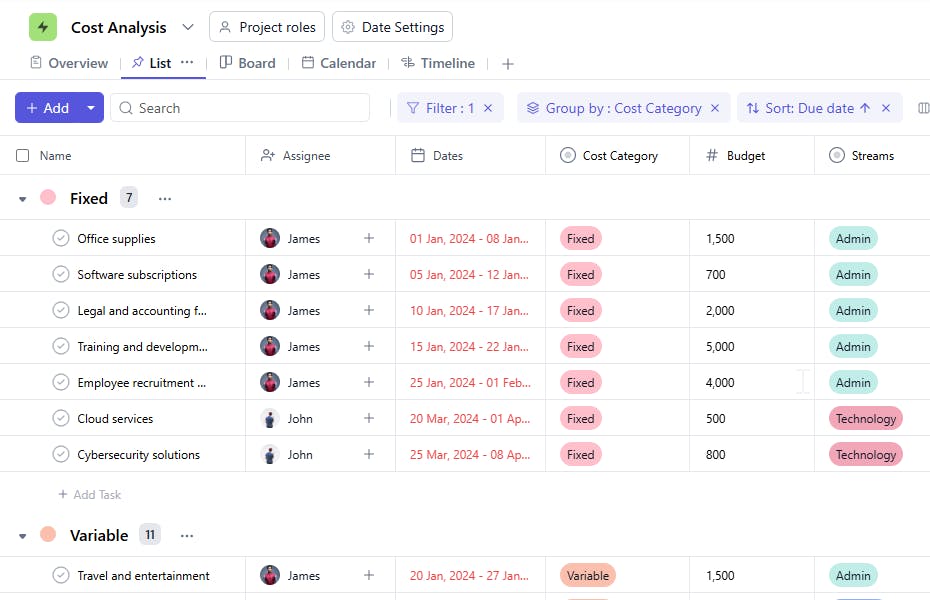
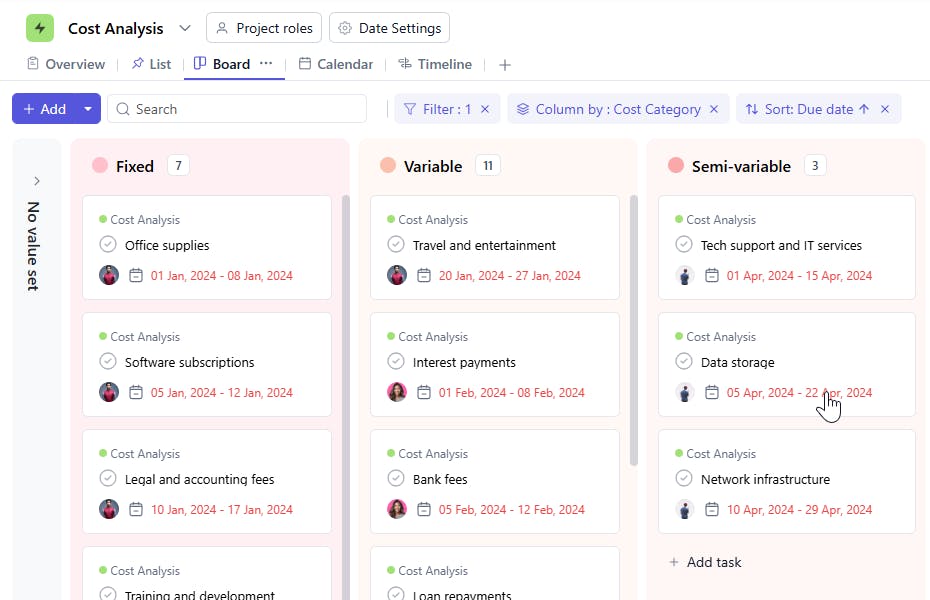
A Cost Analysis Template is a tool designed to track, compare, and evaluate the costs of projects or operational activities. It includes task names, departments, assignees, categories, budgets, actual amounts spent, variances, ROI, start dates, and due dates. This template enables businesses to control costs, monitor financial performance, and calculate ROI to ensure profitability.
Here’s a closer look at its key features:
Cost Analysis Template: Key Features
- Comprehensive Financial Planning: Track both projected and actual costs, including direct and indirect expenses, to manage budgets effectively.
- Real-Time Collaboration: Allow team members to update and discuss cost-related matters, ensuring a coordinated approach to financial management.
- Automated Alerts: Set up reminders to check expenses, approve purchases, or flag cost overruns before they affect your budget.
- Data-Driven Insights: View cost breakdowns and analytics within the template to identify areas for improvement and optimize spending.
How to Use the Cost Analysis Template
Here’s a simple guide to getting started with the Cost Analysis Template:
- Select & Customize the Template: Choose the cost analysis template from SmartTask or customize it according to your project’s unique cost categories and tracking needs.
- Define Your Budget: Enter budget categories, expected costs, and key metrics to create a baseline for tracking expenses.
- Track Expenses: Log actual costs as they arise, including vendor payments, employee time, and other expenditures, and compare them to your initial budget.
- Set Up Alerts & Reminders: Set reminders to ensure timely reviews and approvals of costs, avoiding delays or overspending.
- Review & Refine: After completing your project, use the template’s built-in reporting tools to evaluate cost effectiveness and apply lessons learned to future projects.
Custom Fields for Enhanced Organization
This Cost Analysis Template includes the following fields for detailed tracking and management:
- Category: The type of costs involved (e.g., Fixed, Variable).
- Budget: The planned budget for the task or project.
- Actual Amount Spent: The actual costs incurred.
- Variance: The difference between the budget and the actual amount spent.
- ROI (Return on Investment): The financial return or profitability of the task or project.
Additional Customization Options
Here are a few ways to further customize the Cost Analysis Template:
- Cost Breakdown: Add a detailed breakdown of cost components (e.g., Labor, Materials, Overhead).
- Forecasting: Include a section for predicting future costs based on trends.
- Cumulative Totals: Add a field to track cumulative spending for long-term projects.
- Cost Control Measures: Include a column to document any cost-cutting measures implemented.
- Approval Status: Track whether the cost analysis has been reviewed and approved by relevant stakeholders.


