
Templates
Customer Satisfaction Form and Analysis /Feedback
Customer feedback is a crucial part of your business’s growth. Whether you're looking to improve your products, services, or overall customer experience, capturing insights directly from your customers is key.
Use TemplateCategories
Slide 1 of 3 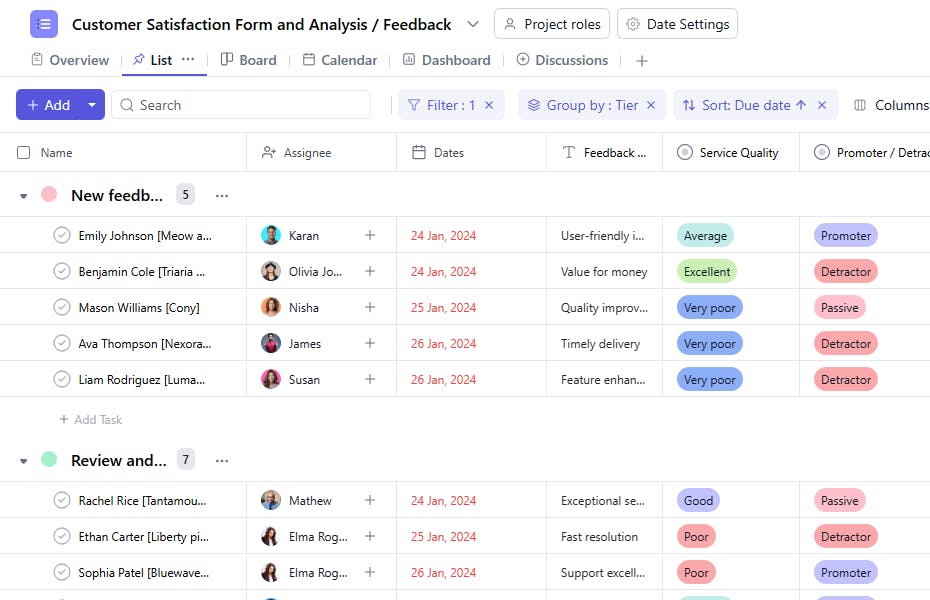
Slide 2 of 3 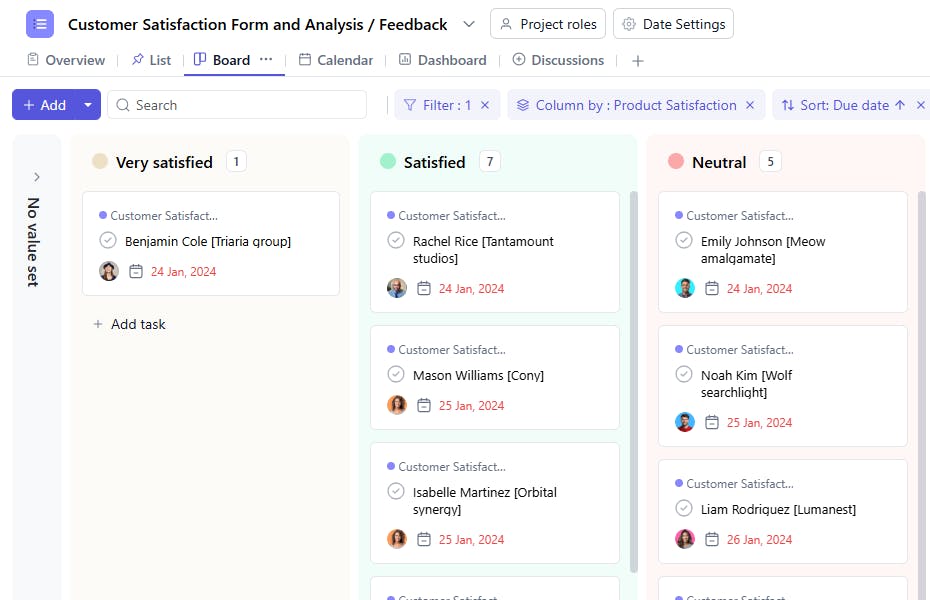
Slide 3 of 3 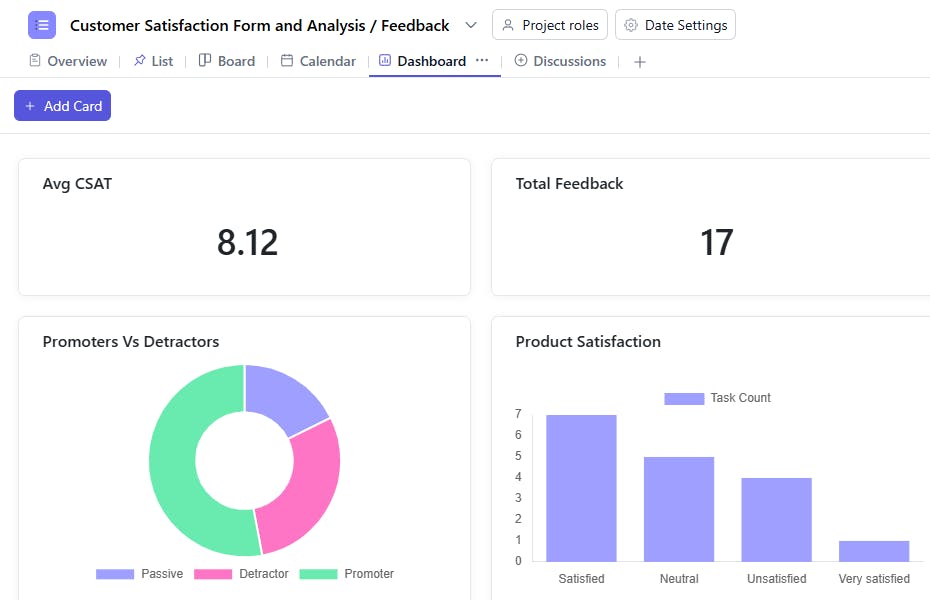
What is a Customer Feedback Template?
A customer feedback template helps you capture, organize, and analyze valuable insights directly from your customers. From satisfaction ratings and product feedback to improvement suggestions, the template ensures you gather actionable data to enhance your offerings.
Customer Feedback Template: Key Features
- Comprehensive Feedback Collection: Capture essential information like satisfaction ratings, product reviews, service evaluations, and open-ended suggestions. This ensures thorough insights from each customer.
- Structured Data Organization: Track all feedback-related metrics from satisfaction scores to trending issues, keeping everything organized and actionable.
- Team Response Management: Assign follow-ups, update resolution status, and prioritize improvements to keep your team aligned.
- Automated Analysis: Built-in reporting and trend identification help prevent recurring issues.
How to Use the Customer Feedback Template
Here's a step-by-step guide to using SmartTask's Customer Feedback Template:
- Choose and Customize: Select the Customer Feedback Template from SmartTask's template library. Customize questions, rating scales, and response options as needed.
- Set Up Collection: Begin creating your feedback form, or import existing questions from other platforms to save time.
- Assign Responsibilities: Delegate feedback monitoring and response tasks to team members. Track each interaction in real-time.
- Create Analysis Framework: Establish systems for categorizing and analyzing feedback. Use reminders to ensure timely responses.
- Monitor and Act: Track response patterns, satisfaction trends, and ongoing customer communications. Use SmartTask's native analytics to identify areas for improvement.
Custom Fields for Enhanced Organization
SmartTask's customer feedback template includes several custom fields:
- Satisfaction Level: Very Satisfied, Satisfied, Neutral, Dissatisfied
- Response Status: Pending, In Progress, Resolved
- Feedback Category: Product, Service, User Experience, Other
- Follow-up Required: Yes/No
- NPS Score: 0-10
- Contact Permission: Yes/No
Additional Customization Options
Here are more ways to customize the Customer Feedback Template:
- Automated Notifications: Set up alerts for critical feedback or low satisfaction scores.
- Real-Time Collaboration: Enable team members to coordinate responses via task comments, chat, or video calling.
- Visual Analytics: Monitor feedback trends at a glance using dashboards. Identify patterns and track improvements over time.


