
Templates
Event Pre-Planning
The Event Planning Template is your all-in-one command center for crafting impactful events—from initial brainstorming to the final wrap-up.
Use TemplateCategories
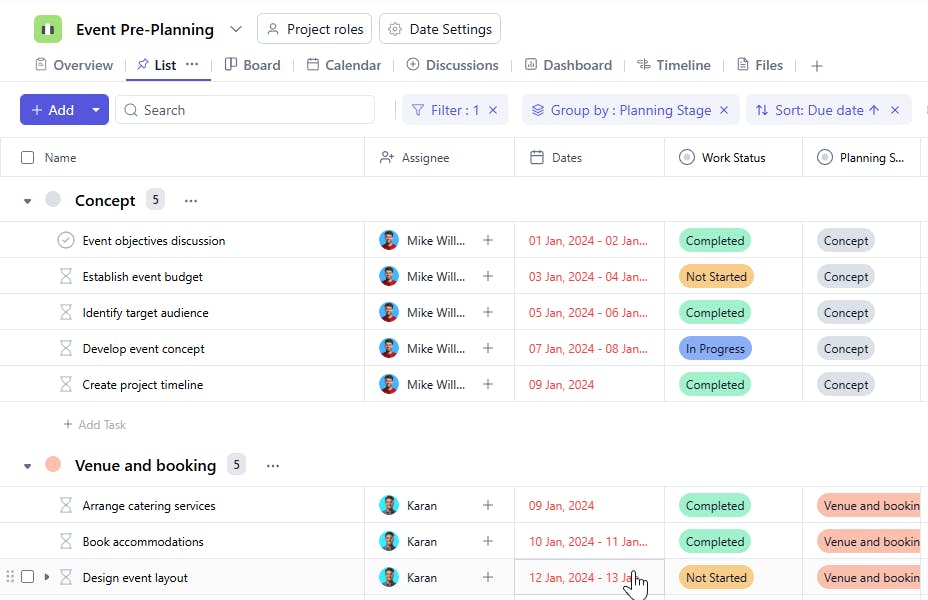
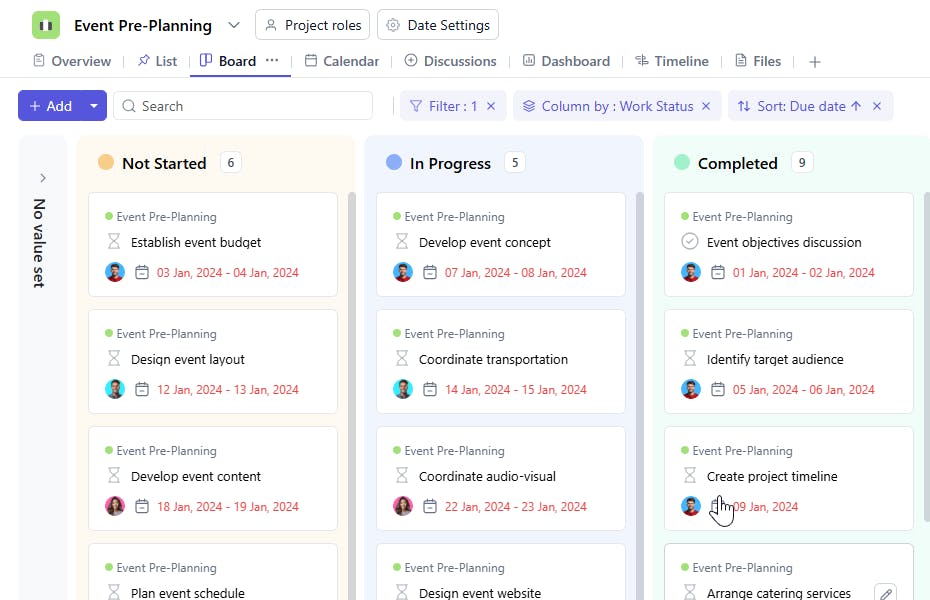
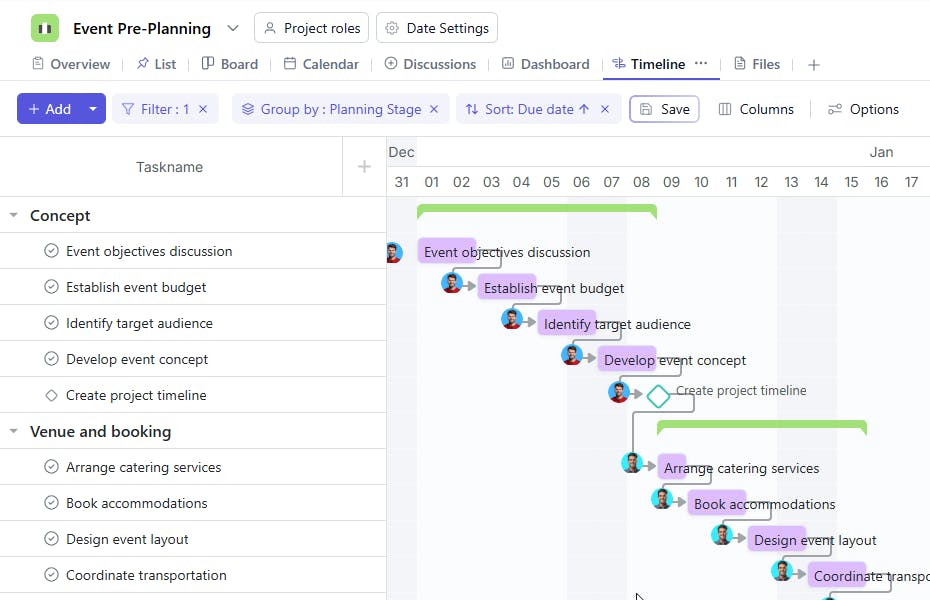
What is an Event Planning Template?
Planning an event, whether intimate or grand, requires masterful coordination. SmartTask's Event Planning template transforms this complex process into a streamlined experience, ensuring nothing falls through the cracks.
How is Event Planning different from Event Management?
Although often used interchangeably, event planning and event management serve two distinct purposes:
- Event Planning is about strategy and preparation. It covers everything leading up to the event, including brainstorming ideas, defining goals, building timelines, assigning tasks, and ensuring all logistics are well-organized before the event day. SmartTask’s template is designed to simplify this stage, helping you map out every detail.
- Event Management, on the other hand, is about execution and real-time coordination. It takes over once the plan is in motion, overseeing vendor arrivals, managing guests, troubleshooting last-minute issues, and ensuring the event runs smoothly.
In short, Planning lays the foundation, and Management brings it to life. SmartTask ensures your planning is so thorough that the management part becomes effortless.
Event Planning templates: Key features
- Centralized Task Management: Assign tasks, track progress, and set deadlines in one place, keeping the team on the same page.
- Automated Updates & Reminders: Stay informed of any changes or upcoming tasks through automatic notifications, reducing miscommunication and delays.
- Customizable Template: Tailor the template to your event’s unique needs—whether it’s a conference, wedding, or company meeting.
How to use the Event Planning Template?
Using SmartTask’s Event Planning template is simple and efficient. Here’s how to get started:
- Create Your Project: Start a new project in SmartTask and select the "Event Planning" template.
- Explore Pre-built Tasks: The template includes essential tasks like venue selection, guest management, and vendor coordination.
- Customize as Needed: Adjust tasks to fit your event—set deadlines, assign responsibilities, and refine each step for better accuracy.
- Track Progress: Use SmartTask’s tracking tools to monitor each phase in real-time and ensure no detail is missed.
- Collaborate Seamlessly: Communicate with your team using comments, file sharing, and built-in chat.
- Stay on Schedule: Configure reminders and alerts for upcoming tasks to keep everyone focused on key milestones.
- Analyze & Adjust: Use reporting tools to spot bottlenecks, check progress, and make adjustments as necessary.
Custom Fields for Enhanced Organization
SmartTask’s event planning template includes several custom fields, including:
- Planning Stage: Concept, Venue & Booking, Programming & Content, Marketing
- Work Status: Completed, In Process, On Hold
Additional Customization Options
Here are a few more ways to customize the Guest Management Template:
- Automated Task Reminders: Set up reminders for crucial deadlines, like vendor payments, final guest confirmations, and setup deadlines, ensuring nothing is overlooked.
- Real-Time Collaboration Tools: Allow team members to coordinate instantly by adding task comments, sharing files, and using in-app chat or video calls to address last-minute requests or adjustments.
- Post-Event Feedback Collection: Add feedback collection tools to capture insights from attendees, vendors, and staff for post-event review and continuous improvement in planning future events.


