
Templates
Expense Tracking
Tracking business expenses across departments, projects, and purchases can be time-consuming and prone to errors. SmartTask’s Expense Tracking Template simplifies the process, helping you manage and monitor every aspect of your company's spending.
Use TemplateCategories
What is an Expense Tracking Template?
An Expense Tracking Template helps you manage and record all company expenses, from purchase details and payment methods to reimbursement statuses and product validity. This template enables clear visibility over financial outflows and ensures that all purchases are tracked, approved, and reimbursed correctly.
Here’s a closer look at its key features:
Expense Tracking Template: Key Features
- Comprehensive Expense Recording: Track essential details such as receipt numbers, purchase dates, amounts spent, and payment methods to stay on top of every expense.
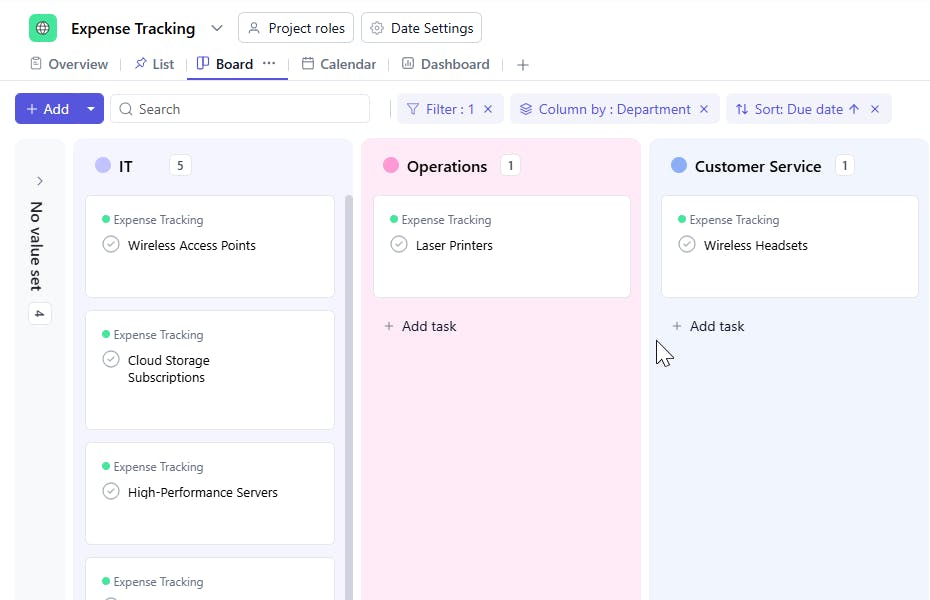
- Departmental Budgeting: Categorize expenses by department, ensuring each team stays within their budget and expenses are properly allocated.
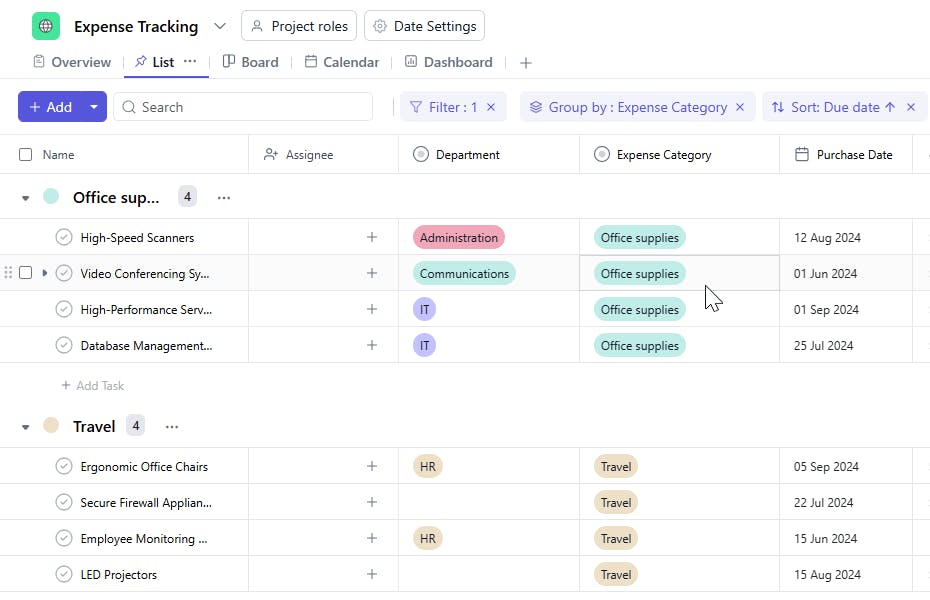
- Expense Categorization: Group expenses by categories (e.g., Office Supplies, Travel, Marketing) for better reporting and analysis.
- Reimbursement Tracking: Monitor the status of reimbursements for expenses, ensuring employees are paid back promptly.
- Product & Service Validity: Keep track of product validity and ensure you are aware of any service or product expiration dates.
How to Use the Expense Tracking Template?
Here’s a step-by-step guide to using SmartTask's Expense Tracking Template:
- Capture Expense Details: Start by entering each expense, including the receipt number, purchase date, amount spent, and payment method. You can also specify the department that incurred the expense.
- Categorize Expenses: Choose the appropriate Expense Category (e.g., "Travel", "Office Supplies", "Software") to organize your spending.
- Track Product Validity: Add product validity dates (e.g., for subscriptions or warranties) to track when a product or service needs to be renewed or replaced.
- Assign Responsibility: Assign an Assignee for each expense task to keep track of who is responsible for approval or reimbursement.
- Monitor Reimbursement Status: Track whether expenses have been reimbursed and maintain a clear record of payments.
Custom Fields for Enhanced Organization
SmartTask's Expense Tracking Template includes several custom fields to help you stay organized and on top of your expenses:
- Purchase Date: The date when the purchase was made.
- Amount: The total cost of the purchase.
- Payment Method: Credit card, Bank transfer, Cash, PayPal,
- Department: IT Department, Operations Department, Training Department, Customer Service, IT Security
- Expense Category: The type of expense (e.g., Office supplies, Travel, Marketing).
- Purchase Phase: The current phase of the purchase
- Reimbursed: Yes, No.
Additional Customization Options
Here are a few more ways to customize the Expense Tracking Template:
- Automated Notifications: Set up reminders for pending reimbursements, upcoming product validity expiration, or unapproved expenses.
- Collaboration: Use task comments and file sharing to discuss and approve expenses with relevant team members.
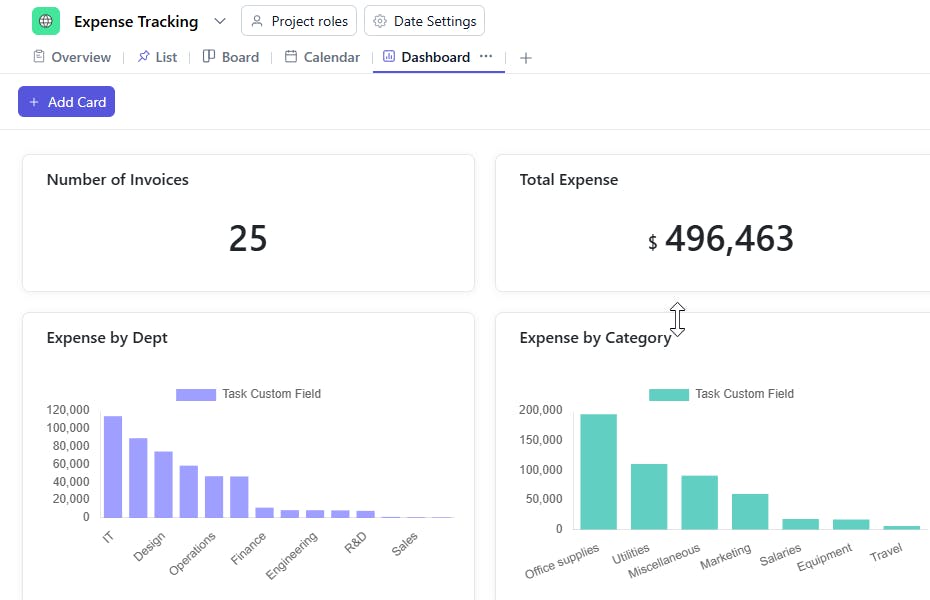
- Expense Reports: Generate detailed reports by department, category, or time period to get insights into your company's spending.
- Visual Timelines: Track reimbursement progress, approval status, and payment timelines using Gantt charts or task timelines.
The Expense Tracking Template is your one-stop tool to efficiently manage, track, and report on business expenses, ensuring your financial processes are streamlined and transparent.


