
Templates
Features Development
Development Template comes in—designed to keep your team focused, aligned, and efficient throughout the entire development process.
Use TemplateCategories
What is the Feature Development Template?
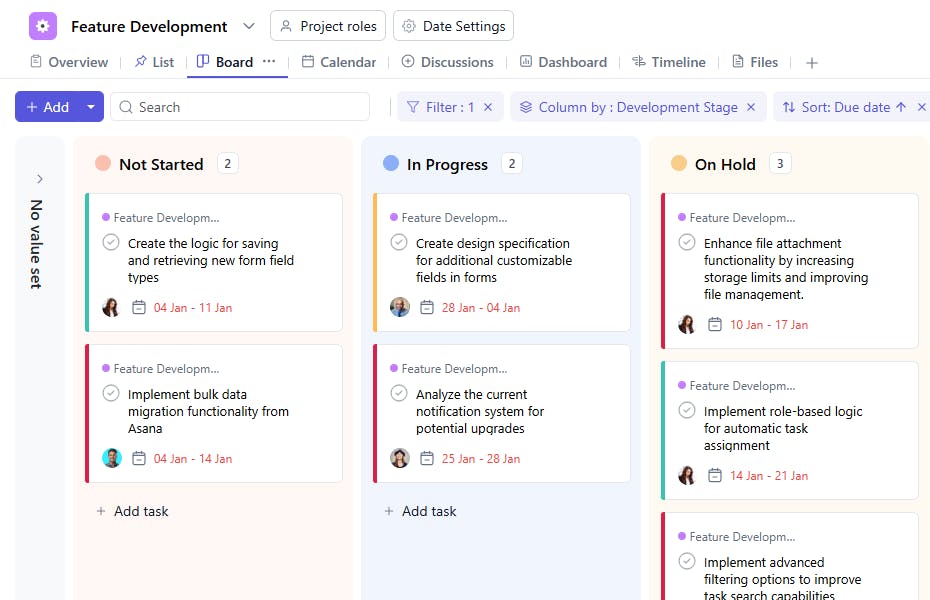
The Feature Development Template is your structured roadmap for turning feature concepts into actionable tasks, ensuring no critical step is overlooked. It provides a clear framework for each phase of development and aligns the entire team to deliver the best results, on time.
Here’s a closer look at its key features:
Feature Development Template: Key Features
- Predefined Workflow: Guides teams through each stage of feature development, ensuring consistency and timely execution.
- Real-Time Collaboration: SmartTask's task comments, file sharing, and status tracking help keep communication seamless and progress visible.
- Prioritization: Easily prioritize tasks based on business goals and user feedback, ensuring the most important features are delivered first.
How to Use the Feature Development Template
Here’s a step-by-step guide to getting started with the Feature Development Template and ensuring your development process is organized and effective:
- Select the Template: Log into SmartTask and create a new project using the Feature Development Template to get started.
- Customize for Your Project: Add feature details, descriptions, objectives, and requirements to align the template with your specific needs.
- Break Down Tasks: Decompose features into actionable user stories or tasks to clarify what needs to be built.
- Collaborate Efficiently: Use SmartTask's real-time collaboration features to stay aligned with your team throughout the development process.
- Retrospective: Once the feature is released, review the development cycle to identify areas for improvement and refine future workflows.
Custom Fields for Enhanced Organization
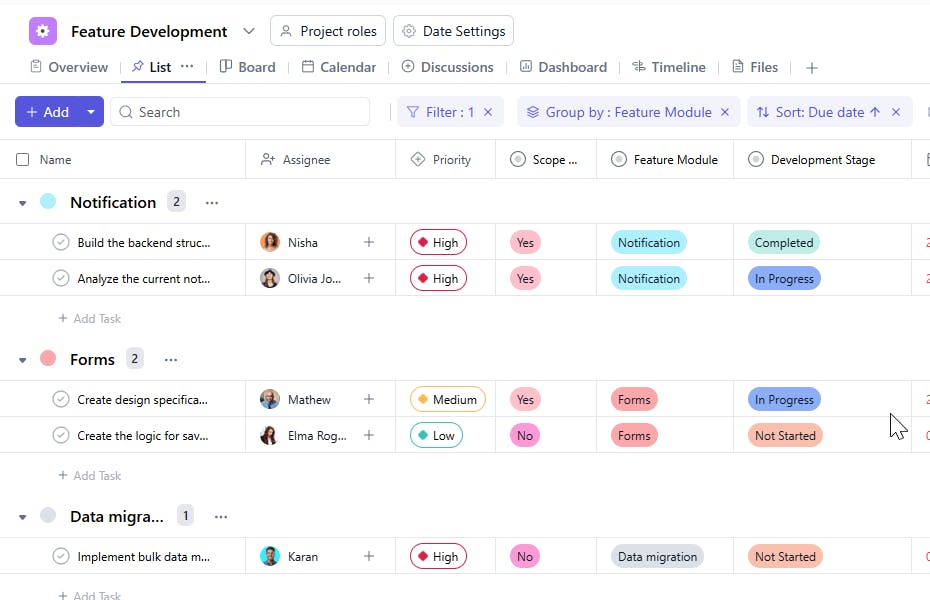
SmartTask’s Feature Development template includes several custom fields, including:
- Scope Defined: Yes, No
- Feature Type: Notification, Forms, Data Migration, Task View, Time Tracking, Kanban, Calendar, File Management, Filter, Dashboard.
- Development Stage: Not Started, On-hold, Completed
- Approval Status: Approved, Waiting for Approval, On-hold
- Testing Status: Testing, Under Review, On-hold, Backlogged
- Teams Involved: Development, Design
Additional Customization Options
- Custom Workflows: Adjust the template to match your team's preferred development methodology, whether Agile, Scrum, or something else.
- Tool Integrations: Sync with your favorite tools like Slack, GitHub, or Jira for smoother communication and better project visibility.
- Automated Reminders: Set up automated alerts to keep tasks on track, ensuring no deadlines are missed.
- Recurring Templates: Reuse templates for similar features, saving time and maintaining consistency across multiple projects.
The Feature Development Template is your go-to tool for managing feature development, ensuring efficiency, collaboration, and timely delivery.


