
Templates
Finance Service Request
The Finance Service Request Template ensures efficient tracking and management of service requests within the finance department, helping to streamline the approval, allocation, and completion of financial services.
Use TemplateCategories
What is a Finance Service Request Template?
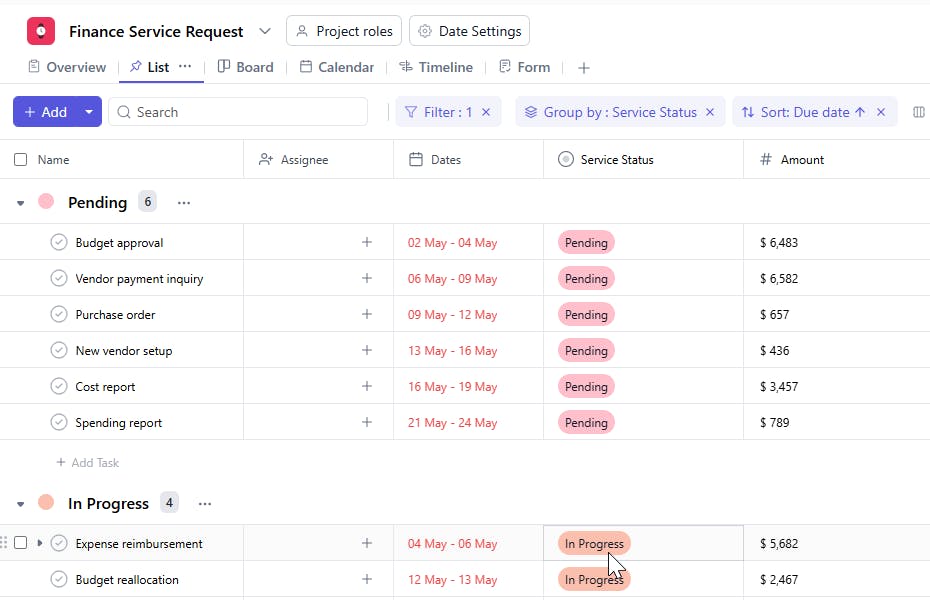
A Finance Service Requests Template is a tool used to organize and track financial service requests within an organization. It captures key information such as task details, assignees, requesters, amounts, service statuses, and deadlines, ensuring that each request is processed in a timely and efficient manner.
Here’s a closer look at its key features:
Finance Service Request Template: Key Features
- Comprehensive Request Tracking: Track and manage all finance-related service requests, including task names, priorities, due dates, and responsible personnel.
- Invoice & Payment Management: Monitor and manage incoming invoices, payment approvals, and processing status.
- Budget & Financial Planning: Track budget requests, approvals, and related financial planning tasks to ensure adherence to financial guidelines.
- Expense Approvals: Manage approval workflows for employee expenses and reimbursement requests.
- Task Assignment & Monitoring: Assign tasks to specific team members, set deadlines, and monitor progress to ensure timely resolution of finance-related tasks.
- Closure Tracking: Ensure that all financial tasks are completed and closed by tracking the Close Date for each request.
How to Use the Finance Service Request Template?
Here’s a step-by-step guide to using SmartTask’s Finance Service Request Template:
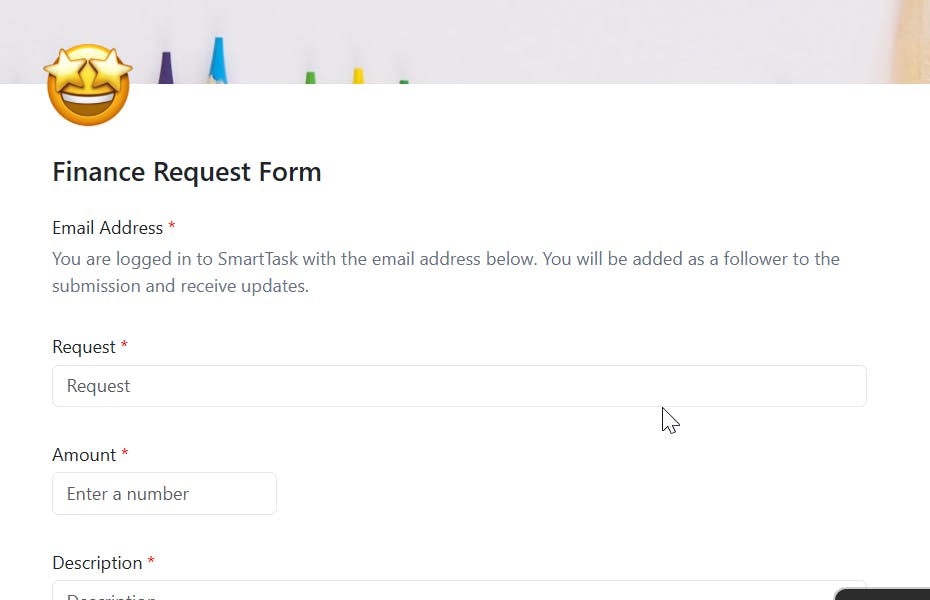
- Capture Request Details: Start by entering the request name, priority, and task description, along with the Date of Submission.
- Monitor Invoice & Payment Requests: Track and manage incoming invoices, payment status, and ensure they are processed on time.
- Track Budget Approvals: Manage budget-related tasks, including request approvals and adjustments.
- Manage Expense Reimbursement: Create and monitor tasks related to employee expense claims and approvals.
- Assign Responsibilities: Assign tasks to the appropriate finance team member or department for resolution.
- Monitor Task Progress: Track the Due Date and Close Date for each request to ensure timely completion of tasks.
Custom Fields for Enhanced Organization
This Finance Service Requests Template includes the following fields for better tracking and management:
- Requested By: The individual or department making the service request.
- Amount: The total amount requested for the service.
- Service Status: Status of the request (e.g., Pending, Approved, Completed).
Additional Customization Options
Here are a few ways to further customize the Finance Service Request Template:
- Priority Level: Add a field to prioritize requests (e.g., High, Medium, Low).
- Approval Notes: Include space to log any additional comments or approval notes.
- Request Type: Track the type of request (e.g., Budget Adjustment, Invoice Payment).
- Change Requests: Add a field to log any changes made to the original request.
- Completion Confirmation: Include a section to confirm when the service request is completed and fulfilled.


