
Templates
Game Design
Bringing a game from concept to completion is a complex process with countless moving parts. Game Design Template provides a clear structure to help you turn your creative vision into reality.
Use TemplateCategories
What is a Game Design Template?
A Game Design Template is a framework that helps guide your team through each stage of the game development process—from initial concept to final release. It ensures all critical components are accounted for and keeps your team on track throughout the journey.
Here's a closer look at its key features:
Game Design Template: Key Features
- End-to-End Project Management: Organize tasks, deadlines, and resources from the earliest planning stages to post-launch activities.
- Seamless Team Collaboration: Designers, developers, and artists can stay aligned and share feedback, updates, and ideas within the platform, ensuring everyone is on the same page.
- Flexible Framework: Customize the template to fit your project's unique needs, allowing you to adjust tasks, timelines, and elements while maintaining a structured process.
How to Use the Game Design Template
Here’s a simple guide to getting started with the Game Design Template:
- Select and Customize: Log into SmartTask, create a new project, and choose the Game Design Template. Customize it to reflect your game’s vision - set goals, define the genre, identify key features, and add relevant documentation.
- Organize Development Phases: Break down the process into phases - concept creation, character design, level building, testing, and more. Assign tasks to specific team members.
- Set Milestones: Define clear deadlines for each stage of development, ensuring the project stays on track.
- Manage Feedback & Revisions: Use the template to track bug fixes, gameplay changes, and any revisions that come up during testing.
- Post-Production Tasks: Once the game is ready, plan marketing, release strategies, and gather player feedback with the template’s post-launch features.
Custom Fields for Enhanced Organization
SmartTask's Game Design template includes several custom fields:
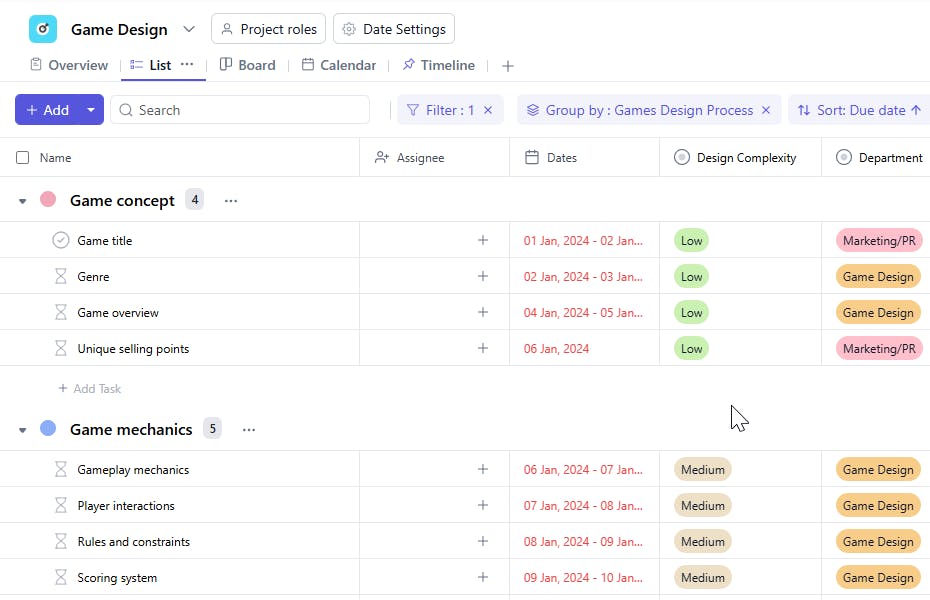
- Phase: Game Concept, Character Design, Coding, Testing, Monetization, etc.
- Department: Art, Game Design, Audio, QA, Marketing, and more.
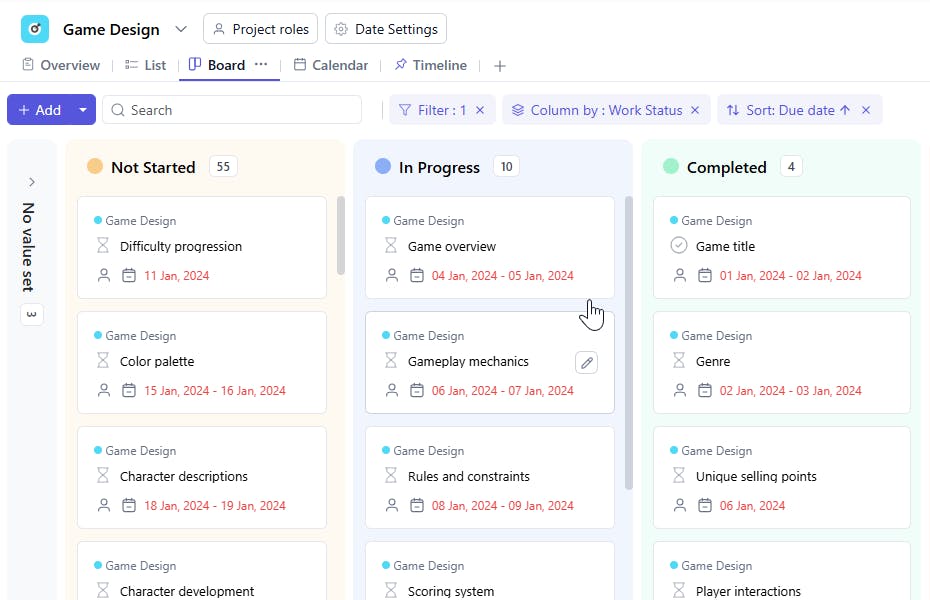
- Work Status: In Progress, Completed, Pending, and Not Started.
- Approvals: Manage approvals through Approved, Pending, and Rejected.
- Design Complexity: Low, Medium, or High.
Additional Customization Options
Here are a few more ways to tailor the Game Design Template to your project’s needs:
- Automated Notifications: Set up reminders for critical milestones and task deadlines.
- Real-Time Collaboration: Keep your team in sync with instant updates, task comments, and feedback sharing.
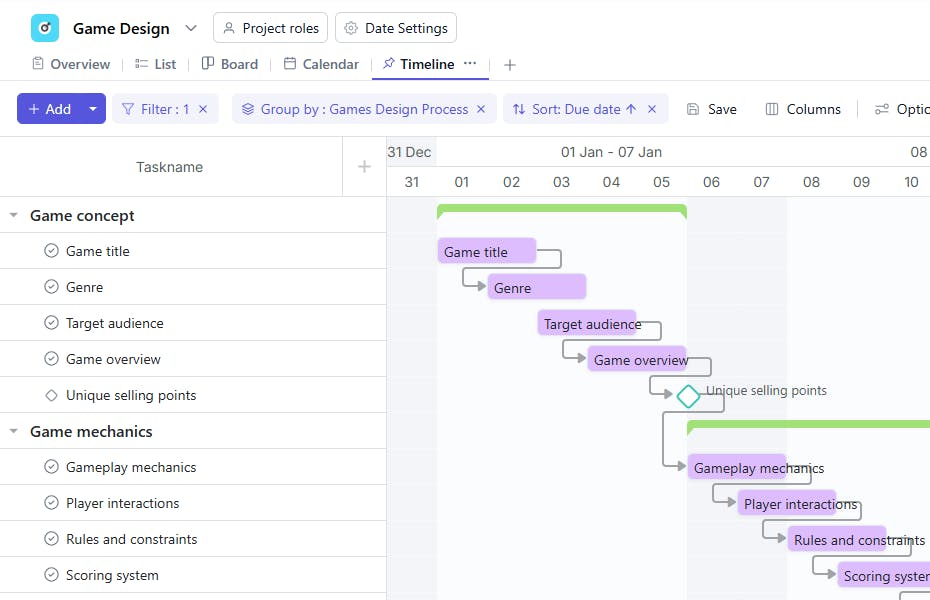
- Visual Timelines: Use timelines to manage complex development schedules and avoid conflicts.
The Game Design Template is your one-stop tool for managing the entire game development process.


