
Templates
Getting Things Done
The Getting Things Done Template is a structured framework that helps individuals and teams manage tasks efficiently, prioritize actions, and meet deadlines. This template supports organized workflows, improved productivity, and timely execution of tasks.
Use TemplateCategories
What is a Getting Things Done Template?
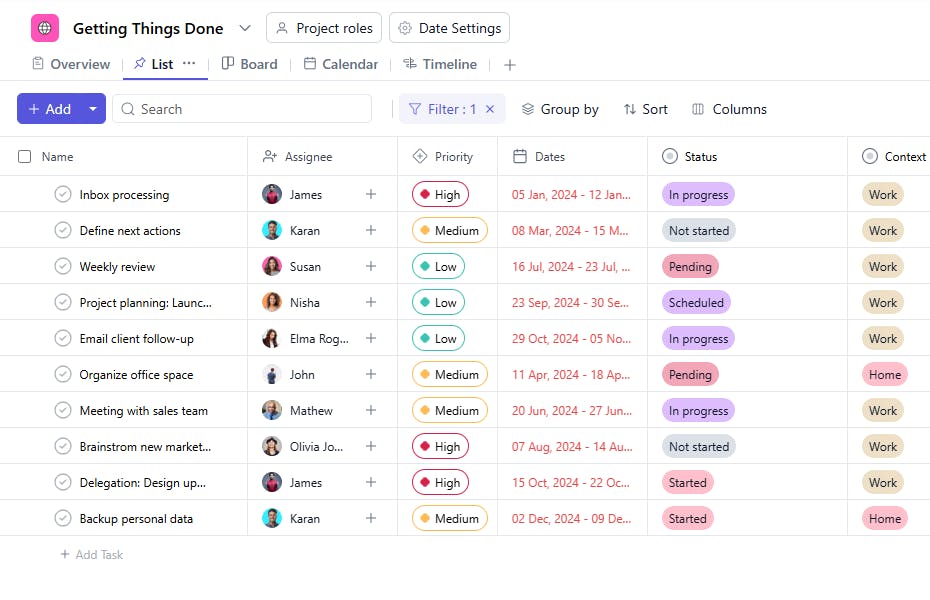
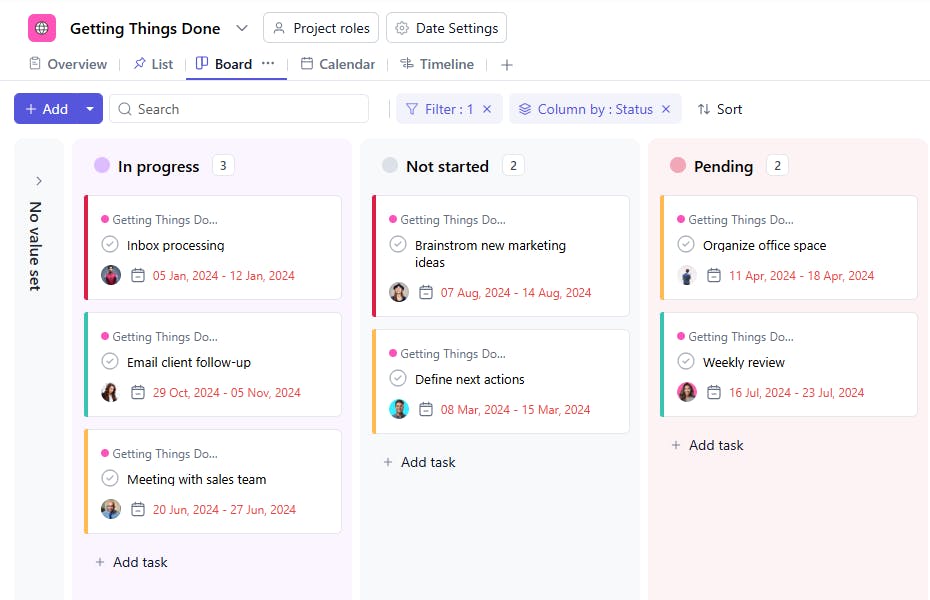
A Getting Things Done (GTD) Template is a tool inspired by the GTD methodology to organize and track tasks. It includes task names, assignees, descriptions, contexts, priorities, due dates, statuses, and start dates. This template allows users to manage their workload effectively and focus on completing actionable tasks.
Here’s a closer look at its key features:
Getting Things Done (GTD) Template: Key Features
- Clear Task Organization: Organize tasks by context, priority, and deadlines, allowing for a more efficient approach to achieving your goals.
- Real-Time Collaboration: Collaborate with team members by assigning tasks, tracking progress, and updating statuses in real-time.
- Task Prioritization: Easily categorize tasks by importance and urgency, ensuring that critical items are always handled first.
- Automated Reminders: Get timely reminders for upcoming tasks, ensuring that deadlines are met and nothing is overlooked.
How to Use the Getting Things Done (GTD) Template
Here’s a simple guide to using the GTD Template:
- Select & Customize the Template: Choose the GTD Template from SmartTask, or create your own template suited to your personal or team’s workflow.
- Capture Tasks: Record all tasks, whether big or small, in the "Inbox" section to clear your mind and create a central list of actions.
- Clarify Tasks: Define the next steps for each task - whether it’s actionable, requires delegation, or needs further information.
- Organize Tasks: Categorize tasks by project, priority, and context to ensure a smooth workflow and easy task retrieval.
- Review Regularly: Set aside time for weekly reviews to track progress, reflect on accomplishments, and update future tasks.
Custom Fields for Enhanced Organization
This Getting Things Done Template includes the following fields for detailed task management:
- Context Work, Home, Personal
- Status: Pending, In Progress, Completed
Additional Customization Options
Here are a few ways to further customize the Getting Things Done Template:
- Estimated Time: Add a column to record the estimated time for task completion.
- Completion Date: Include a field to document when the task was finished.
- Dependencies: Add a section to track tasks dependent on others.
- Recurring Tasks: Create a field for tasks that repeat periodically.
- Notes: Add a column for additional details or observations.


