
Templates
Graphic Design
Great graphic design is the visual language that speaks to your audience, and a well-crafted template is the foundation for creativity that captures attention and inspires action.
Use TemplateCategories
What is a Graphic Design Template?
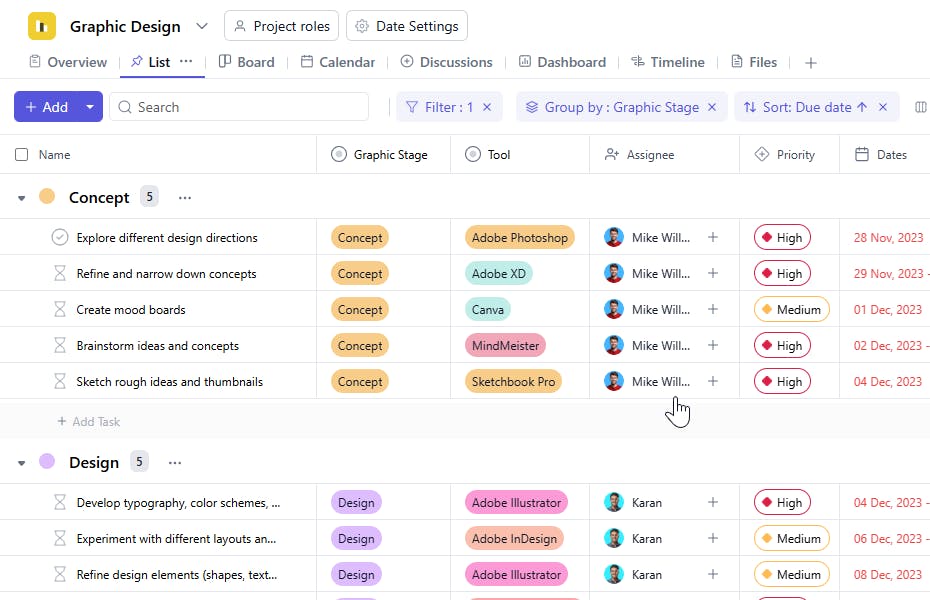
A graphic design template allows you to capture, organize, and track critical details for each design project. From brand guidelines and design elements to project timelines, the template ensures you deliver consistent, high-quality visuals for all your assets.
Here's a closer look at its key features:
Graphic Design Template: Key Features
- Comprehensive Design Details: Capture essential information like brand elements, color codes, typography, and image requirements. This ensures brand consistency for each project.
- Seamless Project Management: Track all design activities from conceptualization and creation to review and delivery keeping everything organized and on time.
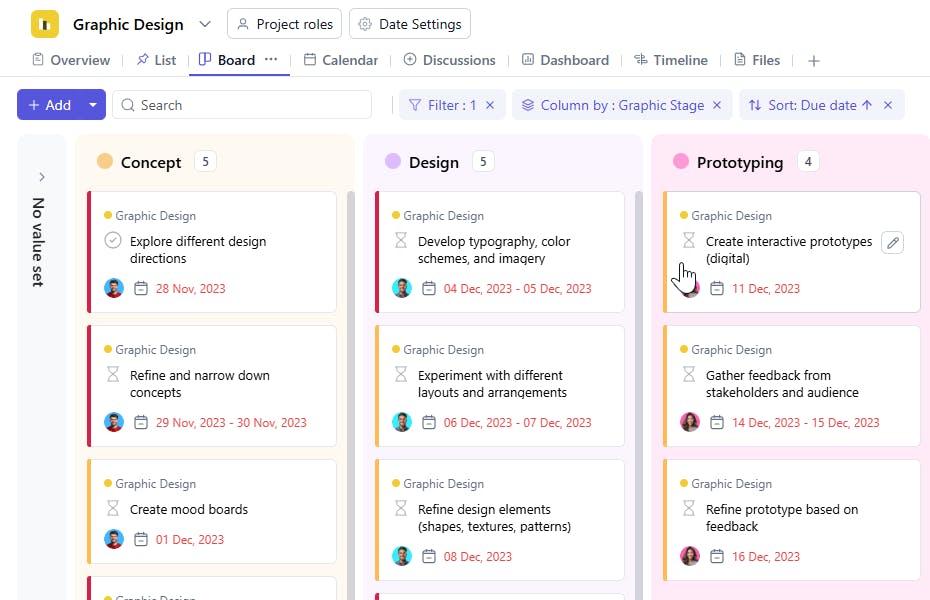
- Collaborative Team Assignments: Assign tasks, update statuses, and prioritize activities to keep your team aligned.
- Automated Notifications: Built-in reminders and deadline notifications help prevent project delays.
How to Use the Graphic Design Template?
Here's a step-by-step guide to using SmartTask's Graphic Design Template for your next project:
- Choose and Customize: Select the Graphic Design Template from SmartTask's template library. Customize design requirements, brand guidelines, deliverables, and timeline, as needed.
- Enter Project Details: Begin entering information for each design asset, or import existing brand guidelines from other software to save time.
- Assign Tasks: Delegate design-specific tasks like creating mockups or handling revisions to team members. Track each task in real-time.
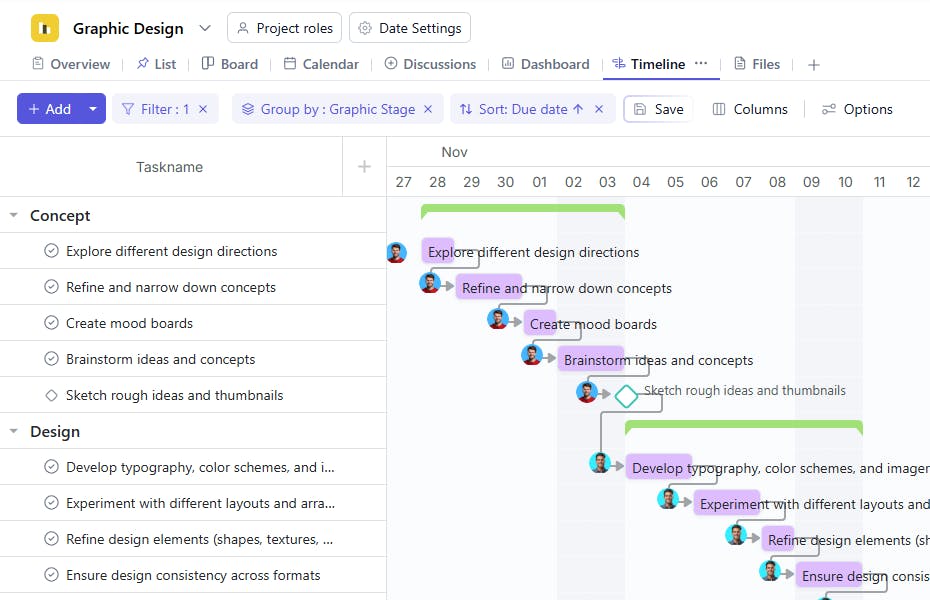
- Set Up Timelines: Create timelines for each phase of design development, like concepting or final production. Use reminders to keep everything on track.
- Monitor and Update: Track design progress, feedback cycles, and team communications. Use SmartTask's native chat and video calling features to collaborate efficiently.
Custom Fields for Enhanced Organization
SmartTask's graphic design template includes several custom fields, including:
- Graphic Design Stage: Concept, Design, Prototyping, Refinements, Finalization, Implementation, Evaluation
- Tool to utilize: MindMeister, Sketchbook Pro, Adobe Photoshop, Adobe XD, Canva, Adobe InDesign, Adobe Illustrator, Adobe Creative Cloud, User Testing, Google Forms, Trello, Adobe Acrobat
Additional Customization Options
Here are a few more ways to customize the Graphic Design Template:
- Automated Notifications: Set up notifications for important design milestones, like review deadlines.
- Real-Time Collaboration: Enable team members to share immediate feedback/revisions via task comments, chat, or video calling
- Visual Timelines: Manage complex design schedules at a glance using timelines. Avoid bottlenecks and ensure smooth delivery.
The graphic design template is your one-stop tool for coordinating every aspect of design creation and delivering consistent, high-quality visuals that strengthen your brand.


