
Templates
Guest Management
Managing event details for dozens — or even hundreds — of guests can feel overwhelming. Here's how a guest management template can help.
Use TemplateCategories
What is a Guest Management Template?
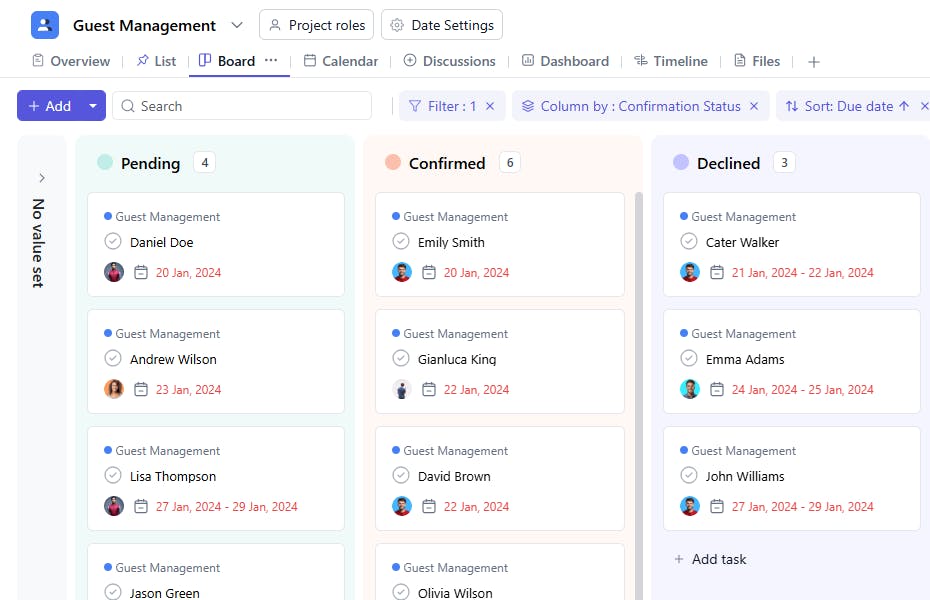
A guest management template allows you to capture, organize, and track critical details for each event attendee. From personal preferences and dietary restrictions to VIP treatments, the template ensures you deliver a seamless experience to all your guests.
Here’s a closer look at its key features:
Guest Management Template: Key Features
- Comprehensive Guest Details: Capture essential information like names, contact details, arrival and departure times, and special requests. This ensures personalized service for each guest.
- Seamless Schedule Management: Track all guest-related activities—from check-ins and meetings to exclusive events—keeping everything organized and on time.
- Collaborative Team Assignments: Assign tasks, update statuses, and prioritize activities to keep your team aligned.
- Automated Notifications: Built-in reminders and deadline notifications help prevent last-minute issues.
How to Use the Guest Management Template
Here’s a step-by-step guide to using SmartTask’s Guest Management Template for your next event:
- Choose and Customize: Select the Guest Management Template from SmartTask’s template library. Customize contact details, arrival/departure times, special preferences, and VIP status, as needed.
- Enter Guest Details: Begin entering information for each guest, or import guest lists from other software or spreadsheets to save time.
- Assign Tasks: Delegate guest-specific tasks—like coordinating check-ins or handling VIPs—to team members. Track each task in real-time.
- Set Up Timelines: Create timelines for each phase of guest management, like sending invitations or managing accommodations. Use reminders to keep everything on track.
- Monitor and Update: Track RSVP responses, arrival updates, and ongoing guest communications. Use SmartTask's native chat and video calling features to respond efficiently to guest needs.
Custom Fields for Enhanced Organization
SmartTask’s guest management template includes several custom fields, including:
- VIP Status: Yes/No
- Special Access: Yes/No
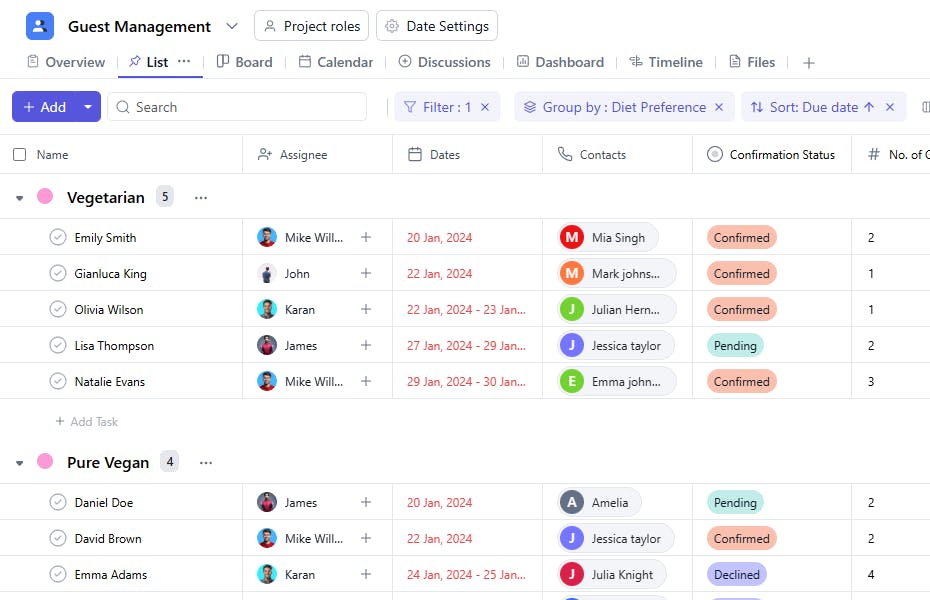
- Confirmation Status: Pending, Confirmed, Declined
- Diet Preference: Vegetarian, Non-Vegetarian, Vegan
- Special Requests: Additional support like room arrangements and more
- Guest Count: Total number of guests attending the event
- Feedback: Good, Average, Poor, Very Good
- Contact Method: Email, Phone
Additional Customization Options
Here are a few more ways to customize the Guest Management Template:
- Automated Notifications: Set up notifications for important guest-related deadlines, like RSVP confirmations.
- Real-Time Collaboration: Enable team members to share immediate requests/ requirements via task comments, chat, or video calling
- Visual Timelines: Manage complex schedules at a glance using timelines. Avoid scheduling conflicts and ensure smooth execution.
The guest management template is your one-stop tool for coordinating every aspect of guest engagement and providing a memorable experience for each attendee.


