
Templates
IT Roadmap
The IT Roadmap Template helps ensure that your IT projects are executed efficiently, on schedule, and within budget, while keeping all stakeholders informed and aligned on progress.
Use TemplateCategories
What is an IT Roadmap Template?
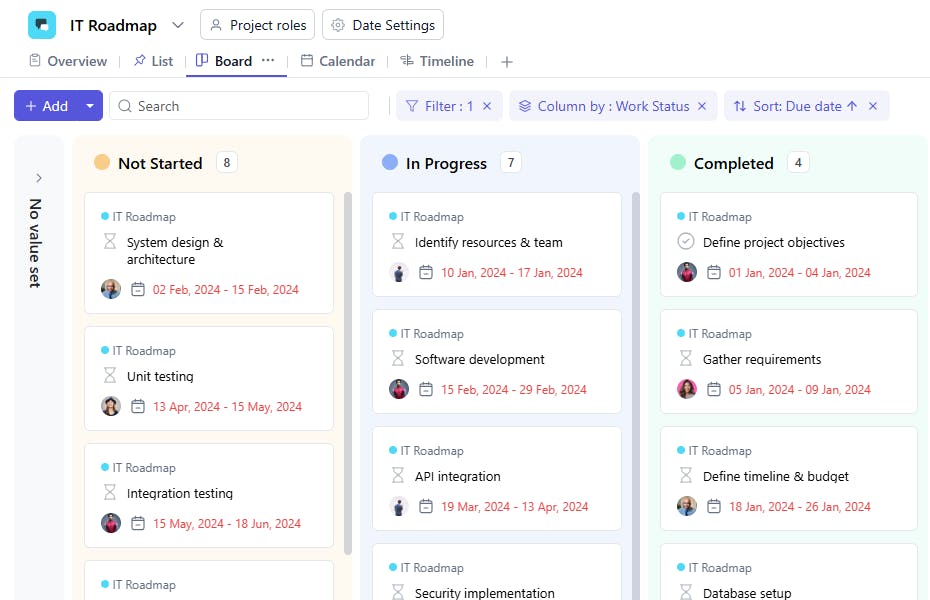
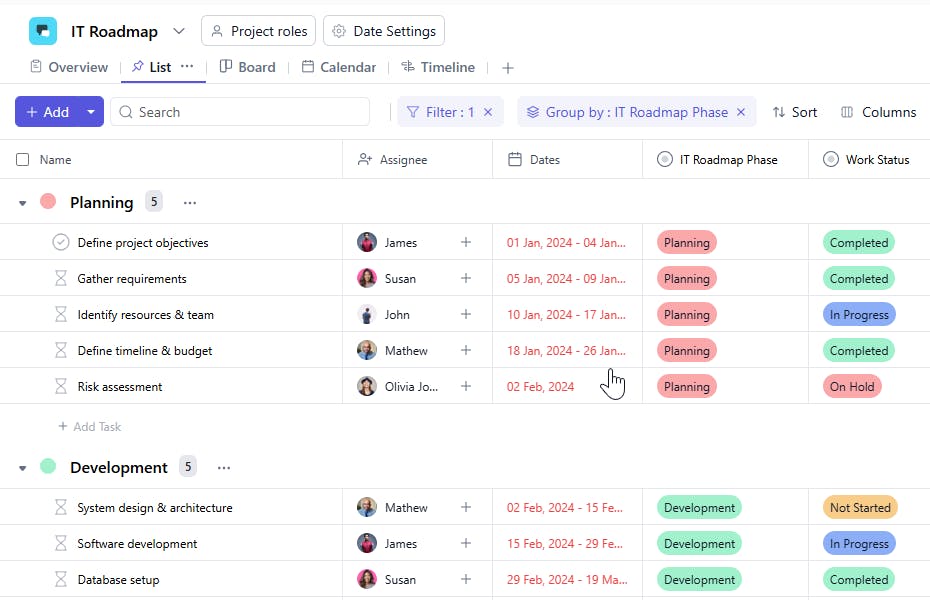
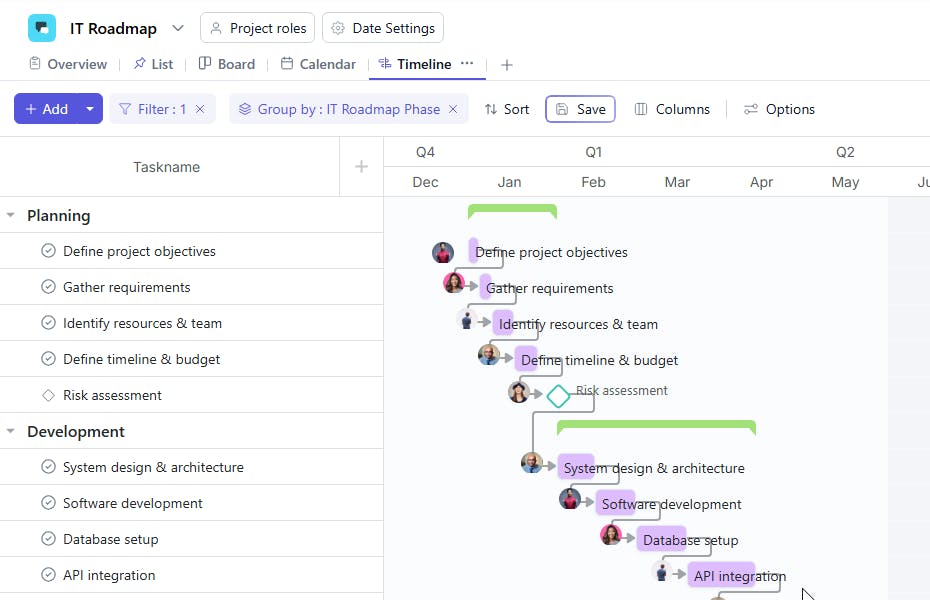
An IT Roadmap Template provides a structured framework to plan and manage IT projects, from infrastructure upgrades to software implementation. It helps track task progress, assign responsibilities, and manage dependencies to ensure that IT goals are achieved on time and within budget.
Here’s a closer look at its key features:
IT Roadmap Template: Key Features
- Strategic Planning: Lay out technology initiatives and projects in a timeline to align IT goals with business objectives.
- Collaboration Across Teams: Share, update, and track progress across departments, ensuring everyone is on the same page.
- Milestone Tracking: Break down long-term goals into achievable milestones to monitor progress and celebrate key achievements.
- Risk Management: Identify and manage risks associated with projects, ensuring you stay ahead of potential challenges.
How to Use the IT Roadmap Template
Here’s a step-by-step guide to using the IT Roadmap Template effectively:
- Select & Customize the Template: Choose the IT Roadmap template from SmartTask or create a custom roadmap tailored to your company’s technology goals.
- Define Key Projects & Initiatives: List out significant IT projects, initiatives, and upgrades to map the strategic direction for your IT department.
- Set Deadlines & Assign Resources: Organize milestones, deadlines, and assign project leads or teams to each initiative.
- Track Progress & Dependencies: Ensure projects stay on track by monitoring progress and managing dependencies between tasks and projects.
- Review & Adjust: Use performance data to refine your IT strategy and adjust the roadmap to address changing business or technology needs.
Custom Fields for Enhanced Organization
This IT Roadmap Template includes several custom fields to enhance task management and provide better tracking for IT initiatives:
- IT Roadmap Stage: Planning, Implementation, Testing
- Task Type: Software Development, Infrastructure, Testing
- Dependencies: Linked tasks that need to be completed before this task can begin.
Additional Customization Options
Here are a few ways to further customize the IT Roadmap Template:
- Performance Metrics: Add fields to track key performance indicators (KPIs) such as system uptime, bug resolution rates, or user adoption.
- Progress Indicators: Use progress bars or visual boards to track progress at each stage of the project.
- Recurring Tasks: Set recurring tasks for ongoing IT maintenance, such as software updates or security audits.
- Automated Reminders: Set reminders for upcoming deadlines or tasks requiring attention.
- File Attachments: Attach relevant project files, such as architectural designs, test reports, or technical specifications.


