
Templates
Lead Tracking
This template helps you manage your sales inquiries from the first point of contact up to lead qualification. Once a lead is marked as Qualified, it can be seamlessly converted into a Deal, which is then tracked separately in the Deal Pipeline Template for closure and revenue tracking.
Use TemplateCategories
What is a Lead Tracking Template?
A Lead Tracking Template helps you capture, organize, and monitor essential information for each sales prospect from the moment they inquire until they are qualified as a potential customer. It ensures no opportunity slips through the cracks and provides clarity on the next action at every stage.
Lead Tracking Template: Key Features
- Comprehensive Lead Information: Record contact details, lead source, deal value, communication history, and notes for contextual follow-ups.
- Streamlined Qualification Process: Move leads efficiently through stages from “New Inquiry” to “Qualified” ensuring smooth handover to your Deal Pipeline.
- Collaborative Assignments: Assign leads to team members, update progress, and track activities to maintain alignment across the sales team.
- Smart Reminders & Alerts: Receive automatic notifications for upcoming follow-ups or pending actions so that no lead goes cold.
How to Use the Lead Tracking Template
- Select & Customize: Choose the Lead Tracking Template from SmartTask’s library. Customize lead stages, priority levels, and qualification criteria.
- Capture Lead Data: Add leads automatically through our custom Forms, or enter manually or import them from spreadsheets for faster setup.
- Assign Owners: Allocate leads to sales reps and define clear next steps like follow-ups, demos, or proposal discussions.
- Track Interactions: Use SmartTask’s chat and comments to log conversations, ensuring complete visibility for your team.
- Email and Call Logs: You can send and receive emails from within the Lead’s Detail View
- Call Logs: You can initiate a call and have the call recording available in the activity feed
- Qualify & Convert: Once a lead meets your qualification criteria, mark it as “Qualified” and convert it into a Deal to continue tracking in your Deal Pipeline Template.
Custom Fields for Enhanced Organization
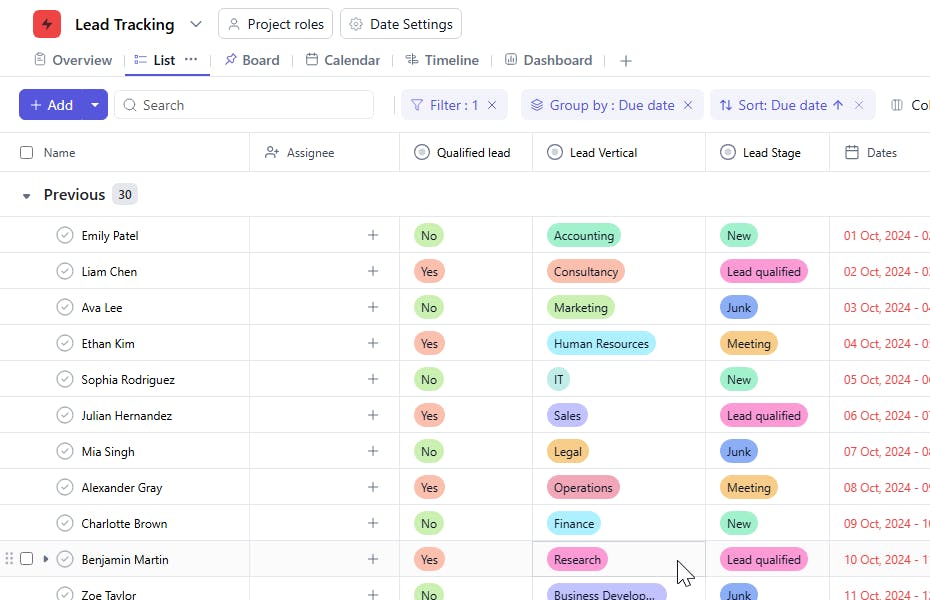
- Lead Stage: New, In Contact, Proposal Sent, Negotiation, Qualified
- Qualified Lead: Yes / No
- Vertical: Finance, Digital Marketing, Education, Construction, Operations
Additional Customization Options
- Automation Triggers: Automatically notify sales reps of new inquiries or pending follow-ups.
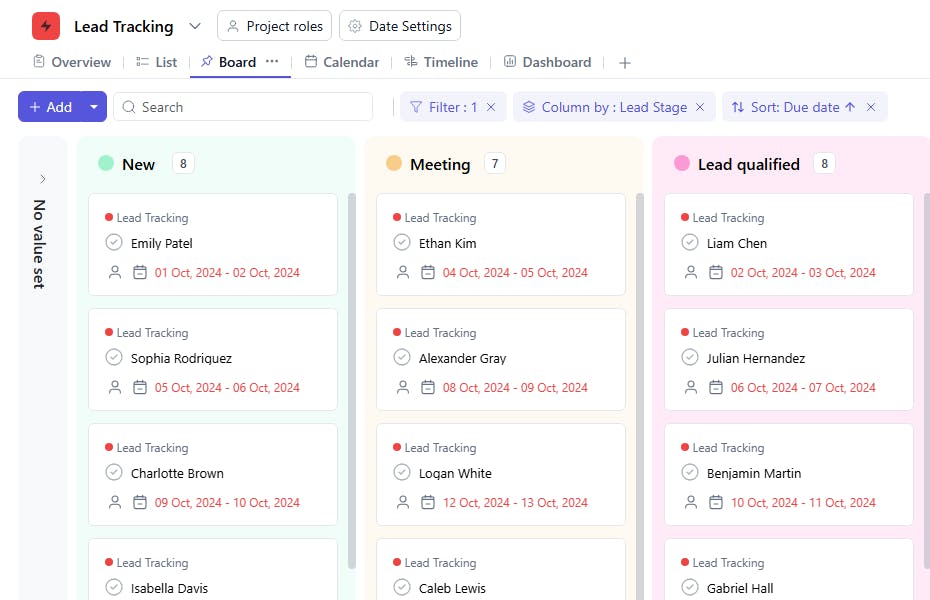
- Pipeline Visualization: View your leads in a Kanban-style board for quick insights on status and progress.
- Cross-Team Collaboration: Share updates and notes instantly through comments or video meetings.
The Lead Tracking Template is your foundation for organized, efficient, and conversion-focused sales management. It bridges the gap between marketing inquiries and deal closure by ensuring every qualified lead is handed off seamlessly to your Deal Pipeline.


