
Templates
Legal Agreement Management
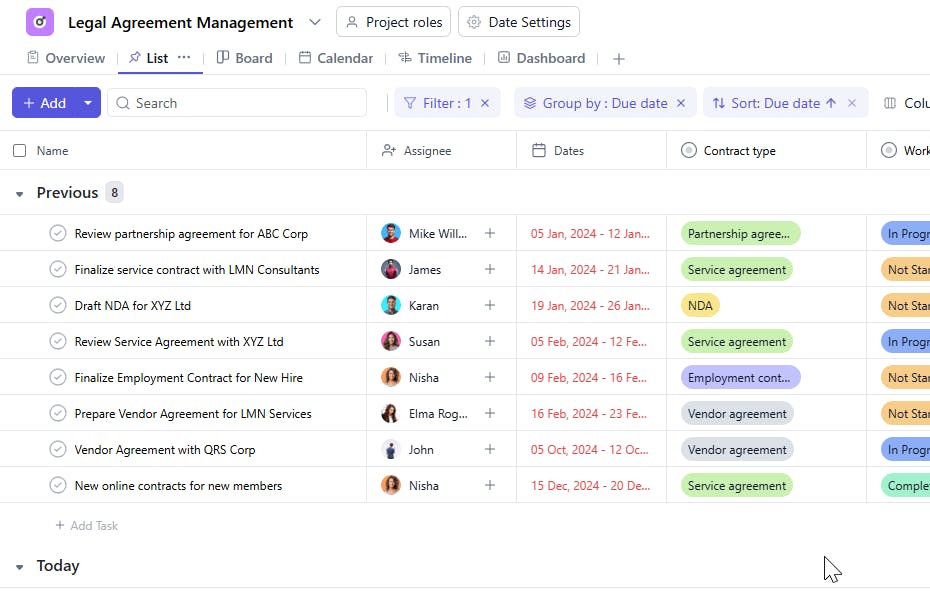
The Legal Agreement Management Template helps streamline the tracking and management of all legal agreements within your organization. It ensures complete visibility into contract details, key dates, responsible parties, and approval statuses — helping teams stay compliant and avoid missed deadlines.
Use TemplateCategories
What is a Legal Agreement Management Template?
A Legal Agreement Management Template
is a structured framework designed to organize, track, and manage all legal agreements and related tasks in one place. It captures essential details such as agreement names, contract IDs, types, values, points of contact (POCs), start and end dates, approval status, and assigned team members.
This ensures that every agreement is properly documented, monitored, and executed within the set timelines and compliance requirements.
Here’s a closer look at its key features:
Legal Agreement Management Template: Key Features
- Centralized Agreement Repository: Maintain all agreements — NDAs, Service Agreements, Partnership Contracts, and more — in one secure location.
- Deadline & Renewal Tracking: Keep track of agreement start, end, and renewal dates to prevent missed obligations.
- Team Collaboration: Enable seamless communication between legal, finance, and operations teams through comments, attachments, and status updates.
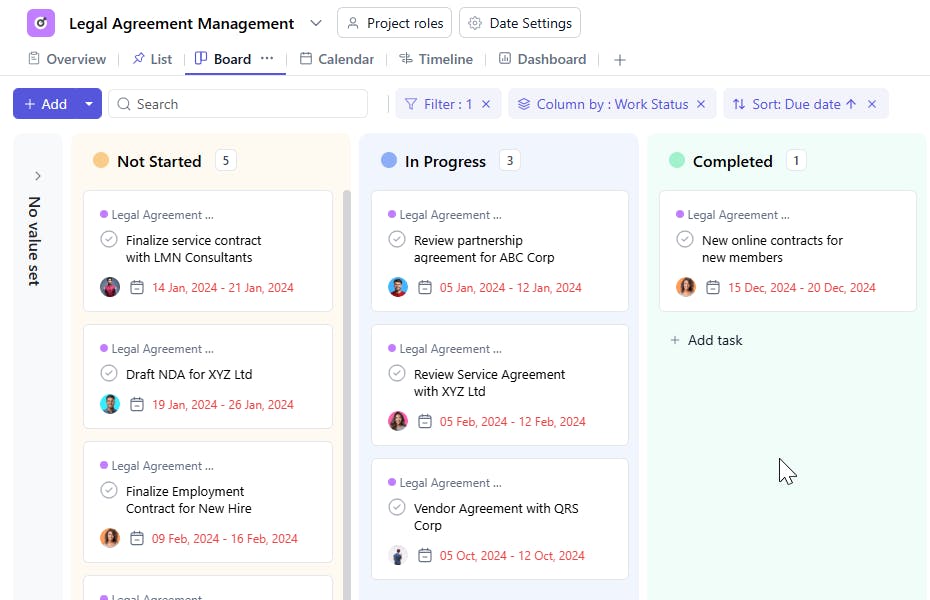
- Approval Workflow: Manage agreement approvals efficiently with clear visibility into status and responsibility.
- Customizable to Your Needs: Adapt the template for various agreement types or departments within your organization.
How to Use the Legal Agreementr Management Template?
Here’s a step-by-step guide to using the Legal Service Management Template:
- Create a New Project – Start a new project in SmartTask and select the Legal Agreement Management Template.
- Add Agreement Details – Enter key information such as agreement name, contract ID, contract type, value, and point of contact.
- Assign Responsibilities – Allocate tasks to the legal team, reviewers, or stakeholders responsible for approvals or renewals.
- Track Key Dates – Set and monitor start dates, due dates, and renewal reminders to ensure compliance.
- Collaborate & Update – Share updates, upload files, and record discussions to maintain transparency and traceability.
- Monitor Status – Use visual indicators and progress tracking to see which agreements are active, pending, or completed.
Custom Fields for Enhanced Organization
Enhance your Legal Agreement Management Template with these fields for better organization and insight:
- Contract ID – A unique identifier for each agreement.
- Agreement Type – NDA, Service Agreement, Vendor Agreement, Partnership Agreement, etc.
- Contract Value – The financial worth or impact of the agreement.
- POC (Point of Contact) – The primary contact person for the contract.
- Start Date / End Date – To track the active period of the agreement.
- Approval Status – Pending, Approved, Rejected.
- Work Status – In Progress, On Hold, Completed.
Additional Customization Options
Take your legal agreement tracking further with:
- Agreement Category – Classify agreements by department or business function (e.g., HR, Finance, Operations).
- Contract Status – Monitor stages such as Drafting, Reviewing, Signed, or Expired.
- Priority Level – Mark tasks as High, Medium, or Low to focus on critical contracts first.
- Renewal Reminders – Automate reminders before renewal or expiry dates.
- Notes & Attachments – Add supporting documentation or legal notes for context.
- Lawyer / Team Assignment – Assign specific lawyers or legal teams for accountability and tracking.


