
Templates
LMS Integration Course List
LMS Integration Course List Template simplifies course tracking and management within your Learning Management System (LMS). It helps teams efficiently organize, assign, and monitor all training courses — ensuring seamless delivery and better learning outcomes.
Use TemplateCategories
What is an LMS Integration Course List Template?
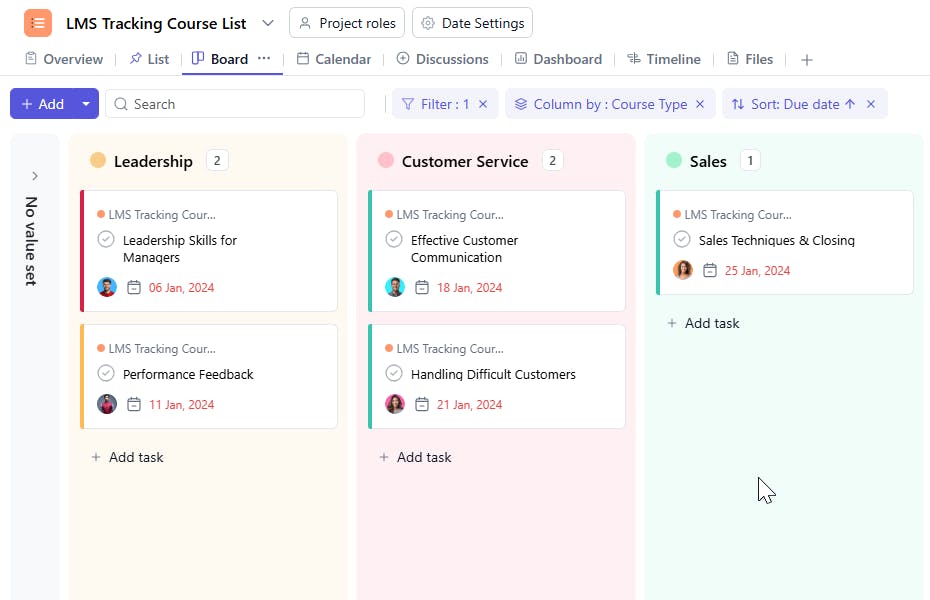
An LMS Integration Course List Template is a structured framework designed to manage every aspect of your LMS courses in one centralized place. From tracking course details and schedules to assigning instructors and monitoring progress, this template streamlines how your organization manages learning programs.
Here’s a closer look at its key features:
LMS Integration Course List Template: Key Features
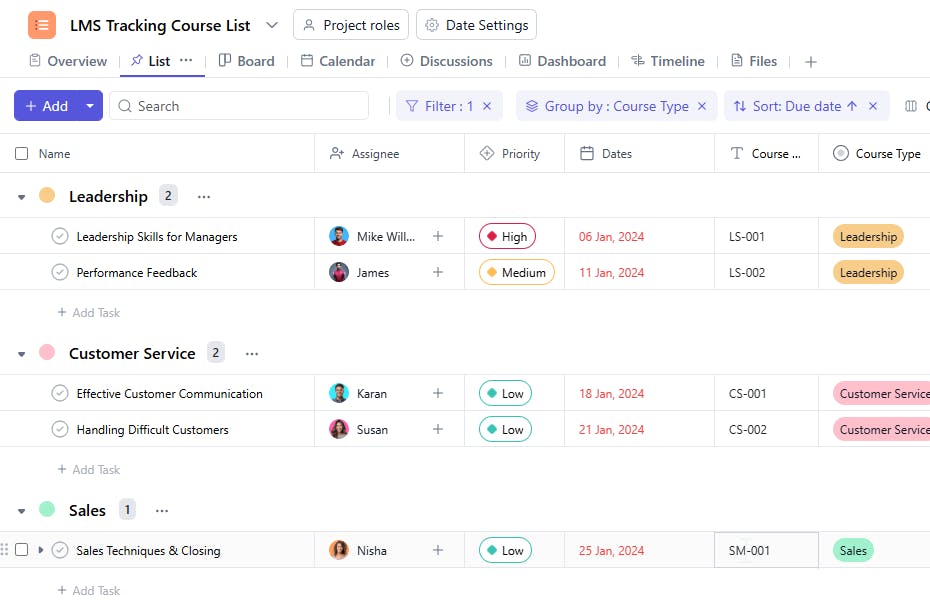
- Comprehensive Course Tracking: Record essential details such as course name, type, code, and description for complete visibility.
- Course Duration & Scheduling: Manage course timelines by setting start and end dates, ensuring timely delivery.
- Task Assignment & Monitoring: Assign responsibilities to instructors or team members and track task completion with ease.
- Priority Management: Categorize courses by importance (High, Medium, Low) to focus on what matters most.
- Centralized Course Information: Maintain detailed course descriptions and supporting materials accessible to both learners and facilitators.
How to Use the LMS Integration Course List Template?
Here’s a step-by-step guide to using SmartTask's LMS Integration Course List Template:
- Add Course Details – Enter course name, type, code, and description to keep all records structured.
- Set Duration & Start Dates – Define the time frame for each course to ensure smooth scheduling.
- Assign Responsibilities – Allocate instructors or course managers to each module and track their performance.
- Set Priorities – Mark courses as High, Medium, or Low priority to align focus and resources.
- Track Progress – Monitor completion rates, deadlines, and milestones to ensure timely delivery.
Custom Fields for Enhanced Organization
Enhance your LMS tracking with these key fields:
- Course Type – Leadership, Customer Service, Marketing, Sales, Technical Skills, Legal, Compliance, etc.
- Course Code – A unique identifier for each course.
- Start Date / End Date – To plan and monitor course duration.
- Priority – High, Medium, Low.
- Progress / Completion % – To measure how far each course has advanced.
Additional Customization Options
Take your LMS tracking further with:
- Automated Notifications – Get reminders for start dates, deadlines, or overdue courses.
- Collaboration Tools – Enable discussions, file sharing, and feedback between instructors and team members.
- Course Reports – Generate progress and completion reports for performance evaluation.
- Visual Timelines – Use Gantt charts or timelines to visualize the full course schedule and progress at a glance.
The LMS Integration Course List Template acts as your all-in-one hub for managing courses within your LMS. It ensures transparency, accountability, and on-time delivery — empowering your team to deliver high-quality learning experiences with minimal effort.


