
Templates
Long Video Production
The Long Video Production Template helps teams efficiently plan, manage, and track every stage of the video production process — from concept to final delivery. It ensures tasks are completed on time, within budget, and at the highest quality standards.
Use TemplateCategories
What is a Long Video Production Template?
A Long Video Production Template is a structured project management framework designed to streamline the end-to-end video creation process. It includes everything from task assignments and deadlines to asset management, budgeting, and review workflows — ensuring each production stage stays organized and on schedule.
Here’s a closer look at its key features:
Long Video Production Template: Key Features
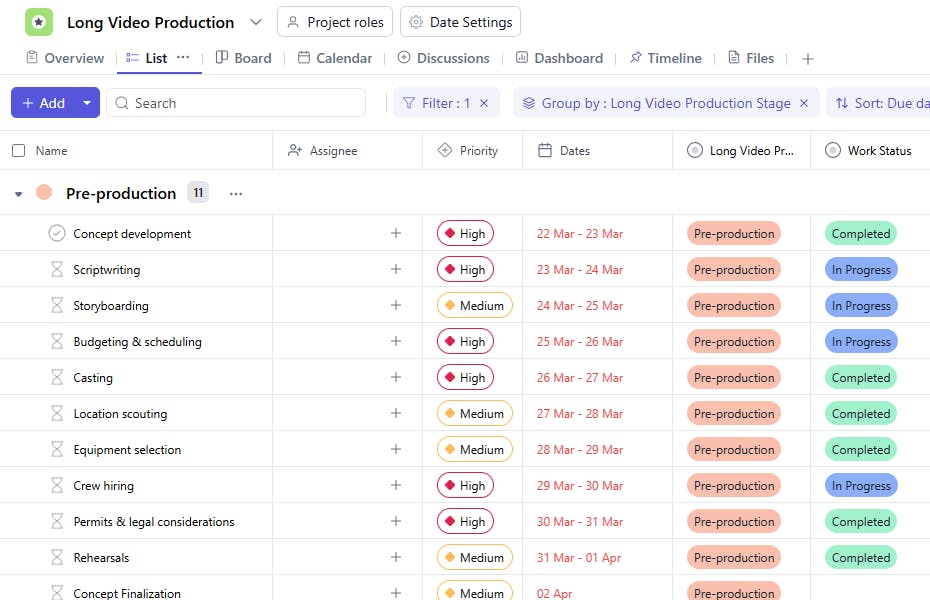
- Comprehensive Production Management: Oversee all stages of production — scripting, shooting, editing, and final delivery — in one place.
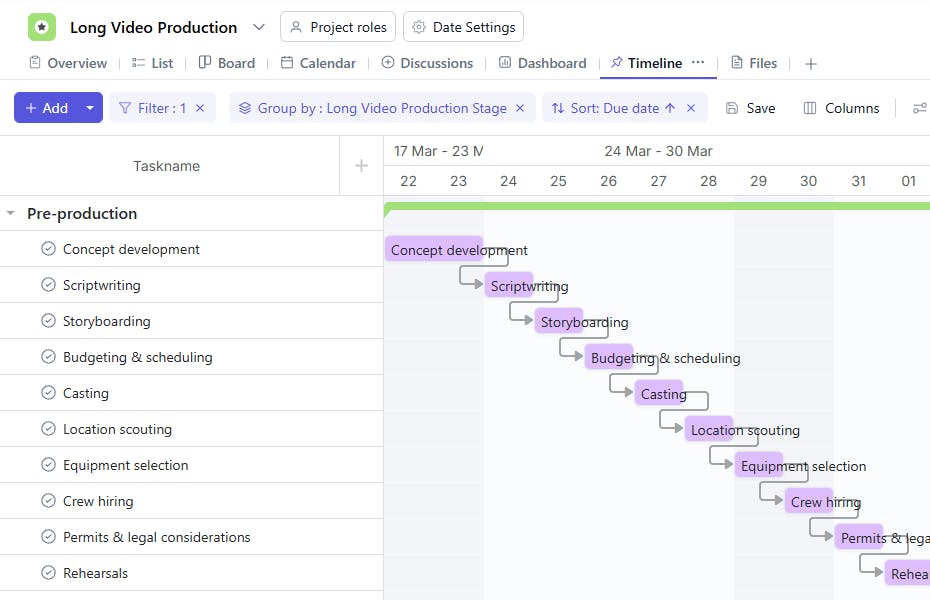
- Task & Timeline Tracking: Set deadlines, define dependencies, and ensure seamless transitions between production stages.
- Collaboration & Feedback: Enable smooth communication among directors, editors, designers, and producers through comments, attachments, and approvals.
- Asset Organization: Manage video assets like scripts, footage, audio, and graphics efficiently.
- Real-Time Progress Monitoring: Track progress across all stages to ensure the project stays on time and within scope.
How to Use the Long Video Production Template?
Here’s a step-by-step guide to using SmartTask’s Long Video Production Template:
- Outline Production Phases – Divide your workflow into major stages such as Pre-Production, Shooting, Post-Production, and Final Delivery.
- Create and Assign Tasks – Add tasks like Script Writing, Storyboarding, Editing, and Sound Design, then assign them to relevant team members.
- Attach Key Assets – Upload or link scripts, footage, and other resources for easy access.
- Collaborate and Review – Use SmartTask’s proofing and comment features for feedback and approvals directly on video timelines.
- Track Deadlines & Dependencies – Ensure each phase progresses smoothly without bottlenecks.
- Deliver and Archive – Once the video is approved, mark it as complete and store project files for future reference.
Custom Fields for Enhanced Organization
Enhance your template with the following fields for better organization and tracking:
- Production Stage – Pre-Production, Shooting, Post-Production
- Task Type – Script Writing, Filming, Editing, Animation, etc.
- Dependencies – Identify tasks that must be completed first.
- Approval Status – Pending, Approved, Needs Revision
- Work Status – Not Started, In Progress, Completed
- Budget – Track estimated vs. actual costs
Additional Customization Options
Here are a few ways to further customize the Long Video Production Template:
- Resources: Add a field to link to scripts, footage, or other resources needed for tasks.
- Completion Percentage: Track the completion progress of each task (e.g., 50% complete).
- Feedback/Notes: Include a section for feedback or notes related to each task or production stage.
- Revisions: Track any revisions or changes needed for tasks or the final video.
- Risk/Issue Tracking: Add a field to track potential issues or risks that may affect production.


