
Templates
OKR Tracking
The OKR Tracking Template simplifies the process of managing objectives, ensuring transparency, accountability, and alignment with organizational priorities.
Use TemplateCategories
Slide 1 of 2 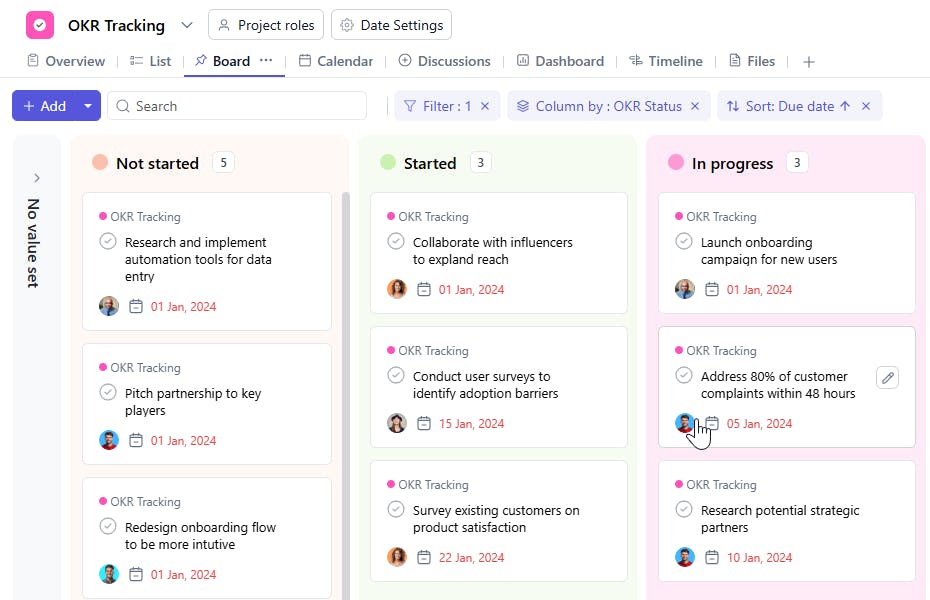
Slide 2 of 2 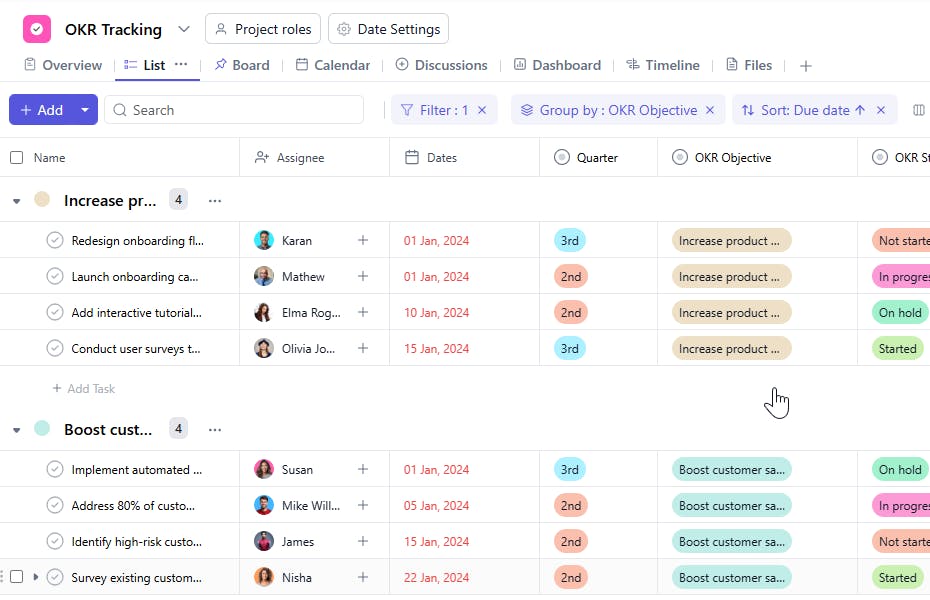
What is an OKR Tracking Template?
An OKR Tracking Template provides a structured framework for defining, assigning, and tracking OKRs across various departments. It helps monitor progress, manage timelines, and track the status of each objective to drive meaningful outcomes.
Here’s a closer look at its key features:
OKR Tracking Template: Key Features
- Clear Goal Structure: The template breaks down objectives and key results, ensuring your team's focus remains on high-impact goals.
- Progress Tracking: Monitor progress against key results with real-time updates and performance metrics to keep everyone accountable.
- Collaborative Alignment: Align your teams with company-wide goals, ensuring that each department's OKRs contribute to the overall success.
- Customizable to Your Needs: Adapt the template to reflect your organization's unique objectives, key results, and performance metrics.
How to Use the OKR Tracking Template?
Here’s a simple guide to using SmartTask’s OKR Tracking Template:
- Create a New Project: Log into SmartTask, click "New Project," and select the OKR Tracking template to get started.
- Set Organizational and Team Objectives: Define your top-level organizational objectives and break them down into team or department-level objectives.
- Add Key Results: For each objective, add measurable key results that will help track progress and success.
- Track Progress: Regularly update key results and monitor progress through SmartTask’s dashboard or reporting tools.
- Review & Adjust: At the end of each tracking period (quarter, month, etc.), review outcomes, adjust strategies, and set new objectives for the next cycle.
Custom Fields for Enhanced Organization
This OKR Tracking Template includes the following fields for better tracking and management:
- OKR Objective: The objective or goal to be achieved.
- OKR Status: Not Started, In Progress, Completed
- Quarter: Q1, Q2, Q3, Q4
Additional Customization Options
Here are a few ways to further customize the OKR Tracking Template:
- Key Results Field: Add a section for tracking key results tied to each objective.
- Priority Levels: Include a field to denote high-priority objectives.
- Success Metrics: Add metrics to measure the success of each key result.
- Recurring Objectives: Use recurring tasks for long-term goals that span multiple quarters.
- File Attachments: Attach relevant documents, presentations, or reports for easy reference.


