
Templates
Payment History
The Payment History Template is designed to track and organize payment transactions, ensuring that all payment details are properly documented, assigned, and easily accessible for future reference.
Use TemplateCategories
What is a Payment History Template?
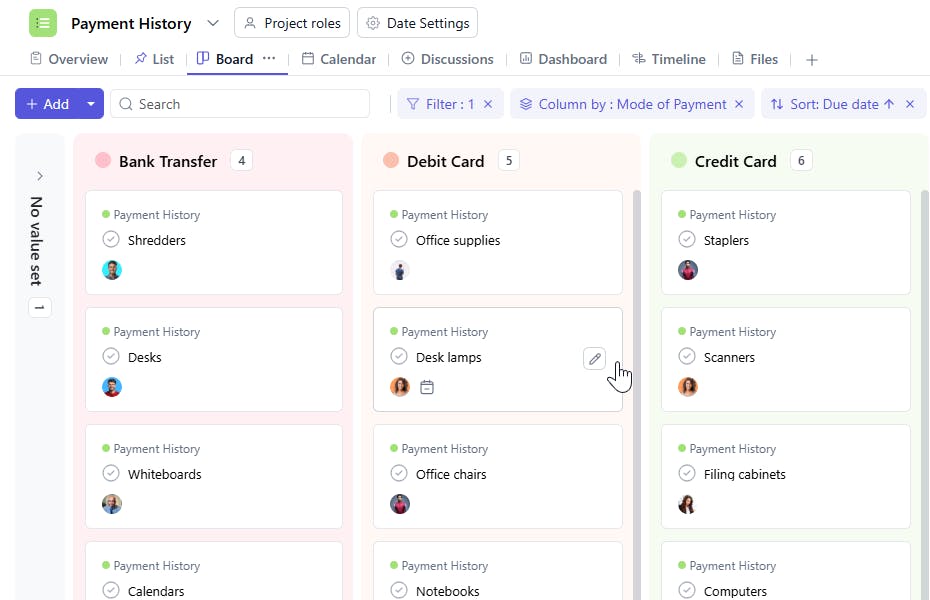
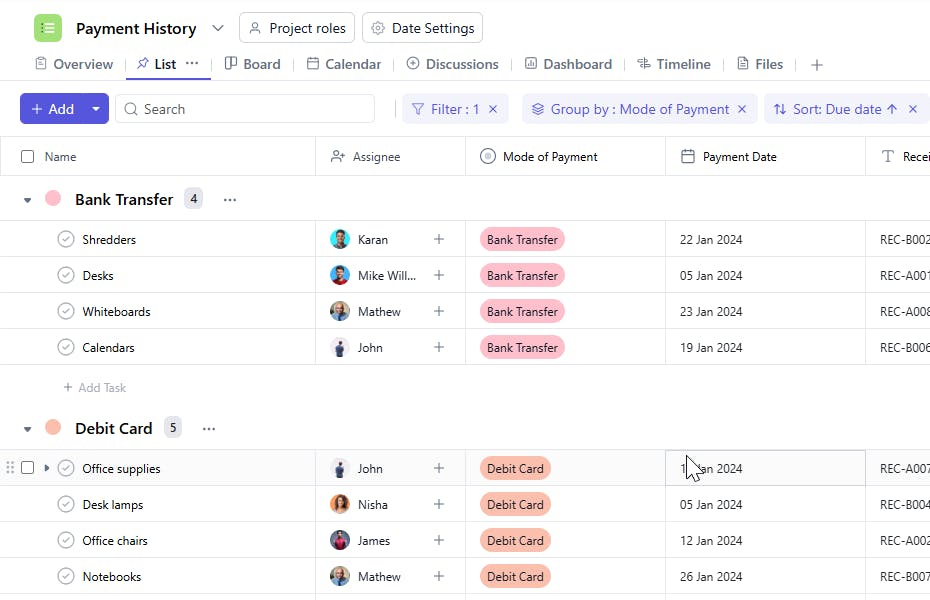
A Payment History Template is a tool used to record and track payment transactions. It includes key details such as task names, payment dates, receipt numbers, assignees, quantities, costs, and payment methods. This ensures efficient tracking of payments and provides a clear view of all financial transactions.
Here’s a closer look at its key features:
Payment History Template: Key Features
- Comprehensive Payment Tracking: Track essential details such as invoice numbers, payment amounts, dates, and methods to ensure accuracy and transparency.
- Invoice Management: Organize and monitor outstanding invoices, ensuring timely payments and easy access to financial records.
- Payment Method Tracking: Keep track of the payment methods used (credit card, bank transfer, cash, etc.) for easy reference and financial reconciliation.
- Late Payment Management: Set up reminders and track late payments to ensure all financial obligations are met on time.
- Task Assignment & Monitoring: Assign team members or departments responsible for tracking payments, ensuring the task is completed efficiently.
How to Use the Payment History Template?
Here’s a step-by-step guide to using the Payment History Template:
- Capture Payment Details: Start by entering details for each payment, including the invoice number, payment amount, and payment date.
- Track Payment Method: Record the payment method used, whether it’s a credit card, bank transfer, or cash.
- Monitor Outstanding Invoices: Keep track of unpaid invoices and set reminders for follow-up to avoid late payments.
- Assign Responsibilities: Assign team members or departments responsible for following up on payments or managing the payment process.
- Monitor Payment Status: Track the status of each payment (paid, pending, or overdue) to maintain up-to-date records.
- Generate Payment Reports: Create reports to view payment history, outstanding balances, and financial trends over time.
Custom Fields for Enhanced Organization
This Payment History Template includes the following fields for better tracking and management:
- Payment Date: The date the payment was made.
- Receipt Number: A unique identifier for the payment.
- Quantity: The number of items or services paid for.
- Cost: The total cost for the payment.
- Payment Method: The method used to make the payment (e.g., Credit Card, Bank Transfer).
Additional Customization Options
Here are a few ways to further customize the Payment History Template:
- Payment Status: Add a field to track the status of the payment (e.g., Pending, Completed).
- Payment Category: Include a category for the payment (e.g., Rent, Services, Product Purchase).
- Invoice Number: Include a field to track invoice numbers associated with the payment.
- Notes: Add a section for any additional notes or payment details (e.g., Partial Payment, Discounts).


