
Templates
Product Launch
A well-structured product launch template is the blueprint that turns great ideas into successful realities, ensuring every step is strategic and nothing is left to chance.
Use TemplateCategories
Slide 1 of 3 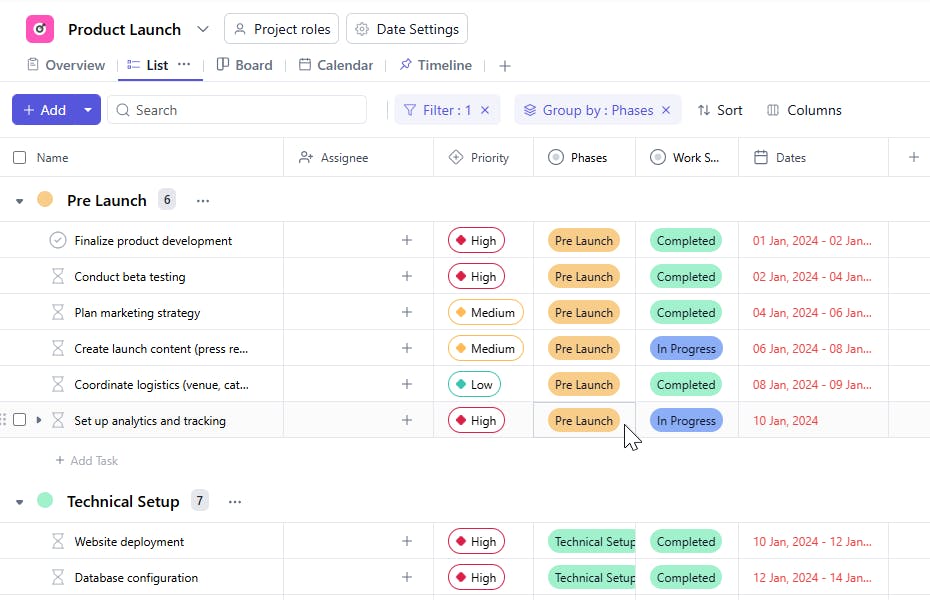
Slide 2 of 3 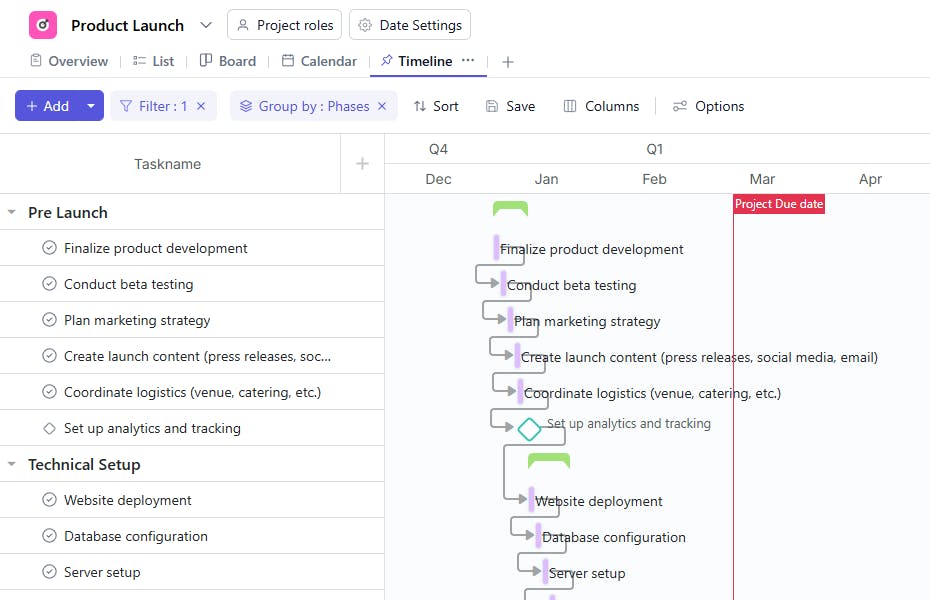
Slide 3 of 3 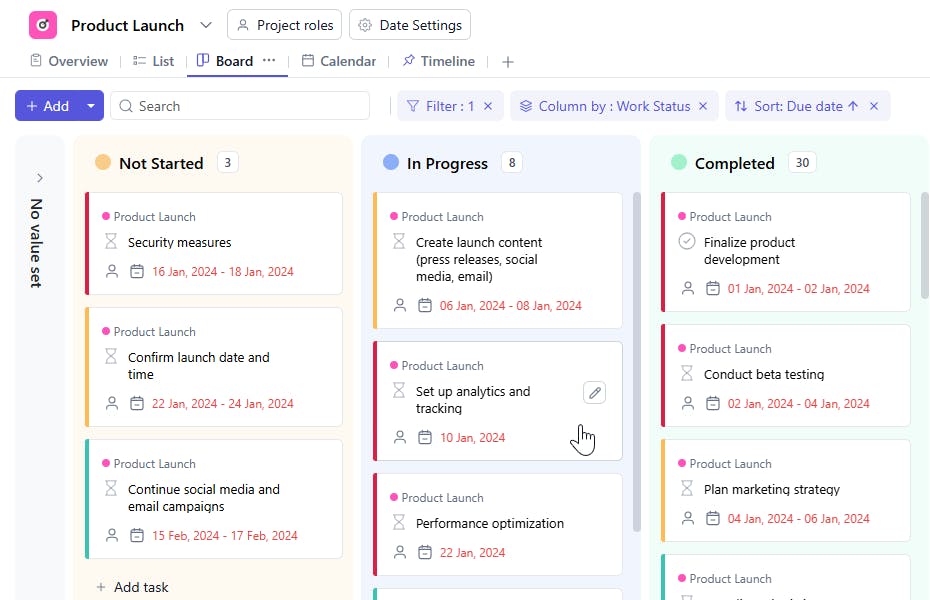
What is a Product Launch template?
Whether you're launching a new product, service, or feature, this template is designed to keep your team organized and on track. Here's how it helps:
Here’s a closer look at its key features:
Product Launch Template: Key Features:
- Streamlined Task Management: Easily track all tasks to ensure nothing is overlooked as the launch approaches.
- Aligned Teams: Keep everyone on the same page with clear goals, deadlines, and communication channels.
- Faster Execution: Jumpstart your planning with a pre-built framework that accelerates the entire process.
How to Use the Product Launch Template?
Here’s a step-by-step guide to using SmartTask’s Guest Management Template for your next event:
- Select the Template: Go to the project templates section and choose the product launch template.
- Set Clear Objectives: Define the key goals and milestones that will guide your launch.
- Tailor to Your Product: Adjust the template to fit your needs by updating tasks, assigning responsibilities, and setting deadlines.
- Monitor Progress: Use tracking tools to stay on top of task completion and overall progress.
- Communicate Seamlessly: Leverage built-in collaboration features to ensure smooth communication.
- Review and Adjust: Regularly check the plan's progress, making any necessary a
Custom Fields for Enhanced Organization:
Phase: Pre-launch, Technical Setup, Launch Prep, Launch Day, Post-launch, Additional Steps
Status: Completed, In progress, Scheduled, Pending
Approval Status: Approved, Rejected, Pending
Additional Customization Options
- Automated Reminders & Notifications: Set up automated notifications to keep your team updated on deadlines, changes, or important milestones.
- Custom Tags & Labels: Use custom tags to categorize tasks by priority, department, or urgency for quick reference.
- Template Duplication: Easily duplicate the template for recurring product launches or similar projects to save time on future planning.


