
Templates
Properties for Lease
The Properties for Lease Template provides a structured framework for property managers, real estate agents, and leasing teams to manage all property leasing activities efficiently. It helps in tracking each property’s lease status, cost, tenant details, and lease duration ensuring transparency, timely renewals, and seamless property management. This template is ideal for real estate firms, corporate leasing teams, or independent property consultants managing residential, commercial, or mixed-use properties.
Use TemplateCategories
What is a Properties for Lease Template?
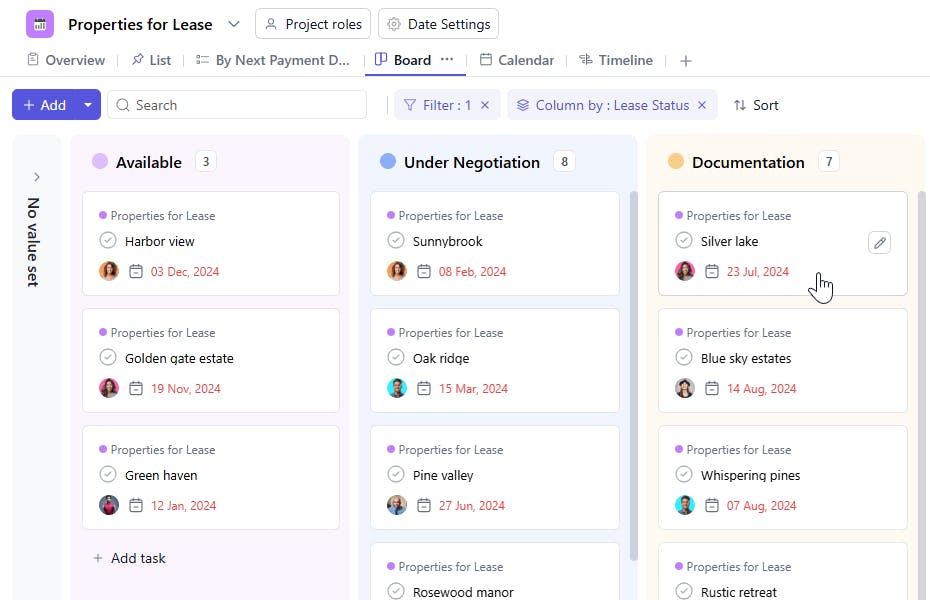
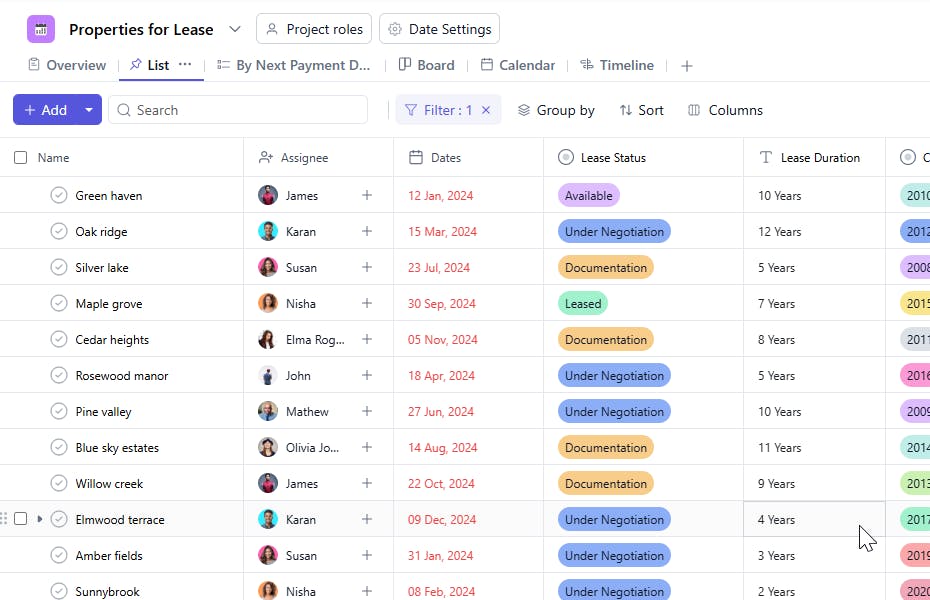
A Properties for Lease Template is a centralized tool designed to track and organize properties available for lease. Each task in the template represents an individual property and captures all relevant details from lease status and pricing to the tenant it’s leased to.
By using this template, teams can maintain accurate lease data, monitor renewal dates, and stay on top of all lease-related obligations in one unified system.
Properties for Lease Template: Key Features
- Centralized Lease Management: Track all properties available for lease, ongoing leases, or vacant properties from a single workspace.
- Lease Status Tracking: Clearly define whether a property is Available, Leased, or Under Negotiation.
- Tenant Information: Record tenant details using the Leased To (Attach Contacts) field for quick communication and reference.
- Cost & Duration Monitoring: Maintain visibility into lease cost, start dates, and lease duration to ensure timely renewals.
- Operational Accountability: Assign each property to a responsible Assignee to ensure effective tracking and management.
How to Use the Properties for Lease Template
- Create a Task for Each Property: Add each property as a separate task within your property management workspace.
- Set Lease Status: Use the Lease Status field to specify whether the property is Available, Leased, or Under Negotiation.
- Add Property Details: Fill in fields such as Property ID, Nearby landmarks, and Constructed Year for reference.
- Assign Responsibility: Add the Assignee who will handle the leasing process or manage the client relationship.
- Track Lease Terms: Enter Lease Cost, Start Date, and Lease Duration to monitor lease value and timelines.
- Attach Tenant Information: In Leased To (Attach Contacts), link the tenant’s contact details for easy access and documentation.
- Update Regularly: Keep the template updated as properties move from available to leased or are renewed.
Custom Fields for Properties for Lease
This Properties for Lease Template includes the following custom fields for efficient tracking and management:
- Lease Status – Indicates the current leasing stage (Available, Leased, Under Negotiation).
- Property ID – A unique identifier assigned to each property for internal tracking.
- Nearby – Key nearby locations or landmarks associated with the property.
- Assignee – The team member or leasing agent responsible for managing the property.
- Constructed Year – The year the property was constructed or became operational.
- Lease Cost – The agreed or proposed lease amount.
- Start Date – The lease commencement date or listing start date.
- Lease Duration – The total tenure of the lease (e.g., 11 months, 3 years).
- Leased To (Attach Contacts) – Tenant name and contact details attached for communication and documentation.


