
Templates
Rebranding
The Rebranding Project Template ensures the smooth and organized execution of rebranding initiatives, facilitating collaboration and ensuring every stage of the process is completed effectively and on time.
Use TemplateCategories
What is a Rebranding Project Template?
A Rebranding Project Template provides a structured framework to plan, track, and manage all activities associated with a rebranding effort. It helps teams define clear stages, set deadlines, assign responsibilities, and maintain a detailed record of the rebranding process.
Here’s a closer look at its key features:
Rebranding Project Template: Key Features
- Organized Workflow: The template breaks the entire rebranding process into key stages, helping your team stay focused and meet milestones on time.
- Seamless Collaboration: With built-in communication tools, the template enables team members, stakeholders, and external agencies to collaborate effectively and stay on the same page.
- Customizable to Your Brand: Whether you’re rebranding a logo, messaging, or product design, the template adapts to the specific needs of your rebranding project.
How to Use the Rebranding Project Template?
Here’s a step-by-step guide to using SmartTask’s Rebranding Project Template:
- Create a New Project: Log into SmartTask, click "New Project," and select the Rebranding Project template.
- Define Your Goals: Customize the template by setting clear project goals, such as redefining your brand’s visual identity, updating brand messaging, or launching a new brand voice.
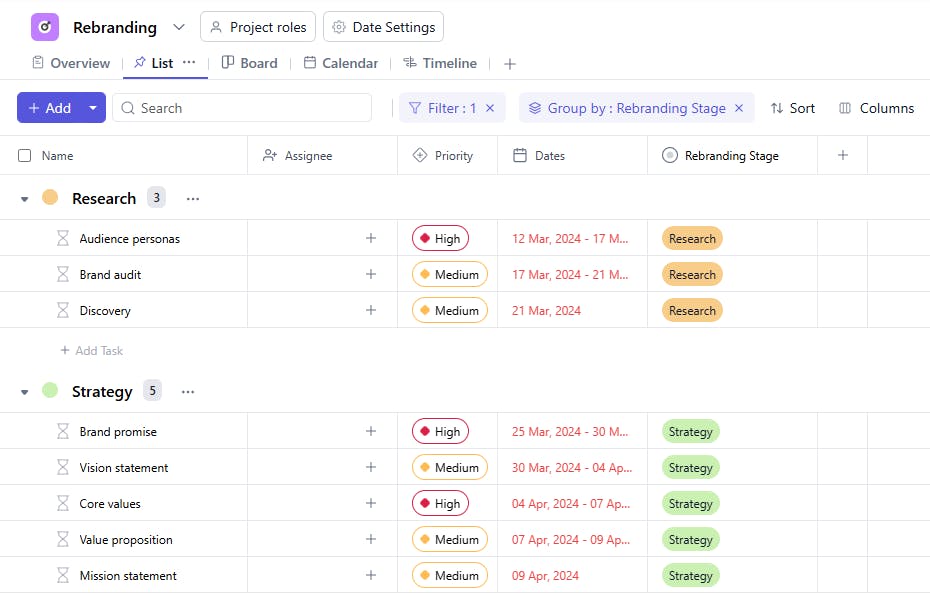
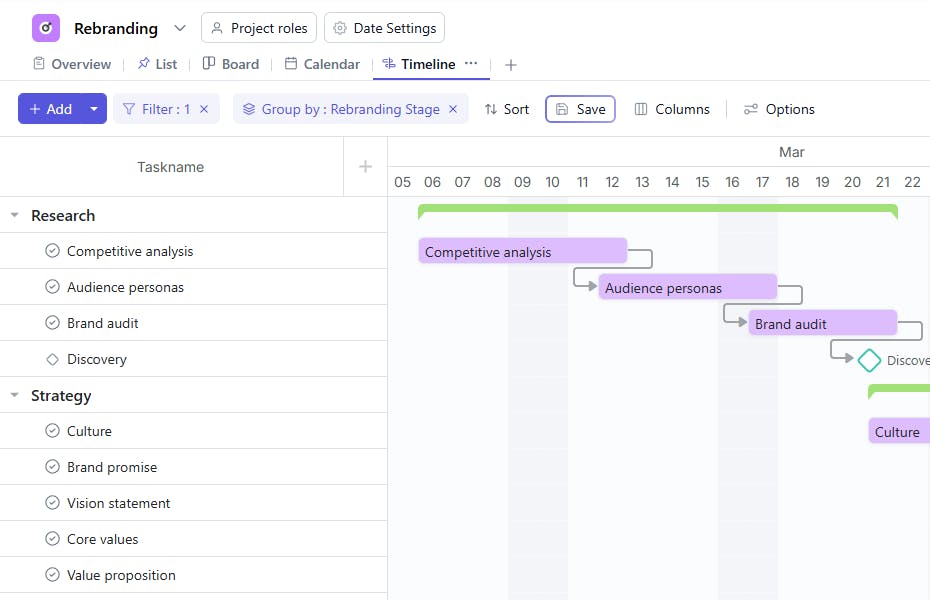
- Organize Key Phases: The template breaks the rebranding process into actionable stages like research, design, development, testing, and launch.
- Collaborate in Real-Time: Use SmartTask’s collaboration tools to share feedback, files, and project updates with your team or external partners.
- Prepare for Launch: As your rebrand nears completion, use the final phase to prepare all brand assets, marketing materials, and guidelines for deployment.
Custom Fields for Enhanced Organization
This Rebranding Project Template includes the following fields for better tracking and management:
- Rebranding Stage: Research, Design, Implementation
Additional Customization Options
Here are a few ways to further customize the Rebranding Project Template:
- Priority Level: Add a field to denote the importance of each task (e.g., High, Medium, Low).
- Budget Tracking: Include fields to track the budget allocated and spent for specific tasks.
- Approval Status: Add a section to monitor the approval status of design and other critical elements.
- Feedback Notes: Include a section for recording feedback or comments on specific tasks.
- Dependencies: Identify tasks that depend on the completion of other activities.


