
Templates
RFP - Procurement
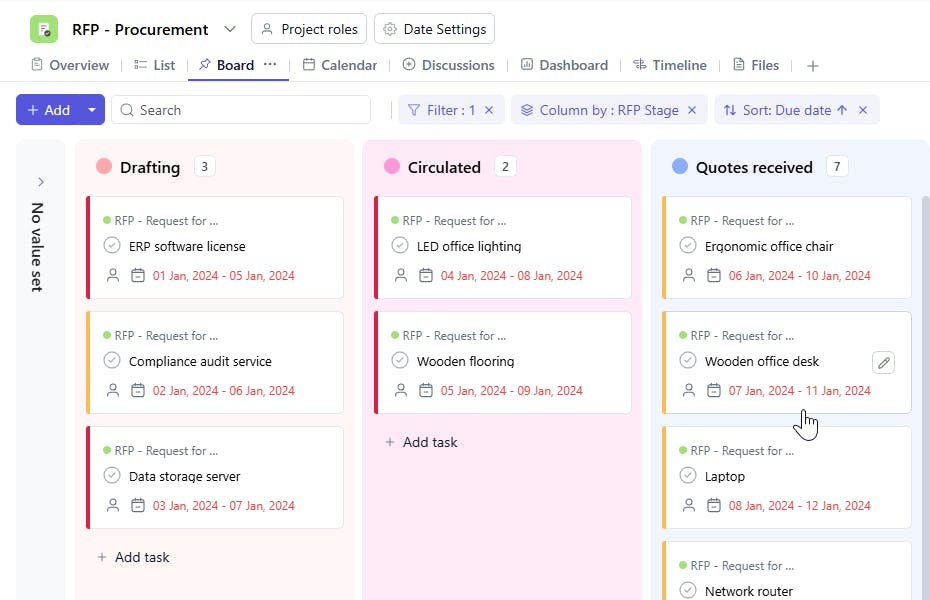
The RFP Management Template ensures a structured approach to managing request for proposal (RFP) processes, enabling efficient vendor evaluation, document tracking, and decision-making while fostering collaboration among stakeholders.
Use TemplateCategories
What is an RFP Management Template?
An RFP Management Template is a tool designed to streamline the process of creating, tracking, and managing requests for proposals. It includes key details such as RFP title, issuing department, proposal deadlines, vendor details, evaluation criteria, submission status, and decision milestones. This template helps organizations maintain a clear workflow, ensuring a structured and transparent vendor selection process.
Here’s a closer look at its key features:
RFP Management Template: Key Features
- Centralized RFP Tracking: Keep all RFPs organized with details on vendors, deadlines, and evaluation criteria in one place.
- Vendor Management: Track vendor responses, compare proposals, and manage communications efficiently.
- Automated Reminders: Set notifications for proposal submission deadlines, review meetings, and follow-up actions.
- Collaboration & Review Process: Enable teams to collaborate, provide feedback, and streamline the proposal evaluation process.
- Custom Scoring System: Use weighted criteria to score and compare vendor proposals effectively.
How to Use the RFP Management Template
Here’s a step-by-step guide to using the RFP Management Template:
- Select & Customize the Template: Choose the RFP management template from your project management tool (e.g., SmartTask or Trello) and modify it as needed.
- Define RFP Details: Include key information such as the RFP title, issuing department, and proposal deadline.
- List Vendors & Contacts: Add vendor names, contact details, and submission statuses for easy tracking.
- Set Evaluation Criteria: Define scoring parameters to assess proposals based on cost, experience, and compliance.
- Monitor Submission Progress: Track the status of vendor responses, pending reviews, and final decisions.
- Review & Finalize Selection: Organize team discussions, evaluate proposals, and document the final selection decision.
Custom Fields for Enhanced Organization
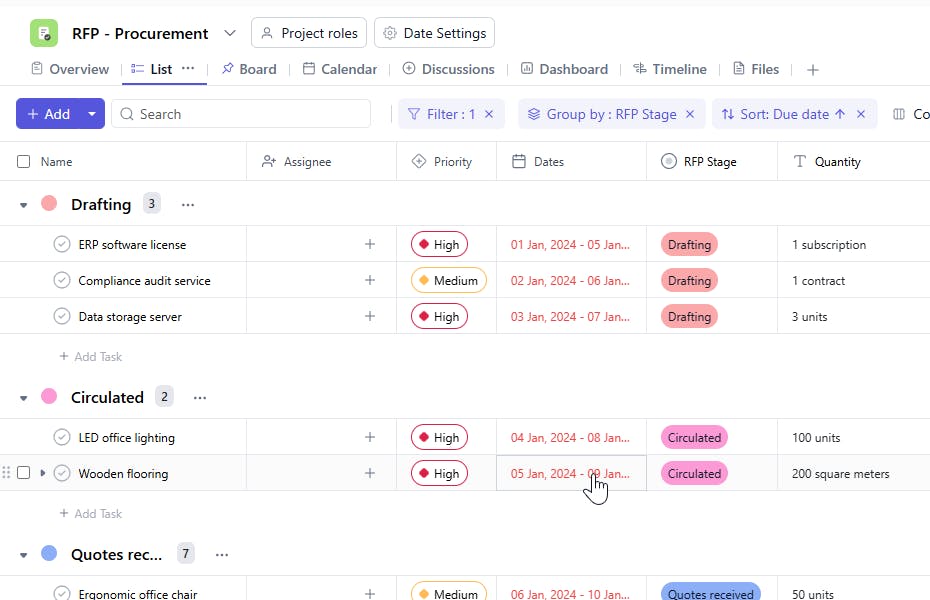
This RFP Management Template includes the following fields for streamlined tracking:
- RFP Stage: The current phase of the RFP (e.g., Drafting, Review, Submission, Evaluation, Final Selection).
- Quantity: The number of proposals received or required.
Additional Customization Options
Here are a few ways to further customize the RFP Management Template:
- Budget Estimates: Include estimated budget ranges for proposals.
- Proposal Attachments: Allow vendors to upload documents and proposals for review.
- Internal Comments: Add a section for team members to provide feedback on each proposal.
- Vendor Scorecard: Track ratings based on predefined evaluation criteria.
- Approval Workflow: Assign stakeholders responsible for reviewing and approving vendor selections.


