
Templates
SEO Audit and Initialization
Kickstart your SEO journey with SmartTask’s SEO Audit and Initialization Project Template. Audit your website’s technical health, fix on-page issues, set up analytics, and prepare a rock-solid SEO foundation before implementation begins. Perfect for agencies and marketing teams ready to optimize smarter.
Use TemplateCategories
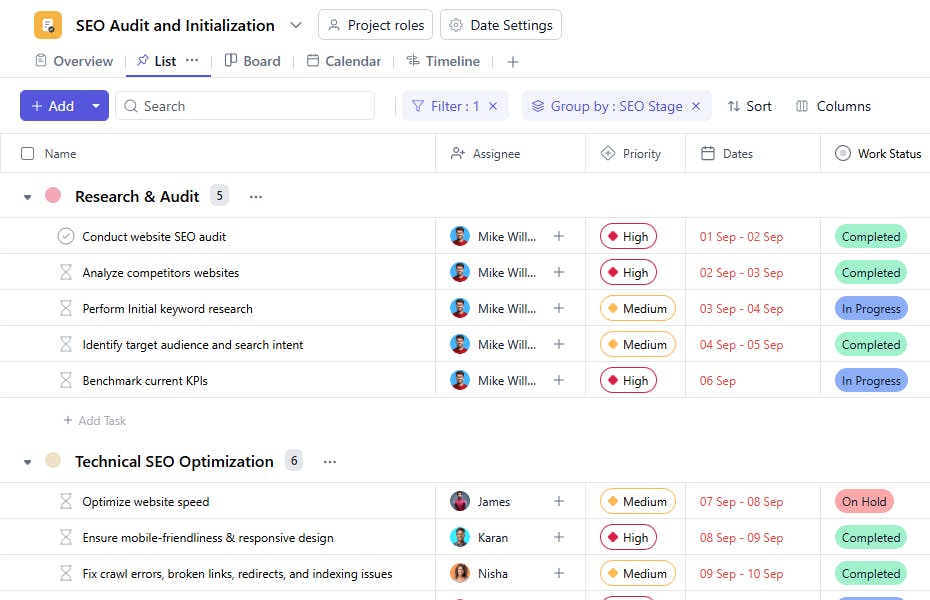
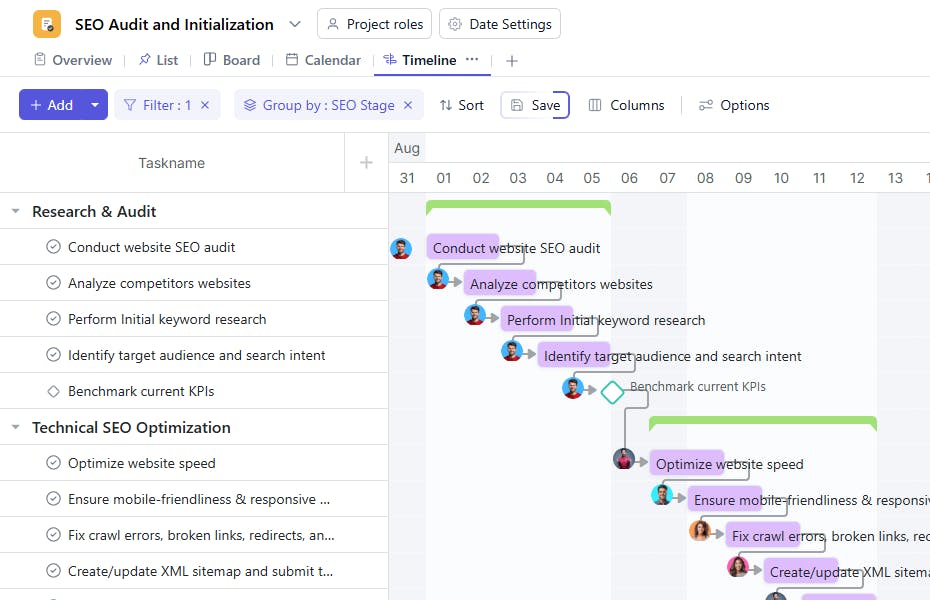
The SEO Audit and Initialization Project Template helps you perform a complete audit of your website and lay the groundwork for SEO success. From identifying technical issues to setting up keyword tracking and analytics, this template ensures your SEO foundation is strong before full-scale execution begins.
What is an SEO Audit and Initialization Project Template?
An SEO Audit and Initialization Project Template provides a systematic approach to evaluate and prepare your website for long-term SEO growth. It guides you through every crucial step - auditing, research, setup, and strategy formulation, so your team starts implementation with clear direction and data-backed insights.
Whether you’re optimizing a new website or revamping an existing one, this template ensures your SEO efforts begin on solid ground.
SEO Audit and Initialization Template: Key Features
- Comprehensive Audit Framework: Assess your website’s technical health, on-page structure, backlinks, and content performance.
- Structured SEO Setup: Establish tracking, analytics, and keyword monitoring systems before implementation.
- Collaborative Execution: Coordinate between SEO strategists, developers, and content teams to fix issues and align on priorities.
- Customizable Audit Scope: Adapt the template for enterprise, local, or e-commerce websites depending on project needs.
How to Use the SEO Audit and Initialization Template
- Start the Project: Log into SmartTask, create a new project, and select the SEO Audit and Initialization Template.
- Define Objectives: Clarify your audit goals → technical performance, keyword visibility, content gaps, or backlink quality.
- Conduct the Audit: Follow guided stages for Technical SEO, On-Page SEO, Off-Page SEO, and Content Analysis.
- Prioritize Fixes: Log identified issues, assign responsibilities, and track their resolution within SmartTask.
- Set Up Tracking Systems: Configure tools like Google Analytics, Search Console, and keyword monitoring dashboards.
- Finalize SEO Strategy: Summarize audit insights to form a clear roadmap for your next phase, full SEO implementation.
Custom Fields for Deeper Insight
The SEO Audit and Initialization Template includes custom fields to capture critical audit details:
- Work Status: Pending, In Progress, Completed
- Category: Technical, On-Page, Content, Off-Page
Additional Customization Options
- Audit Scorecards: Add custom metrics to grade site performance (e.g., crawlability, speed, mobile usability).
- Recurring Health Checks: Schedule recurring audits (monthly or quarterly) to maintain website health.
- Integration Tracking: Link analytics or rank-tracking integrations directly to your project.
- Team Alerts: Set reminders for pending fixes or report deadlines.


