
Templates
Social Media Calendar
The Social Media Calendar Template gives your team a clear, organized system to plan, manage, and track all social media activities across multiple platforms. It ensures your content is structured, deadlines are met, and posts go live in the right quarter without last-minute chaos.
Use TemplateCategories
Slide 1 of 3 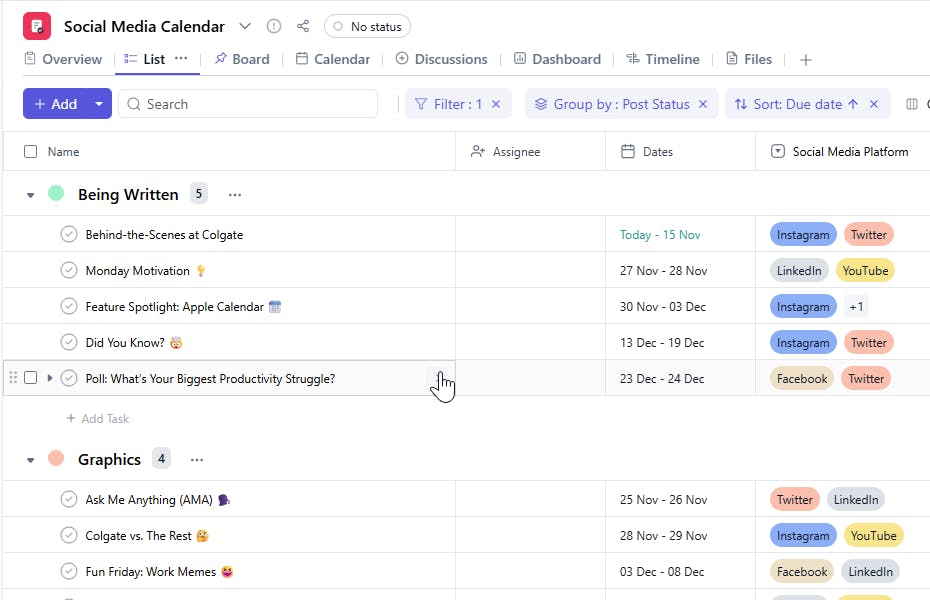
Slide 2 of 3 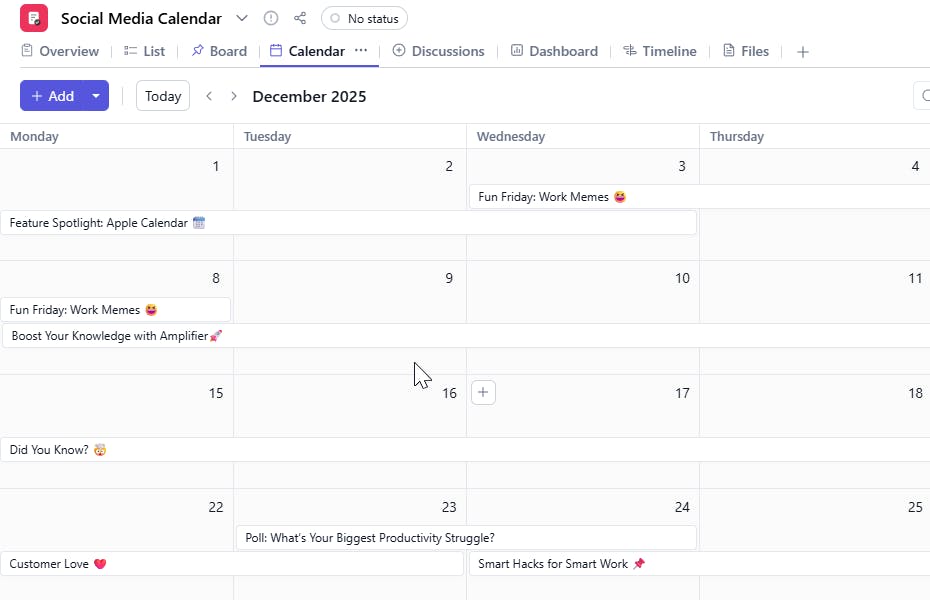
Slide 3 of 3 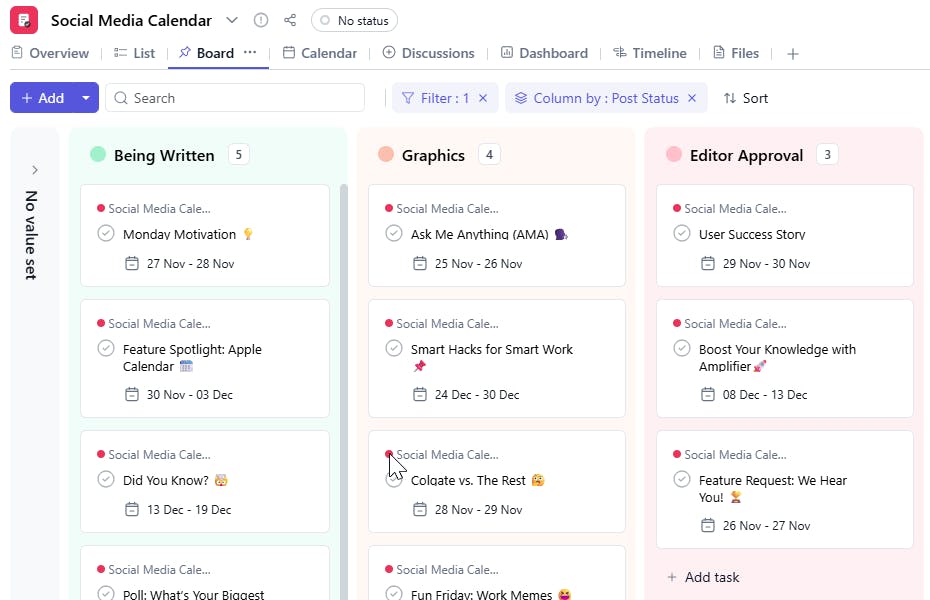
What is a Social Media Calendar Template?
A Social Media Calendar Template helps you systematically plan and schedule posts across platforms like Instagram, LinkedIn, Facebook, YouTube, and X.
With fields for platform, work status, and quarter, teams get complete visibility into what's being created, what’s pending approval, and what’s going live when.
Social Media Calendar Template: Key Features
- Multi-Platform Management
- Organize posts for each social media platform - Instagram, LinkedIn, YouTube, Facebook, X, etc. in one centralized board.
- Workflow Transparency with Work Status
- Track where each post stands: Content Drafting, Designing, Reviewing, Scheduled, or Live.
- Quarter-Based Planning
- Plan high-level campaigns by assigning them to Q1, Q2, Q3, or Q4, allowing strategic alignment with business goals.
- Smooth Team Collaboration
- Assign content creation, design, approvals, and publishing tasks to team members with clear deadlines.
- Real-Time Status Updates
- Always know which posts are ready to go live, which need revisions, and which quarter they’re slotted for.
- Analytics & Optimization
- Evaluate post performance and optimize future content based on engagement metrics.
How to Use the Social Media Calendar Template
- Choose & Customize the Template
- Select the Social Media Calendar Template in SmartTask.
- Add your platforms, define your workflow stages, and set quarterly planning preferences.
- Plan Your Content Pipeline
- Add upcoming posts, choose the platform they belong to, assign them to a quarter, and link them to campaign themes.
- Assign & Collaborate
- Assign creators, designers, and reviewers. Use comments for feedback and attach creatives or reference files.
- Track Work Status
- Update status as posts move from Draft → Design → Review → Scheduled → Live.
- Schedule & Publish
- Finalize post dates and use your scheduling tools. SmartTask keeps your team aligned on progress.
- Review & Improve
- After posts go live, analyze performance and refine strategies for upcoming quarters.
Custom Fields Included
To make your Social Media Calendar clean and actionable, SmartTask includes:
- Social Media Platform
- Instagram, LinkedIn, YouTube, Facebook, X, Pinterest, etc.
- Work Status
- Drafting, Designing, Reviewing, Scheduled, Live.
- Quarter
- Q1, Q2, Q3, Q4.
Additional Customization Options
- Automated Reminders for deadlines and publishing dates
- Approval Workflows for final content verification
- Content Calendar View to visualize posts on a timeline
- Campaign Tagging to group related posts
- Analytics Reports for performance tracking


