
Templates
Software Development
The Software Development Template helps teams efficiently plan, track, and execute development tasks by providing clear task organization, timelines, and priority management.
Use TemplateCategories
What is a Software Development Template?
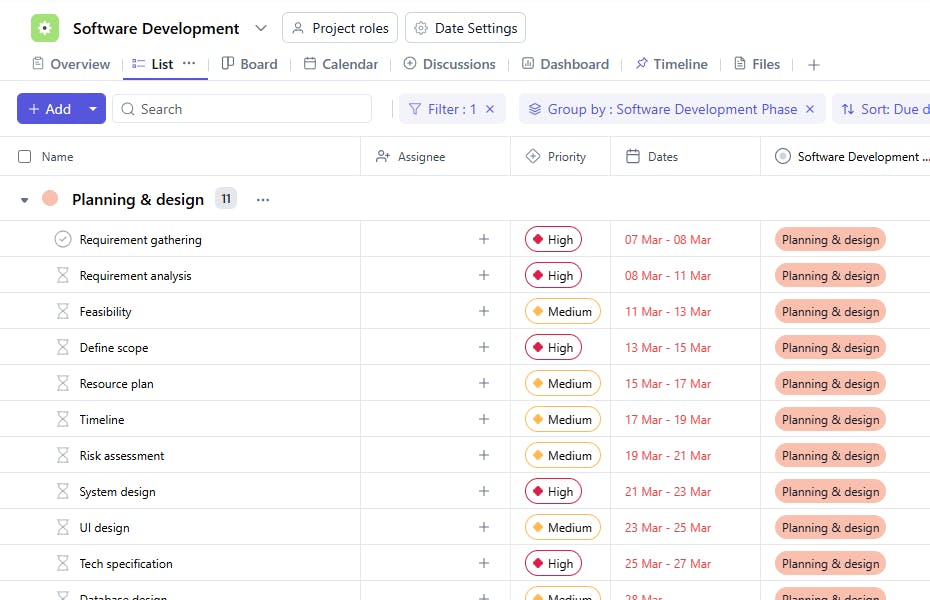
A Software Development Template is a structured tool designed to manage the lifecycle of software development projects. It includes task names, development phases, assignees, task durations, due dates, priorities, approval statuses, descriptions, and start dates. This template ensures that development tasks are organized, completed on time, and meet quality standards.
Here’s a closer look at its key features:
Software Development Template: Key Features
- Comprehensive Task Management: Organize project tasks, milestones, and deadlines to streamline every stage of the development lifecycle.
- Seamless Collaboration: Coordinate tasks across cross-functional teams, enabling developers, designers, and QA testers to stay aligned and productive.
- Automated Workflow Triggers: Set automated reminders for deadlines and milestone completion to maintain project momentum.
- Progress Tracking and Analytics: Monitor progress, identify bottlenecks, and assess team performance through real-time dashboards and metrics.
How to Use the Software Development Template
Here’s a step-by-step guide to using SmartTask’s Software Development Template for your next project:
- Choose and Customize: Select the Software Development Template from SmartTask’s template library. Customize project stages, task categories, and timelines to align with your development methodology (e.g., Agile, Scrum, or Waterfall).
- Define Key Milestones: Set up critical milestones such as Requirement Gathering, Development, Testing, and Deployment.
- Assign Tasks: Break down project tasks into smaller subtasks and assign them to team members. Include descriptions, deadlines, and priority levels for better clarity.
- Set Up Automated Workflows: Enable workflow automation for repetitive tasks, such as status updates or bug report escalations, to save time.
- Monitor Progress: Use built-in tools to track sprint progress, review task completion rates, and manage testing and debugging processes. Adjust timelines and resources as needed.
Custom Fields for Enhanced Organization
This Software Development Template includes the following fields for better tracking and management:
- Development Phase: Planning & Design, Development, Testing & Deployment
- Approval Status: Pending, Approved, Rejected
Additional Customization Options
Here are a few ways to further customize the Software Development Template:
- Progress Tracking: Add a field to track the percentage of task completion.
- Resources: Include links to documentation or tools needed for each task.
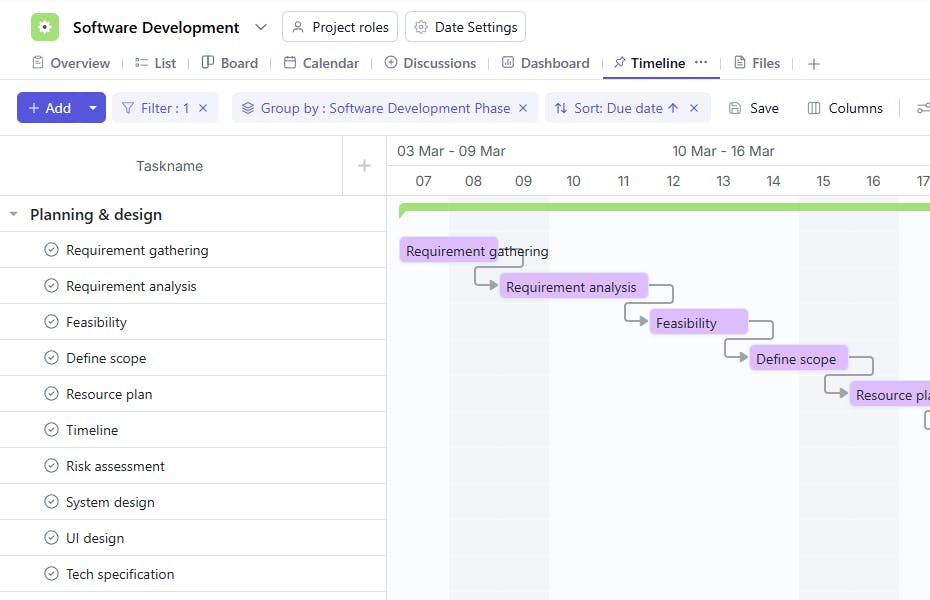
- Dependencies: Specify dependencies between tasks to manage sequencing.
- Completion Status: Add a field to track task status (e.g., Not Started, In Progress, Completed).
- Notes: Include a section for additional comments or instructions.


