
Templates
Software Licenses
SmartTask’s Software Licenses Template helps you track and manage software licenses, renewals, and support to ensure compliance and avoid disruptions.
Use TemplateCategories
What is a Software Licenses Template?
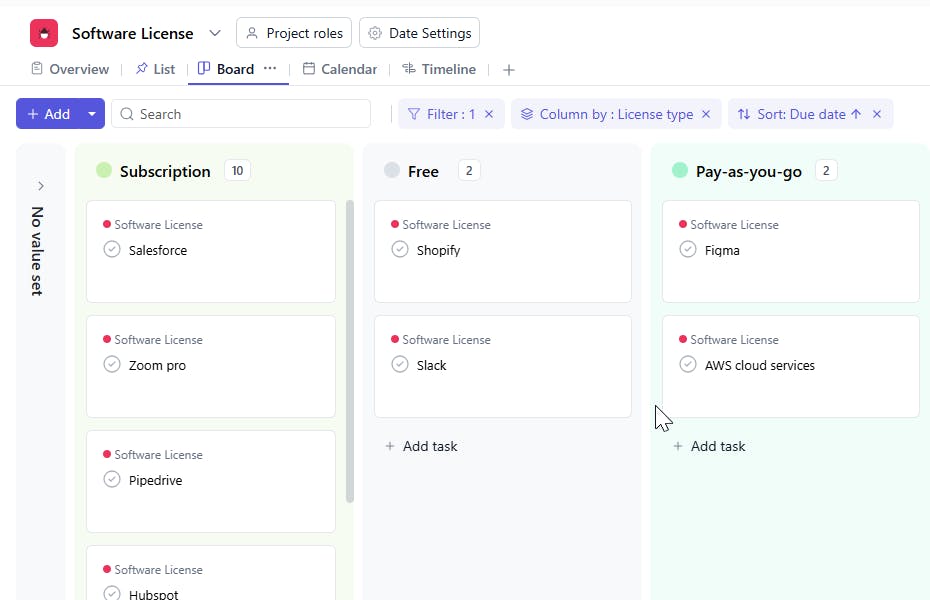
The Software Licenses Template allows you to organize and manage all your software licenses in one place. From tracking license keys and renewal dates to monitoring costs and support types, this template ensures you stay on top of licensing requirements and avoid lapses in service.
Software Licenses Template: Key Features
- Centralized License Management: Store key details like license type, license key, and version for easy reference.
- Renewal & Expiration Tracking: Set renewal dates and track license status to avoid expiration and service disruptions.
- Cost & Vendor Tracking: Monitor the cost of each license and track vendor information to manage software spending.
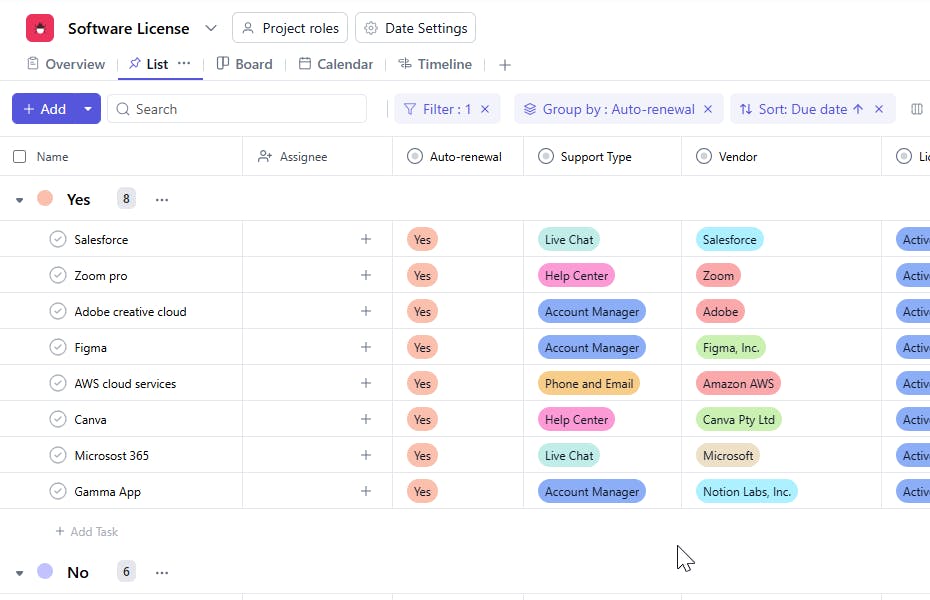
- Support & Auto-Renewal Monitoring: Track support types and manage auto-renewal settings to simplify license management.
How to Use the Software Licenses Template?
Here’s a step-by-step guide to using SmartTask's Software Licenses Template:
- Enter License Details: Add the software name, License Type, and License Key for each tool you're using.
- Set Key Dates: Track the Start Date and Renewal Date for each license to ensure timely renewals.
- Track Costs: Record the Cost of each license and keep an eye on your software spending.
- Monitor Status: Use the Status field to track whether a license is active, expired, or pending renewal.
- Vendor & Support Management: Record the Vendor and Support Type for each software to ensure you have access to necessary technical assistance.
Custom Fields for Enhanced Organization
SmartTask's Software Licenses Template includes several custom fields to help you track and manage licenses effectively:
- License Type: Pay-as-you-go .Subscription, Free,
- License Key: The unique key associated with the software license.
- Renewal Date: The date the license needs to be renewed.
- Start Date: The start date of the software license.
- Cost: The total cost of the software license.
- Vendor: The supplier or vendor of the software.
- Status: Active, Not active
- Auto-Renewal: Yes, No
- Version: The version of the software being used.
- Support Type: Phone, Live Chat, 24/7 Customer, Help Center
Additional Customization Options
Here are a few more ways to customize the Software Licenses Template:
- Automated Notifications: Set up renewal reminders and notifications for expiring licenses.
- Vendor Communication: Track communications with software vendors regarding renewals, upgrades, and support.
- Collaboration: Use task comments and file sharing to collaborate with team members on license renewals or issues.
- Cost Reporting: Generate reports on software costs and renewal timelines to manage your software budget effectively.
The Software Licenses Template helps you stay organized, compliant, and on top of software renewals, ensuring uninterrupted access to essential tools.


