
Templates
Supporting Sales Materials
Managing sales materials effectively is crucial for empowering your team and closing deals. Here's how a supporting sales material template can help.
Use TemplateCategories
What is a Supporting Sales Material Template?
A supporting sales material template allows you to organize, store, and track essential resources for your sales team. From presentations and case studies to product sheets and testimonials, the template ensures your team always has the right materials at their fingertips.
Here's a closer look at its key features:
Supporting Sales Material Template: Key Features
- Centralized Resource Library: Store and organize all sales materials—brochures, presentations, case studies, and more—in one accessible location.
- Version Control System: Ensure your team always uses the most current materials through automatic version tracking.
- Collaborative Workflow: Enable team members to create, review, and update materials together in real-time.
- Smart Organization: Categorize materials by product line, audience type, or sales stage for quick retrieval.
How to Use the Supporting Sales Material Template
Here's a step-by-step guide to using SmartTask's Supporting Sales Material Template for your sales team:
- Set Up Your Library: Choose the template from SmartTask's collection and organize your materials into logical categories.
- Import Materials: Upload existing sales documents or create new ones using built-in templates.
- Customize Content: Tailor materials for different audiences, industries, or use cases.
- Enable Team Access: Grant appropriate permissions to team members for viewing and editing.
- Monitor Usage: Track which materials are most effective and gather team feedback for continuous improvement.
Custom Fields for Enhanced Organization
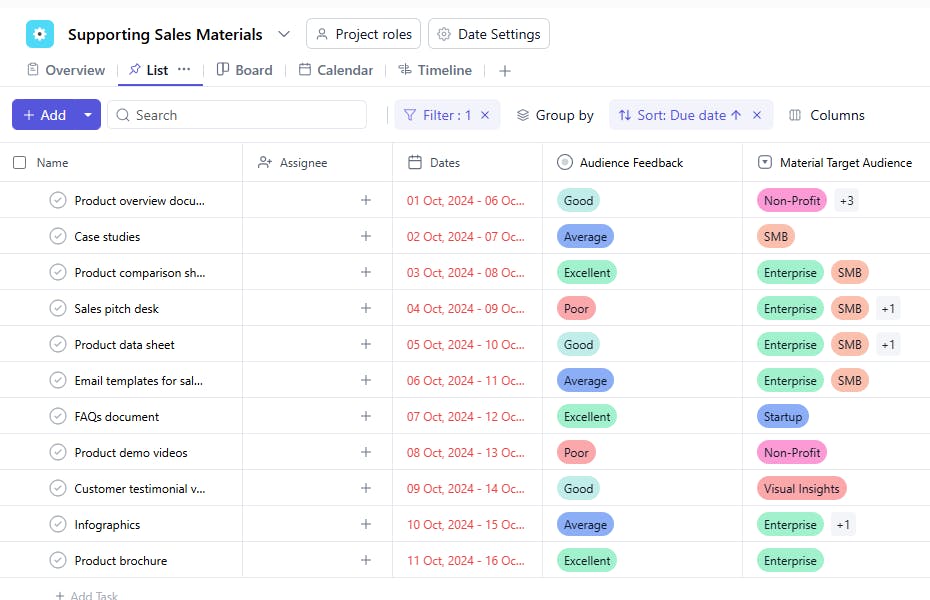
SmartTask's sales material template includes several custom fields, including:
- Audition Feedback: Good, Bad, Excellent, Average
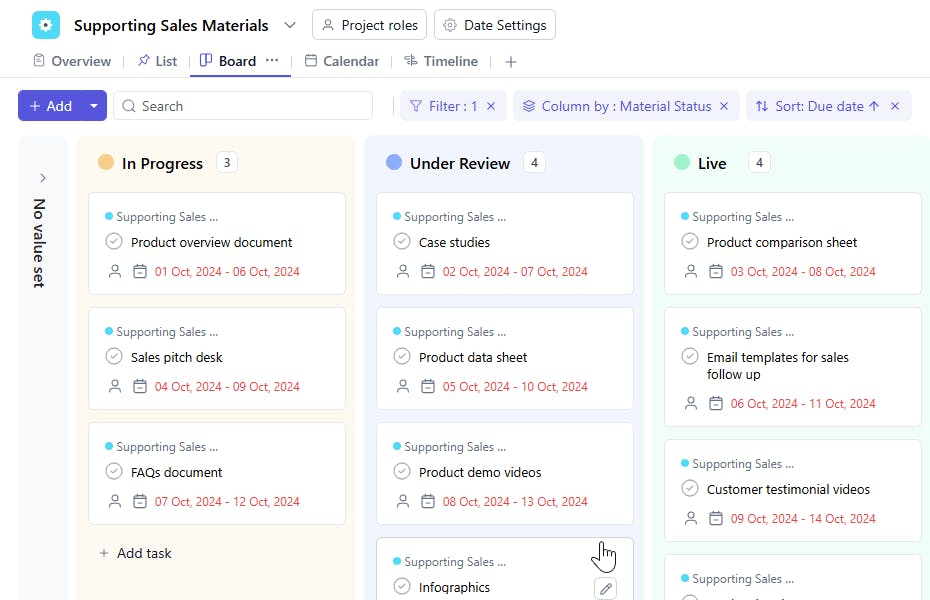
- Material Status: In progress, Finalized, Draft
Additional Customization Options
Here are a few more ways to customize the Supporting Sales Material Template:
- Automated Notifications: Get alerts when materials need updating or review.
- Feedback Integration: Collect and incorporate team input directly within documents.
- Usage Analytics: Track which materials are most frequently used and effective.
- Quick Search: Find relevant materials instantly using advanced search filters.
- Template Library: Access pre-approved templates for consistent branding.
The supporting sales material template is your one-stop tool for organizing and leveraging sales resources to close deals more effectively.


