
Templates
UI/UX Design
Managing the design process—from research to final handoff—can quickly become complex. That’s why our UI/UX Design Template.
Use TemplateCategories
Slide 1 of 3 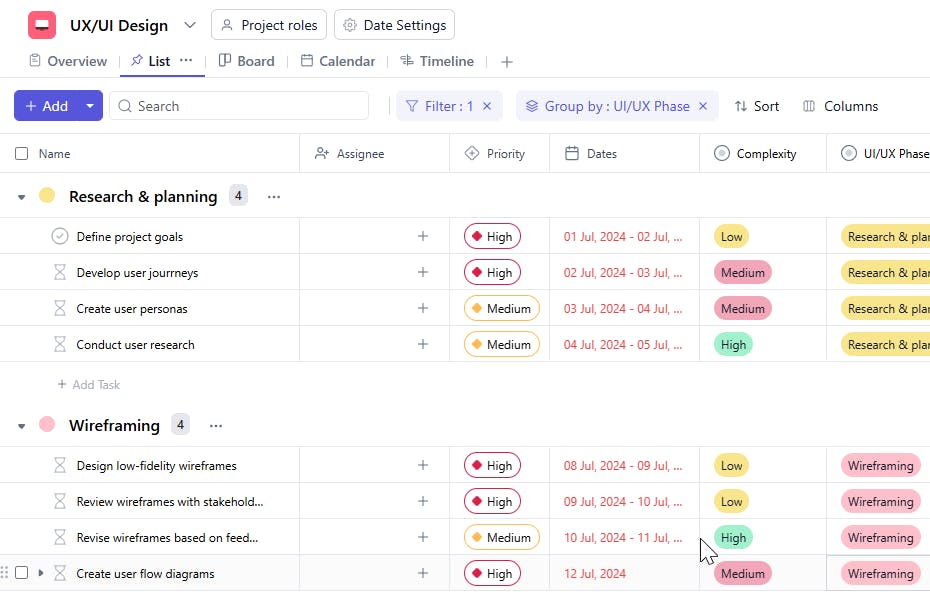
Slide 2 of 3 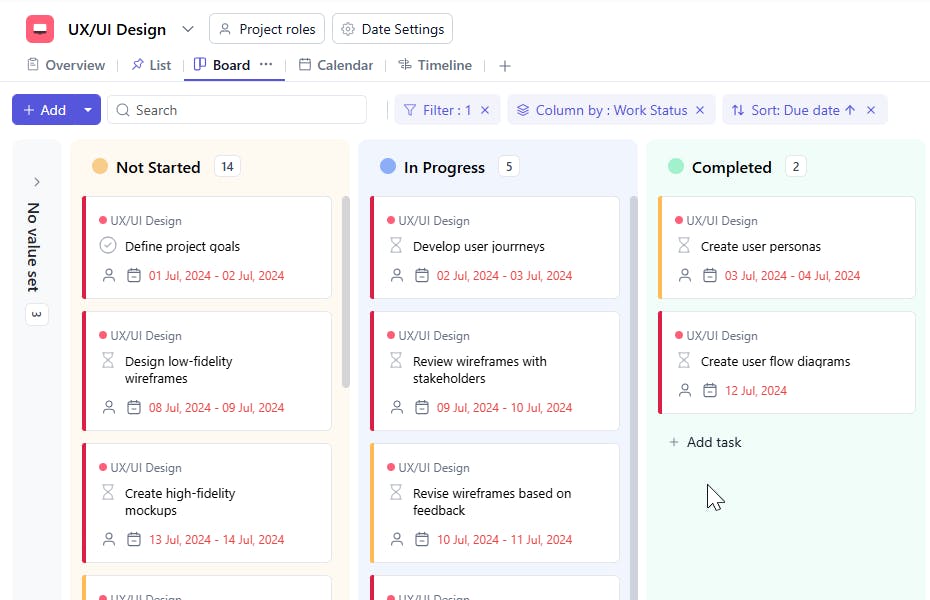
Slide 3 of 3 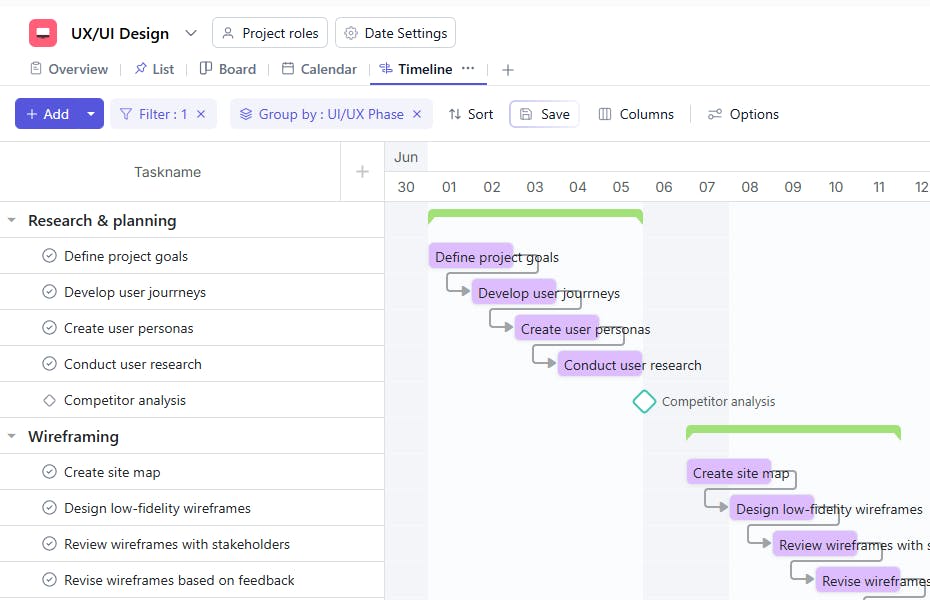
What is a UI/UX Design Project Template?
A UI/UX Design Project template is a structured framework that guides your team through the design process, ensuring a systematic approach to UI/UX design projects. It organizes the design process into manageable stages, improving collaboration and tracking progress.
Here's a closer look at its key features:
UI/UX Design Project Template: Key Features
- Comprehensive Phases: The template includes all essential phases of UI/UX design, from user research to final handoff.
- Task Organization: Break down the project into actionable tasks, making it easier to manage and track progress.
- Real-Time Collaboration: Use SmartTask's collaboration tools to share feedback, discuss changes, and make decisions in real-time.
- Customizable Workflow: Adapt the template to fit your specific project needs, adding or removing sections, adjusting timelines, and customizing tasks.
How to Use the UI/UX Design Project Template?
Here's a step-by-step guide to using SmartTask's UI/UX Design Project Template:
- Create a New Project: Log into SmartTask, click "New Project," and select the UI/UX Design template.
- Customize the Template: Tailor it to fit your design process, adjusting sections like user research, wireframes, prototypes, and testing phases.
- Define Project Goals: Outline clear objectives for the project, ensuring a focused direction.
- Collaborate Seamlessly: Use SmartTask’s collaboration tools to communicate updates, share files, and leave feedback.
- Track Progress: Regularly check the status of tasks and milestones, identifying any issues early on.
- Document Results: Record key findings, decisions, and lessons learned to refine your process for future UI/UX projects.
Custom Fields for Enhanced Organization
SmartTask's UI/UX Design Project template includes several custom fields:
- UI/ UX Status: New, In Progress, Pending Feedback, Completed
- UI/UX Phase: Research, Wireframing, Prototyping, Testing
- Complexity: High, Medium, Low
- Approval Status: Pending, Approved, Rejected
Additional Customization Options
- Automated Workflows: Set up automatic task assignments based on project phase or task type.
- Real-Time Collaboration: Enable team members to coordinate responses via task comments, chat, or video calling.
- Visual Tracking: Manage project queues at a glance using kanban boards, avoiding bottlenecks and ensuring timely responses.
- Custom Views: Create specific views for different team members or stakeholders to focus on relevant tasks and milestones.


