
Templates
Vendor Management
The Vendor Management Template ensures effective organization and management of vendor relationships, enhancing transparency, accountability, and overall efficiency in vendor dealings.
Use TemplateCategories
What is a Vendor Management Template?
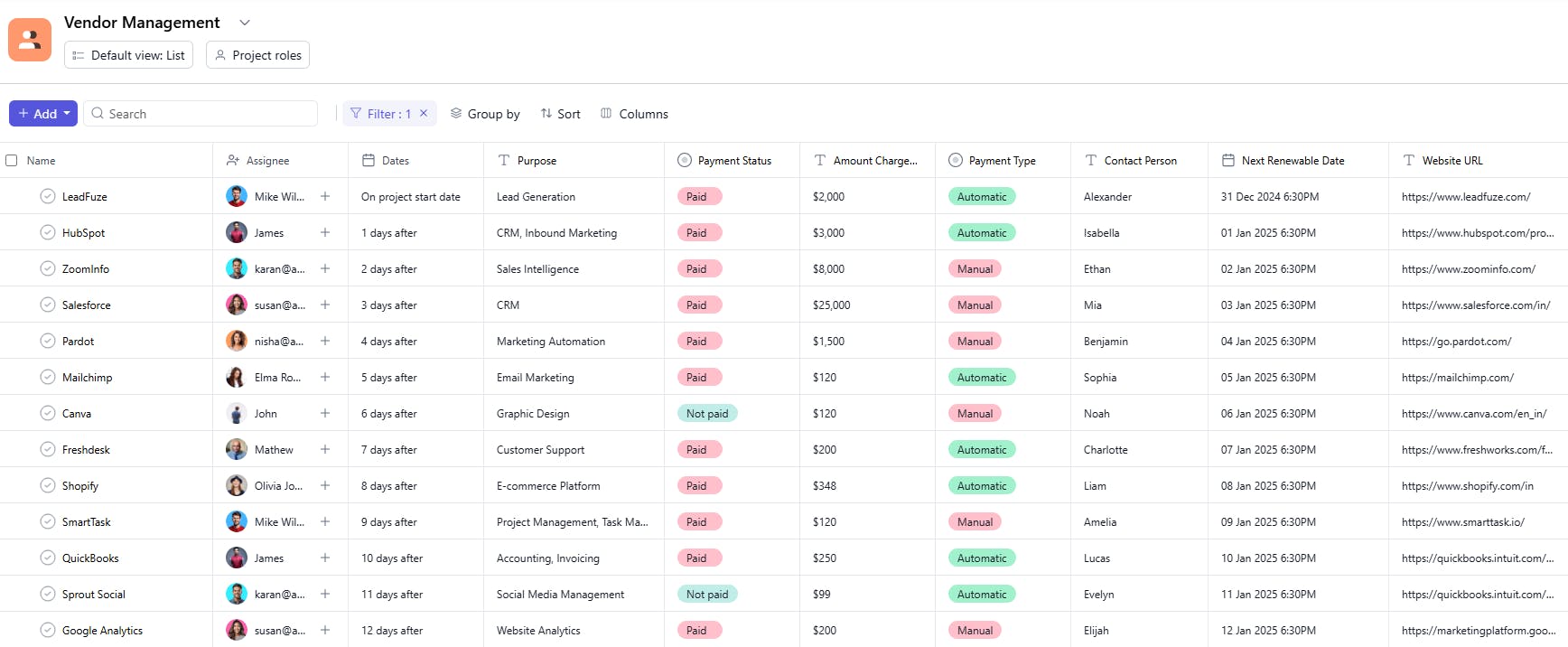
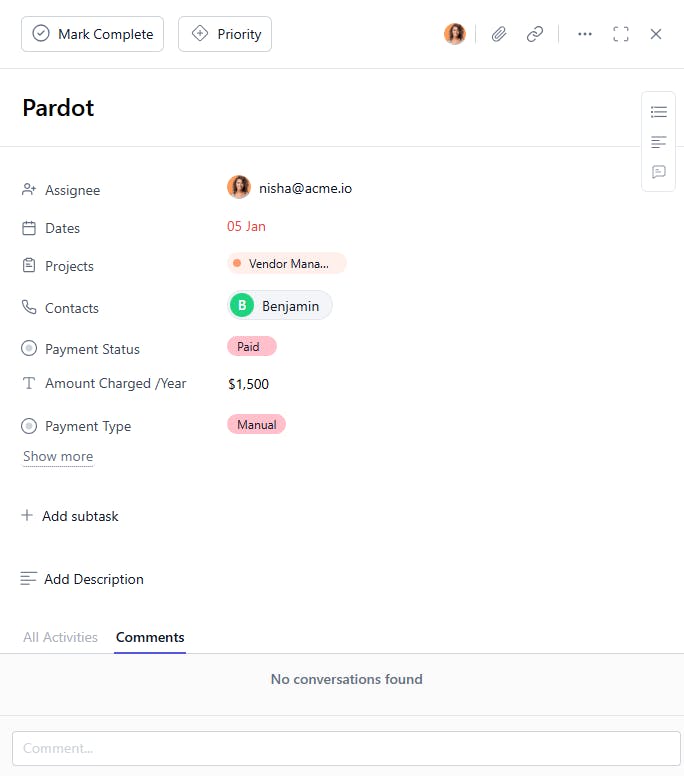
A Vendor Management Template provides a structured framework for managing vendor relationships. It allows you to track tasks, monitor payment statuses, and organize vendor details like contact information, purpose, and charges, ensuring smooth interactions and contract management.
Here’s a closer look at its key features:
Vendor Management Template: Key Features
- Organized Vendor Workflow: The template organizes vendor management tasks into clear phases, from selection to performance evaluation, ensuring efficient handling at every stage.
- Seamless Collaboration: Built-in communication tools allow vendors and your team to collaborate, exchange feedback, and stay aligned throughout the process.
- Customizable to Your Needs: Whether you’re managing product suppliers, service providers, or contractors, the template can be tailored to fit the specifics of your vendor relationships.
How to Use the Vendor Management Template?
Here's a step-by-step guide to using SmartTask’s Vendor Management Template:
- Create a New Project: Log into SmartTask, click "New Project," and select the Vendor Management template to get started.
- Tailor to Your Needs: Customize the template by setting your specific vendor management goals, such as streamlining supplier onboarding or evaluating vendor performance.
- Organize Phases: The template is structured to guide you through all essential stages, from vendor selection and contract negotiation to performance tracking and renewal.
- Collaborate in Real-Time: Share updates, documents, and feedback with vendors or team members using SmartTask’s real-time collaboration tools.
- Evaluate and Renew Contracts: At the end of the vendor relationship or contract period, use the final phase to assess vendor performance and decide whether to renew, renegotiate, or discontinue.
Custom Fields for Enhanced Organization
This Vendor Management Template includes the following fields for better tracking and management:
- Purpose: Office Supplies, IT Support
- Website URL: The vendor's official website.
- Department: The department that works with the vendor.
- Contact Number: The phone number for vendor communication.
- Contact Person: The primary contact person at the vendor's company.
- Amount Charged / Year: The cost charged by the vendor for services per year.
- Payment Status: Paid, Pending, Overdue
- Next Renewable Date: The next date for contract renewal.
- Payment Type: Bank Transfer, Credit Card
Additional Customization Options
Here are a few ways to further customize the Vendor Management Template:
- Vendor Rating: Add a field to rate vendor performance based on quality, cost, and service.
- Contract Terms: Include key contract terms for easy reference (e.g., duration, discounts).
- Priority Vendors: Mark high-priority vendors to ensure their services are well-managed.
- Notes Section: Add a section for additional comments or special terms.
- File Attachments: Attach contracts, invoices, or other important documents for easy access.


