
Templates
Waterfall Management
The Waterfall Management Template helps ensure the successful execution of Waterfall projects by carefully managing tasks, dependencies, and risks, and monitoring progress through structured stages.
Use TemplateCategories
What is a Waterfall Management Template?
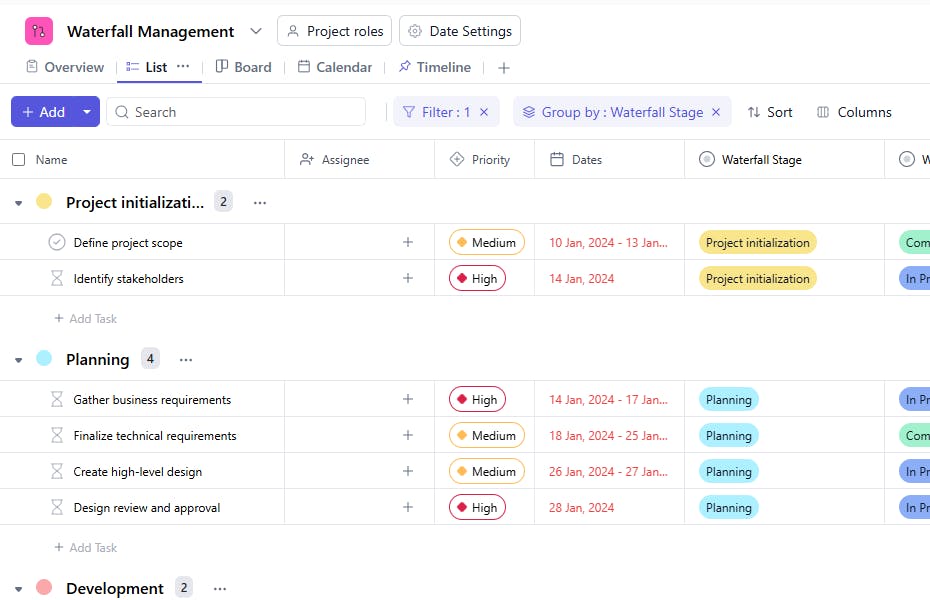
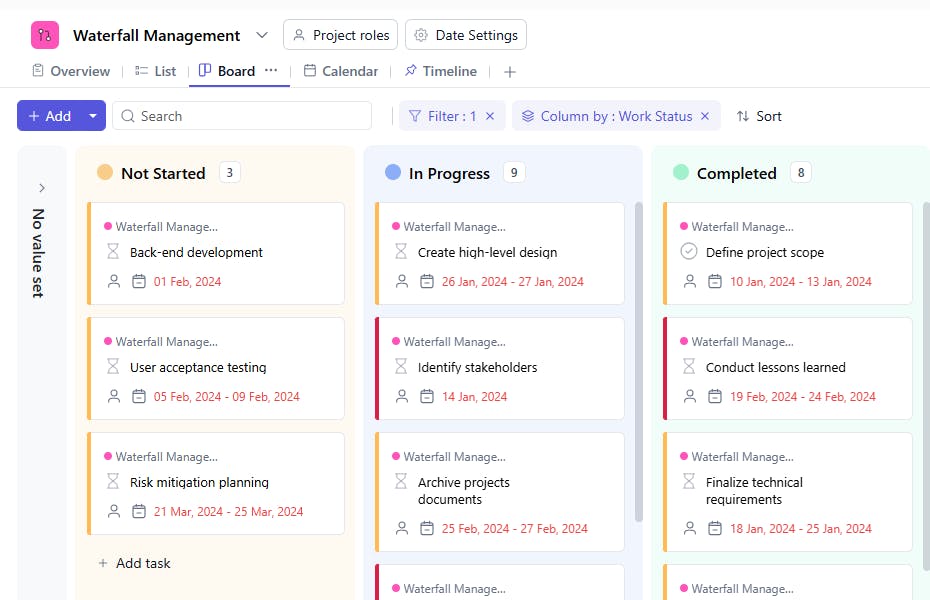
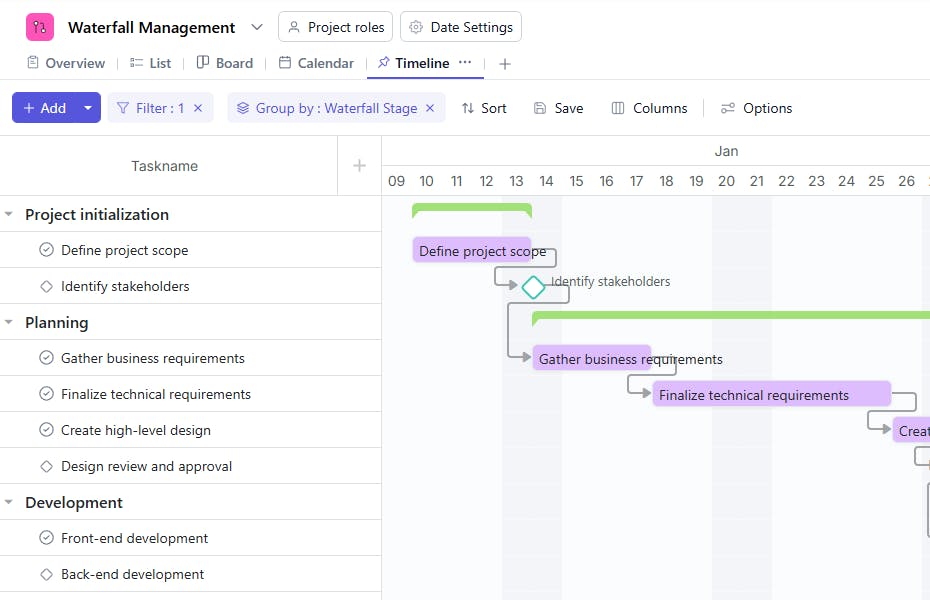
A Waterfall Management Template is a structured tool used to manage projects following the Waterfall methodology. It includes task names, assignees, dependencies, statuses, risk levels, start and due dates, project stages, and task types. This helps ensure that project tasks are completed in a sequential order, tracking each phase meticulously from start to finish.
Here’s a closer look at its key features:
Waterfall Management Template: Key Features
- Phase-Based Workflow: The template divides the project into distinct phases, such as Requirements, Design, Implementation, Testing, and Deployment, making it easy to track progress.
- Detailed Documentation: Keep all project-related documents organized and accessible to maintain clarity and traceability at every stage.
- Collaborative Planning: Assign tasks, update statuses, and involve stakeholders for feedback during the planning and review phases.
- Milestone Tracking: Highlight critical milestones to ensure project phases are completed on time and align with the overall project goals.
How to Use the Waterfall Management Template?
Follow this step-by-step guide to using the Waterfall Management Template effectively:
- Set Up the Project: Log into your project management tool, create a new project, and select the Waterfall Management Template. Customize the template to fit your project’s requirements.
- Define Project Phases: Break the project into clear phases: Requirements, Design, Implementation, Testing, and Deployment. Each phase should have its own tasks, deadlines, and milestones.
- Assign Tasks: Delegate responsibilities to team members for each phase. Ensure everyone understands their roles and the sequential nature of the process.
- Track Progress: Use the template to monitor progress within each phase. Ensure that one phase is fully completed and approved before moving to the next.
- Review and Deploy: After completing all phases, use the template’s tracking and documentation features to review the project and prepare for deployment.
Custom Fields for Enhanced Organization
This Waterfall Management Template includes the following fields for better tracking and management:
- Status: Not Started, In Progress, Completed
- Risk Level: High, Medium, Low
- Waterfall Stage: Requirements gathering, Planning, Development, Testing, Post-Deployment
- Waterfall Type: Post-Deployment, Stakeholder management, Requirement gathering, Design, Development, Testing, Deployment, Post-project evaluation, Documentation, Maintenance, Risk management, Change management.
Additional Customization Options
Here are a few ways to further customize the Waterfall Management Template:
- Priority Level: Add a field to specify the priority level of each task (e.g., High, Medium, Low).
- Resources: Include links to resources or tools required for completing each task.
- Progress Tracking: Track the percentage of completion for each task.
- Comments: Include a section for additional comments or notes related to the task.
- Completion Notes: Add a space to document any completion notes or outcomes of each task.


