
Templates
Website Design
Designing a website is about more than just creating something visually appealing, it's about crafting a seamless experience for every user.
Use TemplateCategories
Slide 1 of 3 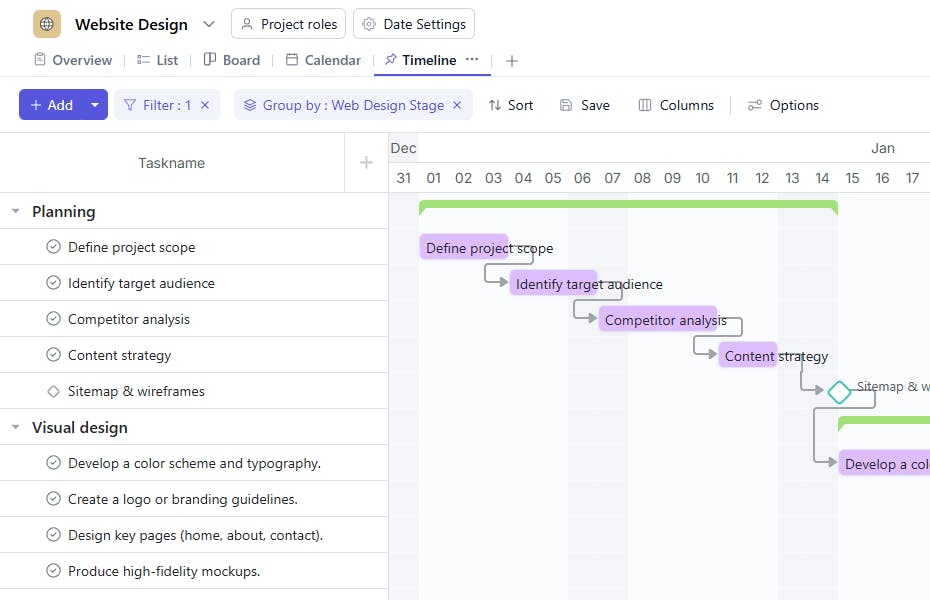
Slide 2 of 3 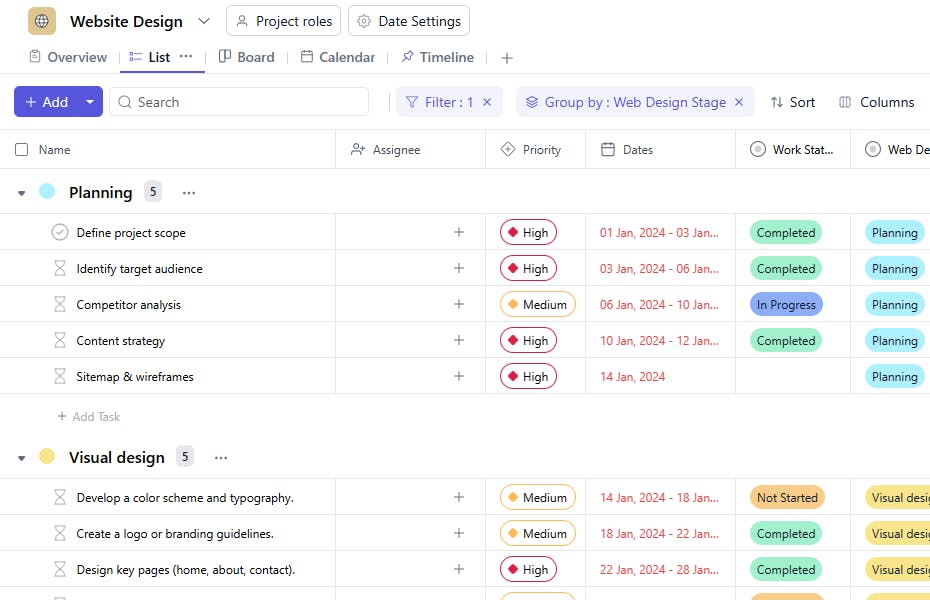
Slide 3 of 3 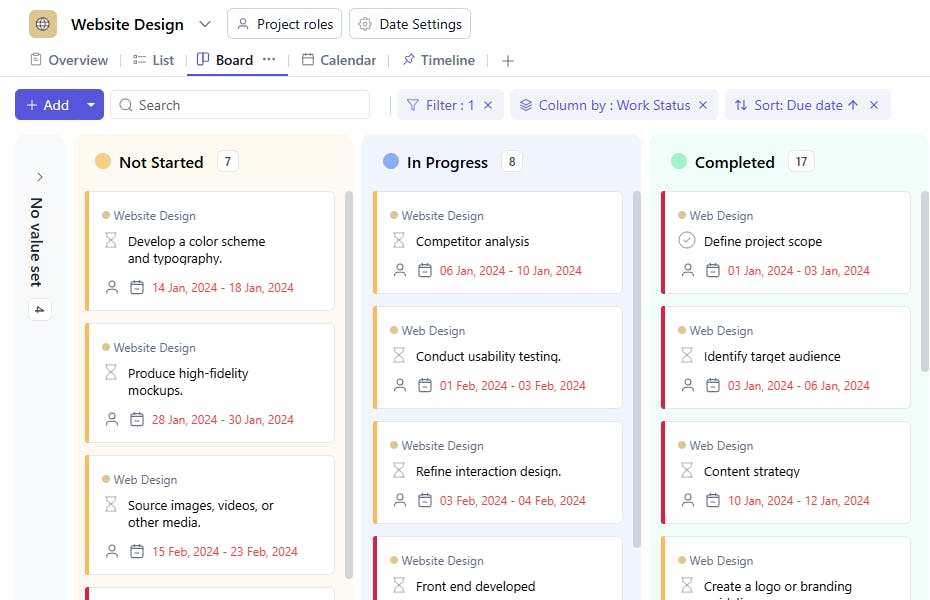
What is the Website Design Template?
The Website Design Template offers a pre-structured framework that helps designers focus on creativity and customization, saving time and ensuring a consistent, professional design across the website.
Here's a closer look at its key features:
Website Design Template: Key Features
- Organized Workflow: The template breaks down the entire design process into clear, actionable phases, helping you stay on track and meet deadlines.
- Seamless Collaboration: With built-in communication tools, the template makes it easy for designers, developers, and stakeholders to share feedback and stay aligned.
- Customizable to Your Needs: Whether you're designing a portfolio or an online store, the template can be adjusted to fit the specific requirements of your project.
How to Use the Website Design Template?
Here's a step-by-step guide to using SmartTask's Website Design Template:
- Create a New Project: Log into SmartTask, click "New Project," and select the Website Design template.
- Tailor to Your Goals: Customize the template by setting your project's specific goals, such as building a responsive site or improving user engagement.
- Organize Design Phases: The template is structured to guide you through all the key stages, from research to prototyping to testing.
- Collaborate in Real-Time: Share updates, designs, and feedback with your team using SmartTask's collaboration tools.
- Prepare for Handoff: Once your design is complete, use the final phase to prepare design files and guidelines for handoff to developers or clients.
Custom Fields for Enhanced Organization
SmartTask's Website Design template includes several custom fields:
- Stage Planning, Visual Design, UX Design, Content Creation, Front-End Development, Back-End Development, Launch, and Deployment
- Approval Status: Approved, Pending, Not Approved
- Status: Completed, In Progress, Pending Review
Additional Customization Options
- Task Labels: Organize tasks by priority or project phase, such as “High Priority” or “Wireframe Review,” to keep everything on track.
- Automated Reminders: Set up reminders for key milestones or deadlines to keep the project moving forward and prevent delays.


