
Templates
Website Management
The Website Management Template is your comprehensive tool for organizing, tracking, and managing website-related tasks, ensuring timely updates and smooth website performance.
Use TemplateCategories
What is a Website Management Template?
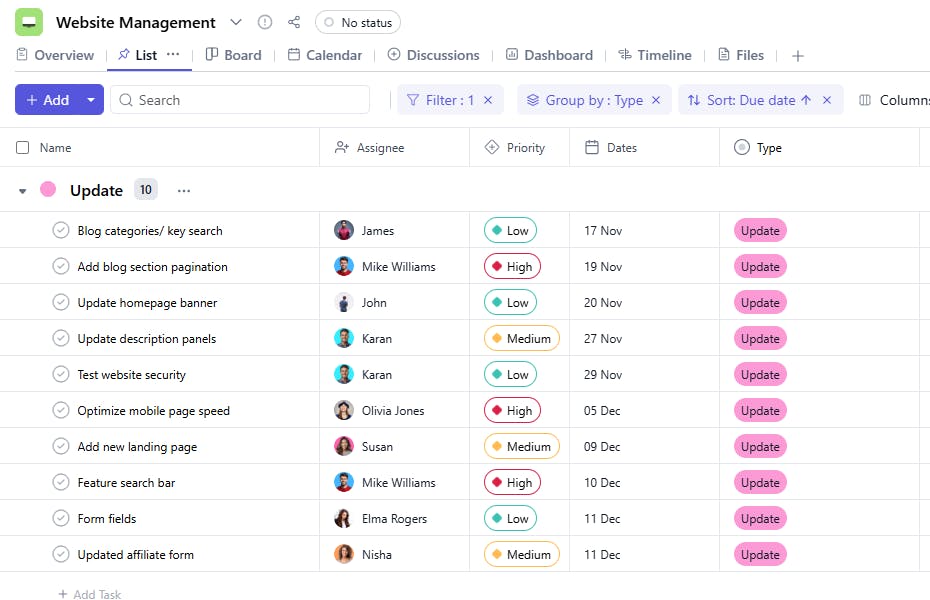
A Website Management Template helps you streamline the management of your website by tracking tasks, assigning responsibilities, and monitoring progress. Whether it’s a site update, bug fix, or content addition, this template ensures everything is handled effectively.
Here’s a closer look at its key features:
Website Management Template: Key Features
- Comprehensive Website Details: Track important website data, such as page updates, feature requests, and SEO performance. This ensures the site remains optimized and user-friendly.
- Seamless Task Management: Organize all tasks related to website maintenance—design changes, content creation, and bug fixes—keeping everything on track.
- Collaborative Team Assignments: Assign roles, update statuses, and prioritize tasks to keep your team aligned on website goals.
- Automated Notifications: Set reminders for key website-related deadlines, such as content publishing or security updates.
How to Use the Website Management Template
Here’s a step-by-step guide to using SmartTask’s Website Management Template:
- Choose and Customize: Select the Website Management Template from your project management tool’s template library. Customize fields to match your site’s structure, including pages, features, and content types.
- Enter Website Details: Add pages, features, or content areas that need updating, or import details from your existing website management systems for efficiency.
- Assign Tasks: Delegate specific tasks like updating content, checking for broken links, or testing site functionality to team members.
- Set Up Deadlines: Create timelines for website tasks, like updating blogs, adding new features, or running SEO audits. Set up reminders to ensure tasks are completed on schedule.
- Monitor and Update: Track progress on website updates, fix errors, and test new features. Use collaboration tools like chat and task comments to communicate with your team.
Custom Fields for Enhanced Organization
SmartTask’s Website Management Template includes several custom fields to help manage tasks effectively:
- Type Bug Fix, Feature Update, Content Addition
- Requirements: Resources or dependencies needed to complete the task.
Additional Customization Options
Here are a few ways to further customize the Website Management Template:
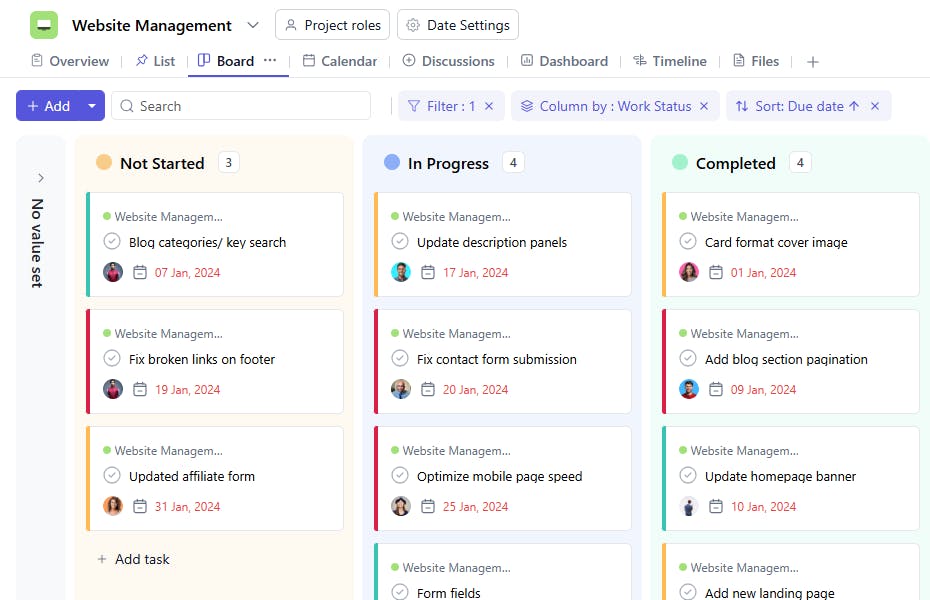
- Progress Status: Add a field to track task status (e.g., Pending, In Progress, Completed).
- Automated Reminders: Set reminders for approaching deadlines or updates.
- Collaboration Tools: Use comments and file-sharing features for better communication between team members.
- Performance Insights: Track metrics such as time taken to complete tasks or the number of tasks completed in a period.
- Visual Roadmaps: Use Gantt charts or Kanban boards to visualize task timelines and progress.


